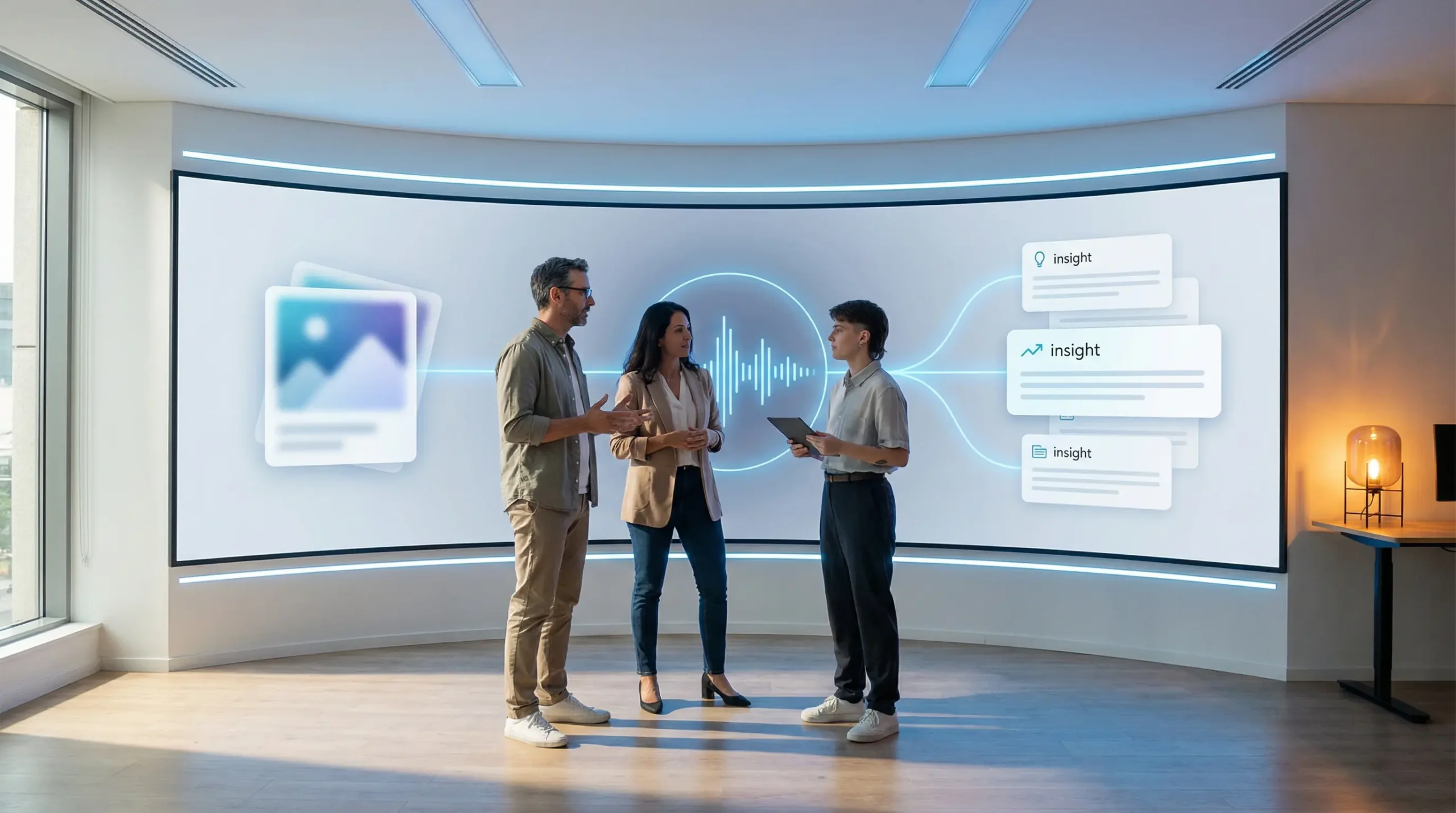
👁️ Multimodal AI is the model category that sees, hears, reads, and reasons — all at once. This guide explains how multimodal models actually work, which 2026 models lead on benchmarks, where they create real enterprise value, and the safety risks that text-only models simply do not have.
Last Updated: August 30, 2026
Until recently, AI worked in silos. You had a model for text, a separate model for images, another for audio. Multimodal AI breaks that constraint. A multimodal model processes text, images, audio, video, and documents inside a single unified architecture — and reasons across all of them simultaneously. When you upload a photo of a broken machine part and ask “what went wrong?”, a multimodal model sees the image and reads your question in a single inference pass. That is fundamentally different from what text-only large language models do. It is also why multimodal AI is now the default architecture for frontier models in 2026 — not a specialist add-on.
This article covers what multimodal AI is and how it differs from text-only models, how multimodal architectures work in plain English, which models lead in 2026 benchmarks, where multimodal AI creates genuine business value, and — critically — the safety risks it introduces that do not exist in text-only systems. This is not a guide to generative AI systems broadly, nor a tutorial on generating images. The focus here is on how multimodal models process multiple input types simultaneously and what that means for your decisions as a business leader, developer, or analyst.
By the end of this guide, you will understand exactly when multimodal AI is worth the added complexity — and when a standard text LLM is the smarter, cheaper choice. IBM’s multimodal AI research confirms that the majority of enterprise data is inherently multimodal — spanning documents, charts, images, and voice recordings — which is why the multimodal AI market was valued at $2.34 billion in 2025 and is projected to reach $38 billion by 2034 at a 36.3% CAGR. Understanding how these models work is no longer optional for technology decision-makers.
📖 New to AI terminology? Visit the AI Buzz AI Glossary — 95+ essential AI terms explained in plain English, each linking to a full in-depth guide.
🤔 1. What Is Multimodal AI? (And How It Differs From Text-Only LLMs)
A multimodal AI model is a system trained to understand and generate content across multiple data types — text, images, audio, video, and documents — within a single unified architecture, rather than requiring separate specialized models for each input type. The word “multimodal” simply means “many modes of input.” What makes it significant is not the number of input types it accepts, but the fact that it reasons across all of them together in a single pass.
Plain-English definition: A multimodal AI model is like a colleague who can read your email, look at the attached photo, listen to the voicemail you forwarded, and then give you a single coherent answer — rather than three colleagues handling each piece separately and passing notes between them.
The critical distinction lies in architecture. A text-only large language model receives text tokens as input and produces text tokens as output. Every piece of information must be represented as text before the model can process it. A multimodal model encodes different data types — image pixels, audio waveforms, text tokens — into a shared representational space called a vector embedding space. Once everything lives in that shared space, a single reasoning layer (typically a transformer) processes all modalities simultaneously. The model does not switch between separate systems. It reasons across all inputs at once.
This architectural difference has practical consequences. A text-only model asked to “analyze the chart in this report” cannot actually see the chart — it can only read text you transcribe about the chart. A multimodal model analyzes the chart directly, interpreting visual trends, axis labels, data points, and color coding simultaneously. For tasks where non-text data carries critical information — financial charts, medical scans, product defect images, customer screenshots — this distinction determines whether the model can actually help or not. The 2026 consensus is clear: multimodal capability is now table stakes for frontier models used in enterprise environments.
⚙️ 2. How Multimodal Models Actually Work — Plain English
The architecture of a multimodal model has three components working together: specialized encoders, a shared embedding space, and a unified reasoning layer. Understanding these three pieces is enough to make informed decisions about when and how to deploy multimodal AI — no machine learning PhD required.
Step 1 — Specialized encoders: Every input type enters the model through a dedicated encoder. A vision encoder converts image pixels into numerical vectors (embeddings). An audio encoder converts sound waveforms or spectrograms into embeddings. A text encoder tokenizes and embeds text as usual. Each encoder is trained specifically for its input type, which is why multimodal models are so effective at understanding complex visual or audio data — the encoding stage is not generic. For a deeper look at how neural network encoder architecture works at the fundamental level, see our deep learning guide.
Step 2 — Shared embedding space: All encoder outputs — regardless of whether they came from pixels, waveforms, or text — are converted into vectors of the same dimensionality. This is the key step. Once a photo of a broken machine part and a technician’s written question exist in the same mathematical space, the model can compare them, combine them, and reason about their relationship. This is fundamentally different from earlier “pipeline” approaches where separate models handled each modality and passed results between each other via text.
Step 3 — Unified transformer reasoning: All embeddings are fed into a shared transformer that attends across the entire multimodal context simultaneously. This is why GPT-4o can look at a photo, hear your audio description, and respond in text — all three modalities share one reasoning layer. The model does not “translate” the image to text and then process it. It reasons across the raw embeddings directly, which preserves far more information than any text transcription could.
| Input Modality | What It Includes | Example Task | Encoder Type |
|---|---|---|---|
| Text | Prompts, documents, code, chat history | Summarize a contract | Tokenizer + text encoder |
| Images | Photos, screenshots, charts, diagrams, scans | Analyze a financial chart | Vision encoder (CNN or ViT) |
| Audio | Voice, speech, environmental sounds, music | Transcribe and summarize a meeting recording | Audio encoder (spectrogram-based) |
| Video | Short clips, screen recordings, surveillance feeds | Describe what is happening in a video clip | Video encoder (frame-level vision) |
| Documents | PDFs, spreadsheets, scanned forms, invoices | Extract data from a scanned invoice | Vision encoder + OCR layer |
| Code + Output | Code files plus error screenshots or terminal output | Debug from an error screenshot | Text + vision encoder combined |
One important distinction emerging in 2026 is the difference between early fusion and late fusion architectures. Late fusion models process each modality separately and combine results at the output stage — an older approach with weaker cross-modal reasoning. Early fusion models like GPT-4o blend text and vision tokens from the beginning of the processing pipeline, enabling far richer cross-modal reasoning. As OpenAI’s GPT-4o technical documentation confirms, early fusion is what enables seamless modality switching without a text transcription intermediate step.
📊 3. The Top Multimodal AI Models in 2026: Benchmarks + Capabilities
The multimodal AI landscape in 2026 is dominated by three frontier models — GPT-4o, Gemini 2.5 Pro, and Claude Sonnet 4.5 — alongside open-source challengers led by Qwen-VL. Each leads in different specific capabilities, and choosing the right model depends entirely on your use case, not on a single composite score. The MMMU (Massive Multi-discipline Multimodal Understanding) benchmark — which tests a model’s ability to reason simultaneously across text, charts, diagrams, and images — is the most commonly cited standard for comparing multimodal capability.
Google’s Gemini 2.5 Pro leads on video understanding and long-context multimodal tasks, supported by its 1 million token context window and native multimodal architecture built on a sparse Mixture-of-Experts design. It is the strongest choice for document-heavy enterprise workflows, video analysis pipelines, and tasks where context length matters. GPT-4o leads on real-time audio interaction and seamless modality switching — it processes text, audio, and images in a single inference pass rather than via pipeline steps, making it the best choice for real-time voice and vision applications. Claude Sonnet 4.5 leads on document and chart understanding — excelling at extracting structured information from complex visual layouts such as financial statements, technical diagrams, and multi-column PDFs, thanks to its 1 million token context and extended thinking mode.
For those evaluating open-source options, Qwen-VL (from Alibaba) delivers strong vision and document understanding with the advantage of self-hosting for data-sensitive environments. LLaVA 1.6 remains a capable vision-language model for teams that need a lightweight open-source option. To compare these models head to head for business across pricing, use cases, and enterprise fit, see the full comparison guide.
| Model | Vision | Audio | Video | Docs | Context | Open Source | Leads On |
|---|---|---|---|---|---|---|---|
| GPT-4o | ✅ Strong | ✅ Real-time | ⚠️ Limited | ✅ Strong | 128K tokens | ❌ | Real-time audio + voice apps |
| Gemini 2.5 Pro | ✅ Strong | ✅ Strong | ✅ Leading | ✅ Strong | 1M tokens | ❌ | Video + long-context tasks |
| Claude Sonnet 4.5 | ✅ Strong | ❌ Text only | ❌ | ✅ Leading | 1M tokens | ❌ | Docs + chart understanding |
| Qwen-VL | ✅ Strong | ⚠️ Limited | ❌ | ✅ Strong | 32K tokens | ✅ | Self-hosted vision + docs |
| LLaVA 1.6 | ✅ Good | ❌ | ❌ | ⚠️ Basic | 4K–32K tokens | ✅ | Lightweight open-source vision |
One important limitation to flag: Claude Sonnet 4.5 has no native audio or video capability in any current plan. If your workflow requires real-time voice or video analysis, Gemini 2.5 Pro or GPT-4o are the appropriate choices. For teams primarily processing generating images from text prompts, these multimodal reasoning models serve a different purpose — they understand and analyze images rather than generate them from scratch.
🏢 4. Multimodal AI in Business: Real 2026 Use Cases
The enterprise case for multimodal AI is strongest where business data is inherently non-text. Most organizations generate enormous volumes of data that text-only AI simply cannot process: scanned invoices, product images, technical diagrams, recorded calls, surveillance footage, handwritten annotations on contracts. Visual quality control in manufacturing is one of the clearest high-ROI applications — camera feeds analyzed in real time for defects can replace manual inspection at a fraction of the cost and with higher consistency. Ortemtech’s 2026 enterprise analysis confirms that multimodal AI achieves 90%+ extraction accuracy on structured documents, replacing manual data entry at scale at roughly one-tenth the cost.
Document intelligence is the highest-volume enterprise use case in 2026. Upload a PDF containing charts, tables, handwritten annotations, and dense text — a multimodal model extracts structured data from all layers simultaneously without manual pre-processing. This applies directly to finance teams processing invoices and expense reports, legal teams reviewing contracts with scanned signatures or handwritten notes, and operations teams working with supplier forms in mixed formats. The OpenAI-Salesforce partnership announced in 2025 specifically targeted this use case — integrating multimodal document intelligence into enterprise CRM workflows to eliminate manual data entry from customer submissions.
In healthcare, multimodal AI enables a capability that was previously impossible: analyzing a medical scan alongside a patient’s clinical notes simultaneously. A radiologist reviewing a chest X-ray can now query a multimodal model with both the scan and the patient history — receiving a single integrated assessment rather than running two separate AI tools. Customer service teams have seen measurable escalation reductions by deploying multimodal models that analyze a user’s screenshot of an error alongside their written complaint, generating a solution in a single pass rather than routing tickets through multiple agents. By 2026, nearly 60% of enterprise applications were built using models that combine two or more data modalities such as text, images, audio, or video.
🚀 New to AI? Start with the AI Buzz Beginner’s Guide to AI — 30+ plain-English guides organized into four clear learning paths: fundamentals, tools, prompting, and business adoption.
⚠️ 5. Multimodal AI Safety: The Risks Text-Only Models Do Not Have
Every new capability creates a new attack surface. Multimodal AI introduces security risks that simply do not exist in text-only systems — and that most existing security frameworks were not designed to address. The most significant is visual prompt injection: malicious instructions embedded inside an image that the model is asked to analyze. Because the model processes image content as instructions, an attacker can embed text inside a photo that overrides the model’s system prompt. A user who uploads what appears to be a product image could unknowingly trigger a hidden instruction if that image has been tampered with.
⚠️ Security Warning — Visual Prompt Injection: Multimodal models can be instructed via content hidden inside images, audio, or video. A photo that looks benign to a human may contain embedded text telling the model to ignore its system prompt and execute different instructions. This attack bypasses text-based content filters entirely — because the malicious instruction never appears as text.
The Cloud Security Alliance’s March 2026 research note on image-based prompt injection confirmed that multimodal large language models accepting image inputs are vulnerable to this attack class, with published defenses achieving only partial mitigation. NVIDIA’s AI Red Team found that early fusion models like Meta’s Llama 4 are particularly exposed — the model treats visual symbols as functional instructions without needing explicit text prompts. Meanwhile, visual prompt injection attacks are ranked as the top security risk for LLM applications by OWASP LLM01:2026.
Privacy risk is the second major concern. When users upload images for analysis, those images may contain personally identifiable information — faces, license plates, handwritten signatures, sensitive documents — that the model processes and potentially retains in session context. Audio-capable models introduce voice cloning risk: sophisticated attackers can use voice cloning to impersonate authorized personnel in workflows that accept audio input. For deepfake detection and synthetic media risks, the challenge is especially acute — multimodal models can be fooled by synthetic media that appears authentic, making them unreliable as deepfake detectors without additional verification layers.
The EU AI Act’s high-risk provisions, which became mandatory on August 2, 2026, apply directly to multimodal AI systems used in employment decisions, healthcare diagnostics, or law enforcement contexts. Under Article 15, these systems require adversarial robustness testing. Under Articles 72–73, organizations must maintain documented monitoring systems from day one of deployment and report serious incidents within 24–72 hours. The Colorado AI Act (effective February 2026) applies additional obligations when multimodal AI is used in consequential decisions about individuals in Colorado — including employment screening that processes video interviews or document uploads.
| Risk | Description | Mitigation |
|---|---|---|
| Visual prompt injection | Malicious instructions embedded in images bypass text-based filters | Sanitize image inputs; never auto-execute instructions sourced from image content; use a secondary instruction verification layer |
| PII in uploaded images | Faces, plates, sensitive documents inadvertently processed and stored in session context | Redact PII before upload; use on-premise or private cloud models for sensitive imagery; implement data minimization policies |
| Audio spoofing | Voice cloning used to attack audio-capable models and impersonate authorized users | Verify identity through a secondary channel for any consequential action triggered via audio input |
| Deepfake input | Synthetic media fed to the model as real — model cannot distinguish synthetic from authentic without external verification | Apply C2PA content credentials verification before using media as source of truth; treat all unverified media as potentially synthetic |
| EU AI Act exposure | Multimodal AI used in high-risk decisions (employment, healthcare, law enforcement) triggers mandatory compliance obligations | Document the system, conduct FRIA, apply Article 13 transparency obligations, implement Article 15 adversarial robustness testing |
| Physical environment attacks | Optimized adversarial text on physical objects (road signs, QR codes) read as instructions by vision-capable agents | Apply human-in-the-loop approval for agentic actions triggered by environmental vision inputs; do not auto-execute on vision input alone |
✅ 6. When to Use Multimodal AI — And When a Standard LLM Is Enough
The most important question when evaluating multimodal AI: “The most important question when evaluating multimodal AI is not ‘can this model see?’ — it is ‘does my task actually require vision, or am I adding complexity without adding value?’ Multimodal models are more expensive per token, require more governance overhead, and introduce new security risks. Deploying them for tasks that are fundamentally text-based wastes budget and adds attack surface without any benefit.”
Multimodal AI adds genuine value only when a task involves non-text data that the model needs to understand — not simply receive as context. Drafting an email, summarizing a text document, writing code from a specification, or answering a question about company policy are all fundamentally text tasks. A standard text LLM handles them better and at lower cost. The correct default is always a standard text LLM. Multimodal capability is the exception, justified only by the task.
The practical dividing line: if you could fully describe the relevant information in text and achieve the same result, use a text LLM. If the non-text data contains information that cannot be adequately transcribed — a visual trend in a chart, the tone and hesitation patterns in a recorded voice, the spatial layout of a scanned form — that is where multimodal AI earns its cost. Reasoning across modalities step by step using chain-of-thought techniques can also improve output quality for complex multimodal tasks, particularly where the model needs to explain its visual interpretation before drawing conclusions.
| Task | Use Standard LLM | Use Multimodal AI | Reason |
|---|---|---|---|
| Email drafting | ✅ Yes | ❌ Overkill | Purely text task |
| Summarizing a text document | ✅ Yes | ❌ Overkill | No visual data required |
| Analyzing a chart or graph | ❌ | ✅ Yes | Visual trends cannot be transcribed without loss |
| Extracting data from a scanned PDF | ❌ | ✅ Yes | Layout, tables, handwriting require vision |
| Transcribing + summarizing a meeting recording | ❌ | ✅ Yes | Audio requires audio encoder |
| Debugging from a text error message | ✅ Yes | ❌ Overkill | Error is fully text-representable |
| Debugging from an error screenshot | ❌ | ✅ Yes | Screenshot contains visual layout context |
| Analyzing a product photo for defects | ❌ | ✅ Yes | Visual defect detection requires vision encoder |
| Writing a product description | ✅ Yes | ❌ Overkill (unless from product photo) | Purely text output from text spec |
| Watching and summarizing a video | ❌ | ✅ Yes (Gemini 2.5 Pro recommended) | Video requires both vision and audio encoders |
🏁 7. Conclusion: Multimodal AI Is the Default in 2026 — But Not for Every Task
The 2026 consensus is clear: multimodal capability is now the baseline expectation for frontier AI models. GPT-4o, Gemini 2.5 Pro, and Claude Sonnet 4.5 all process visual and document inputs as a matter of course. But deploying multimodal AI is not the same as needing multimodal AI. The highest-performing enterprise AI teams in 2026 use a deliberate model policy — routing tasks to the right model tier, not the most capable one. Text tasks go to text models. Only tasks with genuine non-text data requirements go to multimodal systems, where additional security controls, compliance documentation, and cost management apply.
The 2026 hybrid architecture consensus is that most enterprise teams run both: a standard text LLM for the 80% of daily tasks that are fundamentally text-based, and a multimodal model on-call for document intelligence, visual QC, medical imaging, and audio workflows where non-text input carries critical information. If you are evaluating which multimodal model fits your stack, the Claude vs ChatGPT vs Gemini head-to-head comparison breaks down pricing, enterprise fit, and use-case alignment in detail. The right choice depends on your dominant input type — vision and documents favor Claude Sonnet 4.5, video and long-context favor Gemini 2.5 Pro, and real-time voice applications favor GPT-4o.
📌 8. Key Takeaways
| Takeaway | |
|---|---|
| ✅ | Multimodal AI processes text, images, audio, video, and documents inside a single unified architecture — not via separate models stitched together. |
| ✅ | The key architectural difference from text-only LLMs is the shared embedding space — all modalities are converted to the same vector format, enabling cross-modal reasoning in a single inference pass. |
| ✅ | Gemini 2.5 Pro leads on video and long-context tasks (1M token window); GPT-4o leads on real-time audio interaction; Claude Sonnet 4.5 leads on document and chart understanding. |
| ✅ | By 2026, nearly 60% of enterprise applications use models that combine two or more data modalities, driven by document intelligence, visual QC, and multimodal customer service workflows. |
| ✅ | Visual prompt injection — malicious instructions hidden inside images — is the top new security risk introduced by multimodal AI and bypasses all text-based content filters. |
| ✅ | EU AI Act high-risk obligations (Article 13 transparency, Article 15 adversarial robustness testing, Articles 72–73 monitoring and incident reporting) apply when multimodal AI is used in employment, healthcare, or law enforcement — effective August 2, 2026. |
| ✅ | The correct default is always a standard text LLM. Use multimodal AI only when the task genuinely requires understanding non-text data that cannot be adequately transcribed into text. |
| ✅ | Multimodal AI achieves 90%+ extraction accuracy on structured document intelligence tasks — replacing manual data entry at roughly one-tenth the cost at enterprise scale. |
🔗 Related Articles
- 📖 What Is a Large Language Model (LLM)? A Plain-English Beginner’s Guide (2026)
- 📖 AI Image Generation for Beginners: How to Create Safe, High-Quality Visuals
- 📖 Deep Learning Explained: How Neural Networks Power Modern AI (2026)
- 📖 Prompt Injection Explained: How AI Assistants Get Tricked (and How to Stay Safe)
- 📖 Claude vs ChatGPT vs Gemini: Which AI Assistant Wins for Business in 2026?
❓ Frequently Asked Questions: Multimodal AI Explained
1. What is the difference between multimodal AI and a standard chatbot?
A standard chatbot processes only text. A multimodal AI model processes text, images, audio, video, and documents simultaneously inside a single unified architecture. This means it can analyze a photo, listen to an audio clip, and read a document together in a single response. See our complete LLM guide for how text-only models compare.
2. Which multimodal AI model is best for business in 2026?
It depends on your primary use case. Gemini 2.5 Pro leads for video and long-context document tasks (1M token window). GPT-4o leads for real-time audio and voice applications. Claude Sonnet 4.5 leads for structured document and chart extraction. For a full decision framework, see the Claude vs ChatGPT vs Gemini comparison guide.
3. Is multimodal AI safe to use with sensitive business data?
Only with proper controls. Key risks include visual prompt injection (malicious instructions hidden in images), PII in uploaded images, and audio spoofing via voice cloning. For high-risk decisions in employment or healthcare, EU AI Act Article 15 adversarial robustness testing is now mandatory. See our prompt injection guide for mitigation steps.
4. Do I need multimodal AI for my daily work tasks?
Probably not for most tasks. Email drafting, document summarization, coding assistance, and most business writing are fundamentally text tasks best handled by standard text LLMs at lower cost. Multimodal AI is justified only when your task involves non-text data — images, audio, video, or scanned documents — that cannot be adequately described in text.
5. Does the EU AI Act apply to multimodal AI systems?
Yes, when used in high-risk contexts. The EU AI Act’s mandatory high-risk provisions became effective August 2, 2026. If your multimodal AI system influences employment decisions, healthcare diagnostics, or law enforcement actions, you are required to implement FRIA documentation, Article 13 transparency obligations, Article 15 adversarial robustness testing, and Articles 72–73 monitoring and incident reporting. See the EU AI Act Explained guide for a full compliance checklist.
📧 Get the AI Buzz Weekly Digest
Weekly AI insights, tools, and strategies — delivered every Monday. Free.




Leave a Reply