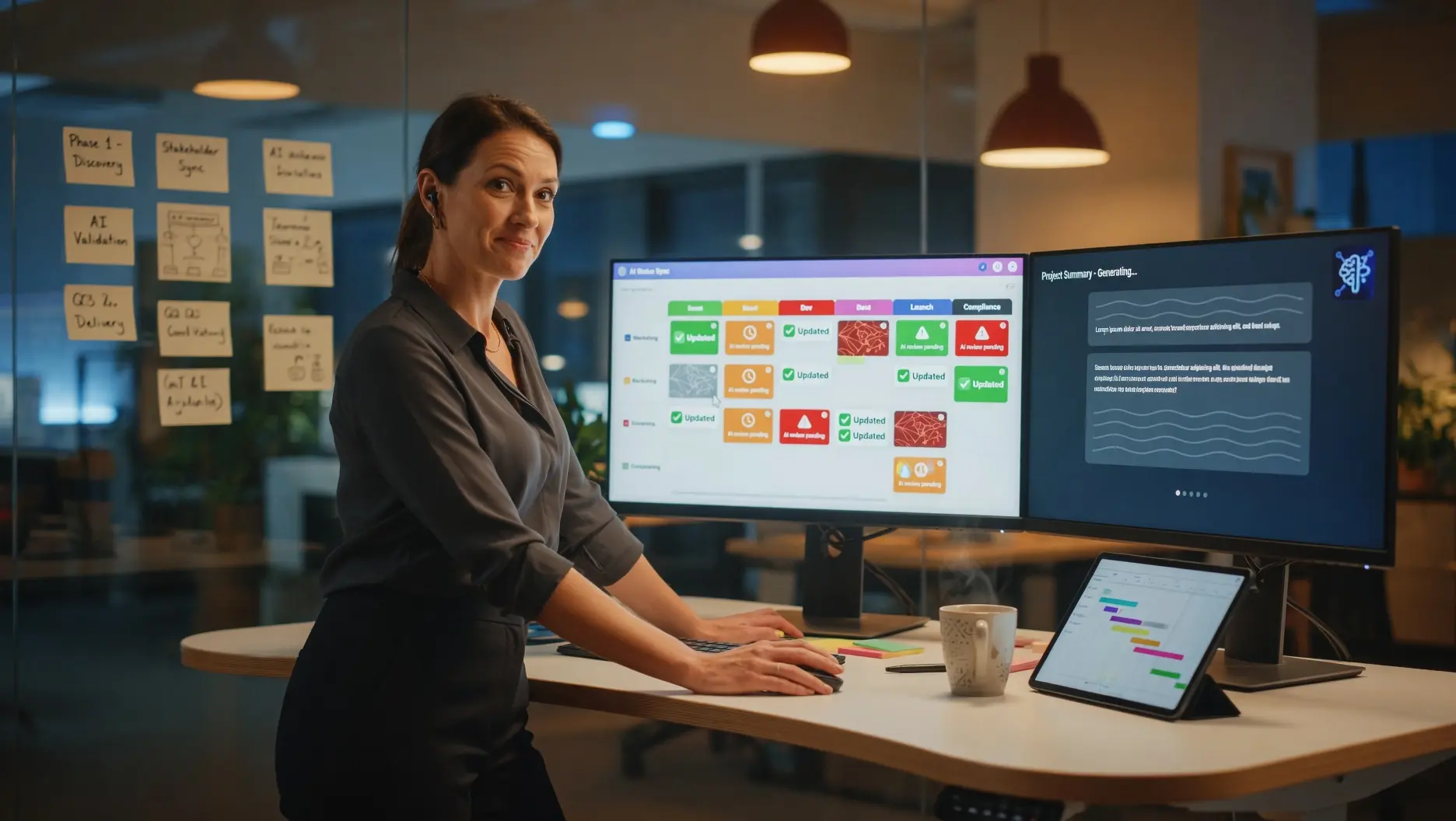
📋 70% of organizations now use AI in project management — and teams using AI tools deliver 61% of projects on time compared to just 47% for those without. This guide covers the best AI tools for project managers in 2026: 10 platforms compared with current pricing, how AI transforms every PM workflow from planning to risk management, the security checklist before you deploy, and the honest answer to which tool wins for your specific workflow.
Last Updated: September 4, 2026
Project management has always been a discipline of information: gathering it, processing it, distributing it, and acting on it before problems become crises. AI does not change what project managers do — it changes how much time they spend on the information-processing layer versus the judgment, leadership, and stakeholder management that actually determines project success. PMI’s Pulse of the Profession research confirms the gap is measurable: organizations using AI-enhanced project management deliver 61% of projects on time, compared to just 47% for those without AI tools — a 14-percentage-point on-time delivery advantage that compounds across every project in the portfolio. AI-using organizations also see 64% of their projects meet or exceed ROI estimates versus 52% for non-adopters.
The commercial reality in 2026 is that AI capabilities are no longer a premium add-on in project management software — they are the primary differentiator between platforms. Every major PM tool has shipped significant AI updates in the last 12 months: autonomous agents that handle multi-step workflows, natural language project querying, predictive risk detection, automated status reporting, and AI-generated work breakdown structures. McKinsey’s State of AI research confirms that worker access to AI rose 50% in 2025 — and the project management category is among the highest adoption areas, with 44% of teams now relying on AI-assisted PM features including automated alerts and task suggestions (Deloitte, 2026). The AI in project management market itself was valued at $3.58 billion in 2025, growing at 19.9% CAGR toward $7.4 billion by 2029.
This guide delivers the complete 2026 project management AI tool landscape. You will find 10 platforms compared with current pricing, security ratings, and use-case guidance; role-specific recommendations for development teams, marketing teams, professional services, and enterprise PMOs; the 15-question security and compliance checklist before any deployment; how AI transforms each specific PM workflow — planning, risk, communications, resource management, and agile ceremonies — not just which tools to buy; and the guardrails that ensure AI assistance enhances rather than undermines project delivery quality. For ready-to-use AI prompts you can deploy immediately, see our 10 AI prompts every project manager needs. For AI tools across the broader operations function, see best AI tools for operations and IT teams.
📖 New to AI terminology? Visit the AI Buzz AI Glossary — 95+ essential AI terms explained in plain English, each linking to a full in-depth guide.
📈 1. Why AI Project Management Tools Deliver ROI — The Data
The business case for AI in project management is no longer built on promises — it is built on documented production outcomes from organizations that have completed deployments. PMI’s research across high-performing organizations shows that AI high adopters report major gains across all PM dimensions: 91% improvement in quality management, 87% in scope management, 86% in cost management, and 85% in schedule management. These are not aspirational targets. They are reported outcomes from project professionals who have integrated AI into their workflows.
The ROI mechanism is straightforward: project managers in organizations without AI tools spend an estimated 40–60% of their working hours on administrative information processing — status report compilation, meeting note summarization, risk register updates, resource conflict identification, and stakeholder communication drafting. These are high-effort, low-judgment activities that AI handles reliably. Redirecting those hours to the activities that require genuine PM expertise — stakeholder relationship management, scope negotiation, team coaching, escalation decisions — produces measurable project outcome improvements. PMI research confirms that project managers integrating AI report 30–40% reductions in administrative overhead, with Deloitte confirming that 67% of project-intensive organizations have now deployed at least one AI tool, with automated reporting (74% of adopters), risk identification (61%), and resource scheduling (54%) showing the highest adoption rates.
AI-assisted projects show 15–20% better on-time delivery rates and 10–15% lower cost overrun rates compared to non-AI-assisted projects. Status reports — the single highest-volume administrative burden for most project managers — are reduced from 60–90 minutes of manual compilation to 15–20 minutes with AI assistance. AI-generated work breakdown structure frameworks achieve 70–80% of final structure quality without human enrichment, compressing initial planning from days to hours. The Forrester Total Economic Impact study of monday.com found that organizations achieved a 346% ROI over three years and saved an average of $250,000 annually through improved efficiency — a benchmark that applies broadly to enterprise PM platform deployments rather than being platform-specific.
| AI Application | What It Does for Project Managers | Time Saved (Typical) |
|---|---|---|
| Automated Status Reporting | Generates structured status reports from task and project data — compiling actuals, flagging exceptions, and drafting executive summaries automatically | 45–90 minutes per status report cycle |
| Meeting Intelligence | Transcribes, summarizes, and extracts action items from project meetings — delivering structured outputs to the right owners without manual note-taking | 30–60 minutes per project meeting |
| Risk Identification | Analyzes project data patterns — velocity, dependency chains, resource allocation — to surface developing risks before they become escalation issues | 2–3 hours per risk review cycle |
| Resource Optimization | Identifies resource conflicts across the portfolio, flags overallocated individuals, and suggests reallocation options — without manual capacity spreadsheet maintenance | 1–2 hours per sprint or project phase planning cycle |
| Stakeholder Communications | Drafts stakeholder updates, executive briefings, and client-facing communications from project data — calibrated to the appropriate level of detail for each audience | 30–45 minutes per stakeholder communication cycle |
| Project Planning Assistance | Generates work breakdown structures, task lists, milestone frameworks, and dependency maps — providing a structured starting point for domain expert review and refinement | 2–4 hours per project initiation cycle |
The Project Manager’s AI Advantage: The project manager who uses AI for administrative tasks — status report generation, meeting note summarization, risk register maintenance, stakeholder communication drafting — recovers two to four hours per day that was previously consumed by information processing rather than information use. Those hours, redirected to team coaching, stakeholder relationship management, and proactive risk mitigation, represent a compounding productivity advantage that grows with project complexity.
🛠️ 2. The 10 Best AI Tools for Project Managers in 2026
The 10 platforms below represent the strongest AI-native project management options in 2026, evaluated across four dimensions: AI capability depth and 2026 feature currency, pricing transparency and value at each tier, security and compliance credentials for enterprise deployment, and fit for specific team types and workflow patterns. No single platform wins across all four dimensions — which is why the decision guide in H2 3 follows the comparison. Platform descriptions are current as of September 2026 pricing and feature sets.
1. monday.com AI Work Platform
monday.com in one line: The most visual AI work platform with the broadest built-in AI feature set across all paid tiers — with MCP integration connecting Claude, ChatGPT, and Copilot directly to your workspace data — best for visual workflow teams that want AI woven throughout their existing processes rather than bolted on top.
monday.com’s AI Work Platform is the most comprehensively AI-integrated PM tool at mid-market price points in 2026. The Sidekick AI assistant, AI Blocks (pre-built AI functions for task automation, categorization, and risk management), AI Notetaker, and monday agents are all included across paid tiers. The standout 2026 feature is monday MCP — Model Context Protocol integration that connects external AI tools like Claude, ChatGPT, Cursor, and Copilot Studio directly to your workspace, allowing those tools to read and act on your monday.com data through secure OAuth authentication. This means your team can query monday.com’s project data through whatever AI assistant they already use, rather than being locked to a single AI interface. Forrester’s Total Economic Impact study found monday.com customers achieved 346% ROI over three years and $250,000 in average annual savings through improved efficiency.
September 2026 Pricing: Free (up to 2 seats). Basic: $9/seat/month. Standard: $12/seat/month. Pro: $19/seat/month. Enterprise: custom. Note: AI credits are purchased alongside seats for new accounts from May 2026 — minimum 1,000 credits/month on Basic, 2,000 on Standard, 3,000 on Pro. Existing accounts may have different pricing structures.
Security: ISO 27001, SOC 2 Type II, GDPR compliant. Enterprise tier includes HIPAA compliance.
2. Asana AI (Asana Intelligence)
Asana in one line: The most structured AI-enhanced PM platform for cross-functional enterprise workflows — with Asana Intelligence delivering smart status updates, workflow optimization, and project health scoring — best for teams running complex multi-department processes where process consistency and stakeholder visibility are the primary requirements.
Asana’s AI capabilities center on Asana Intelligence — a suite that covers smart status updates, smart fields, task summaries, and workflow optimization suggestions. The AI reviews task progress, milestones, and blockers across a project and drafts a status summary ready for stakeholder distribution with minimal edits. In 2026, Asana has added AI-powered project health scoring, natural language project creation, and automated workload balancing. The primary limitation: Asana Intelligence is available only on Advanced and Enterprise plans, placing the full AI feature set behind a significant paywall for smaller teams. Teams on Starter ($10.99) get limited AI access — the meaningful AI features start at Advanced ($24.99).
September 2026 Pricing: Personal: Free. Starter: $10.99/user/month. Advanced: $24.99/user/month. Enterprise: custom. AI features in Advanced and above.
Security: SOC 2 Type I and II, ISO 27001, ISO 27701 certified. GDPR and HIPAA compliant on Enterprise.
3. ClickUp Brain (ClickUp 4.0)
ClickUp in one line: The most feature-dense AI project management platform at the most aggressive price point — ClickUp Brain unifies knowledge, automation, and AI assistance in one workspace, with Super Agents handling multi-step autonomous workflows — but the learning curve is real and performance inconsistencies persist.
ClickUp 4.0 is built on ClickUp Brain — an integrated intelligence layer that unifies company knowledge and automates operational tasks. ClickUp Super Agents are the standout 2026 AI feature: you can @mention them in chat or assign them tasks, and they autonomously handle multi-step workflows — converting a feature request in chat into a structured project brief, turning meeting notes into client-ready follow-up emails, or generating a weekly summary from project data. April 2026 additions include AI Super Agents with cross-workspace automation and memory, AI Notetaker with automatic meeting transcription and task creation, and Enterprise AI Search across all connected tools. ClickUp consistently offers the most AI features per dollar of any platform in this comparison.
September 2026 Pricing: Free (unlimited members). Unlimited: $7/user/month. Business: $12/user/month. Enterprise: custom. ClickUp Brain available as add-on across paid plans.
Security: SOC 2 Type II, ISO 27001, GDPR compliant.
4. Wrike with Copilot
Wrike in one line: The deepest enterprise AI integration for risk-intensive project environments — Wrike Copilot answers natural language portfolio queries, surfaces risk-trending projects, and enables custom AI agent building — best for mid-size to enterprise teams in marketing operations, professional services, and regulated industries where audit trails and security matter as much as feature depth.
Wrike has the deepest enterprise AI integration of the platforms tested in 2026. Wrike Copilot answers natural language questions about project status across the portfolio, surfaces projects with developing risk signals, and generates briefings that pull from multiple projects simultaneously. Its AI agent builder lets teams create custom agents for task routing, scoring incoming requests against capacity, and automating approval workflows. Risk prediction is Wrike’s standout capability: it identifies projects trending toward late delivery based on completion patterns and team capacity data rather than simple deadline proximity — a fundamentally different (and more useful) approach to risk alerting. Customer-managed encryption is available for regulated industries.
September 2026 Pricing: Free. Team: $10/user/month (2–15 users). Business: $24.80/user/month (5–200 users). Enterprise: custom.
Security: SOC 2 Type II, ISO 27001, GDPR, HIPAA compliant. Customer-managed encryption available on Enterprise.
5. Microsoft Project / Planner with Copilot
Microsoft Project in one line: The natural choice for Microsoft 365 organizations — Copilot in Planner and Microsoft Project brings AI task planning, schedule optimization, and cross-app intelligence to teams already in the Microsoft ecosystem — best for enterprises where M365 integration and IT security standardization outweigh platform-specific feature depth.
For organizations already committed to the Microsoft 365 ecosystem, the combination of Microsoft Planner (now unified as Microsoft Planner Premium) with Copilot delivers AI project management without the overhead of a separate platform and data silo. Copilot in Planner supports natural language task creation, schedule assistance, AI-powered project briefings, and cross-app intelligence that draws from Teams meeting notes, Outlook email threads, and SharePoint documents simultaneously. The honest limitation: Microsoft Project with Copilot is less purpose-built for PM-specific workflows — risk registers, resource leveling, and portfolio-level risk analytics — than dedicated tools like Wrike or Asana at equivalent price points. The full AI cost stacks up quickly once Planner Premium and M365 Copilot are both licensed per seat.
September 2026 Pricing: Planner Plan 1: $10/user/month. Plan 3: $30/user/month. Plan 5: $55/user/month. M365 Copilot add-on: $30/user/month (enterprise). Business promotional pricing for M365 Copilot: $18/user/month through December 31, 2026 for organizations up to 300 users.
Security: Microsoft enterprise security stack — SOC 1/2/3, ISO 27001, FedRAMP, HIPAA, GDPR.
6. monday.com AI vs Asana AI — Head-to-Head Decision Point
For teams deciding between the two most-searched PM platforms: monday.com wins on visual workflow, price-per-AI-feature ratio, and MCP integration depth. Asana wins on structured workflow complexity, automation rule sophistication, and free tier generosity (15 free users vs monday’s 2). A 10-person team on monday.com Standard ($12/seat) gets full AI features including Sidekick, AI Blocks, MCP, and agents. A 10-person team on Asana does not get meaningful AI features until Advanced ($24.99/seat) — a 108% price premium for comparable AI access. For enterprise teams over 50 people where workflow complexity matters most, Asana’s AI is ahead. For growing teams prioritizing AI breadth per dollar, monday.com leads. See the full comparison at compare AI tools for your specific workflow.
7. Notion AI (Projects + AI)
Notion AI in one line: The document-first PM platform that increasingly blurs the line between knowledge management and project execution — best for teams under 20 people managing 1–3 projects simultaneously where the project plan, meeting notes, and team wiki need to live in one connected system.
Notion’s 2026 AI additions have substantially improved its PM credentials: AI Connectors pulling live data from Slack, Google Drive, and GitHub into Notion (April 2026), AI autofill for database properties based on page content (March 2026), and AI Q&A with source citations from workspace content (January 2026). Notion AI charges separately — $20/member/month for the Notion AI plan on top of the workspace plan — which positions it as a premium option for smaller teams but potentially expensive for larger deployments. Beyond 20 people managing multiple complex projects, dedicated PM tools handle portfolio visibility, dependency tracking, and resource management significantly better.
September 2026 Pricing: Plus: $12/user/month. Business: $18/user/month. Enterprise: custom. Notion AI add-on: $20/member/month (billed annually: $16).
Security: SOC 2 Type II, ISO 27001. HIPAA available on Enterprise.
8. Jira with Atlassian Intelligence
Jira in one line: The default issue tracker for software teams — with Atlassian Intelligence adding AI summaries, natural language queries, sprint planning recommendations, and cross-Atlassian-product intelligence — best for software engineering and product teams running Scrum or Kanban where Jira’s issue tracking maturity is the requirement.
Jira remains the default for software project management in 2026 — its Scrum and Kanban implementation is the most mature in the market, and Atlassian Intelligence brings meaningful AI additions without requiring a platform migration. Atlassian Intelligence offers AI issue summaries, natural language queries across the Jira project graph, sprint planning recommendations, and AI-powered writing assistance for descriptions and acceptance criteria. The Standard plan at $8.15/user/month is the lowest entry price for meaningful AI features in this comparison. The primary constraint: Jira is purpose-built for software teams. Non-software project types — marketing campaigns, operational initiatives, client delivery projects — generally fit better in monday.com, Asana, or Wrike.
September 2026 Pricing: Free (10 users). Standard: $8.15/user/month. Premium: $16/user/month. Enterprise: custom.
Security: SOC 2 Type II, ISO 27001, GDPR, HIPAA on Premium and Enterprise.
9. Smartsheet with AI
Smartsheet in one line: The spreadsheet-familiar PM platform for data-driven teams migrating from Excel — with Work Intelligence AI adding risk prediction, automated reporting, and resource optimization — best for teams that think in rows and columns and need enterprise PM features without abandoning the spreadsheet mental model.
Smartsheet’s AI suite — Work Intelligence — adds risk prediction that analyzes project patterns to flag delays and bottlenecks before they escalate, automated status report generation, and resource optimization. Smartsheet’s key differentiator remains its spreadsheet interface: teams that live in Excel adapt faster to Smartsheet than to board-based tools like monday.com or ClickUp. The AI capabilities are solid but lag behind monday.com, ClickUp, and Wrike in breadth. Smartsheet is a strong choice for large operational teams — facilities management, supply chain, compliance tracking — where the data volume favors a grid interface over a card or board view.
September 2026 Pricing: Pro: $9/user/month. Business: $19/user/month. Enterprise: custom.
Security: SOC 2 Type II, ISO 27001, GDPR, FedRAMP authorized. HIPAA on Business and above.
10. Otter.ai / Fireflies.ai (AI Meeting Intelligence)
Meeting AI in one line: Not a PM platform — but the highest-ROI AI addition to any project manager’s stack — Otter.ai and Fireflies.ai transcribe meetings, extract action items, and integrate those outputs directly into your PM tool of choice, eliminating the single largest administrative burden in most project manager’s weekly workflow.
AI meeting intelligence tools deserve separate listing because they solve the highest-frequency PM administrative task — meeting documentation — better than any integrated PM platform’s native meeting features. Fireflies.ai integrates directly with Asana, monday.com, ClickUp, Jira, and Linear — pushing transcribed meeting action items into the correct project as tasks automatically. Otter.ai’s AI Chat feature allows project managers to ask questions about meeting content after the fact: “What did we agree about the Q3 deadline?” and receive a sourced, quoted answer. Both tools eliminate 30–60 minutes per project meeting of manual note-taking and action item distribution. See the top 5 AI note-takers for Teams and Zoom for the full comparison.
September 2026 Pricing — Otter.ai: Free. Pro: $16.99/user/month. Business: $30/user/month.
September 2026 Pricing — Fireflies.ai: Free. Pro: $18/user/month. Business: $29/user/month.
Security: Both SOC 2 Type II compliant. Fireflies.ai: GDPR, HIPAA compliant on Business.
| Platform | AI Entry Price | Standout AI Feature | Security Rating | Best For |
|---|---|---|---|---|
| monday.com | $9/seat/mo + AI credits | MCP integration + Sidekick + AI Blocks across all tiers | ✅ SOC 2, ISO 27001 | Visual workflow teams, marketing, cross-functional projects |
| Asana AI | $24.99/user/mo (Advanced) | Smart status reporting + workflow automation | ✅ SOC 2, ISO 27001, 27701 | Enterprise cross-functional teams, structured workflows |
| ClickUp Brain | $7/user/mo + Brain add-on | Super Agents — autonomous multi-step workflow execution | ✅ SOC 2, ISO 27001 | Budget-conscious teams wanting maximum AI features |
| Wrike Copilot | $10/user/mo (Team) | Predictive risk detection + custom AI agent builder | ✅✅ SOC 2, ISO 27001, HIPAA, CME | Enterprise, regulated industries, professional services |
| MS Project + Copilot | $10/user/mo (Plan 1) + $18–30 Copilot | Cross-M365 intelligence — Teams, Outlook, SharePoint unified | ✅✅ FedRAMP, SOC 1/2/3, HIPAA | Microsoft 365-committed enterprises and government |
| Notion AI | $12/user/mo + $16–20 AI add-on | AI Q&A over workspace + AI Connectors (Slack, GitHub, Drive) | ✅ SOC 2, ISO 27001 | Small teams (<20) blending docs and project tracking |
| Jira (Atlassian AI) | $8.15/user/mo (Standard) | AI issue summaries + natural language sprint queries | ✅ SOC 2, ISO 27001, HIPAA (Premium+) | Software engineering and product teams, Scrum/Kanban |
| Smartsheet AI | $9/user/mo (Pro) | Work Intelligence risk prediction + automated reporting | ✅✅ FedRAMP, SOC 2, HIPAA | Spreadsheet-familiar teams, large operational projects |
| Otter.ai | Free / $16.99/user/mo Pro | AI Chat — query past meetings in natural language | ✅ SOC 2 Type II | Any PM team wanting to eliminate meeting documentation overhead |
| Fireflies.ai | Free / $18/user/mo Pro | Direct PM tool integration — action items auto-create tasks | ✅ SOC 2, GDPR, HIPAA (Business) | Teams using Asana, ClickUp, Jira, or Linear as their PM tool |
🏭 Exploring AI in your industry? Browse the AI Buzz Industry Guide — 35+ in-depth sector guides covering how AI is transforming healthcare, finance, HR, legal, retail, manufacturing, and more.
🎯 3. Decision Guide: Which AI PM Tool Wins for Your Team?
The right AI project management tool is the one that fits your team’s existing workflow, data location, technical capacity, and budget — not the one with the longest feature list or the most impressive demo. Use the four team-type profiles below to identify your best match before committing to a free trial or proof-of-concept investment.
Software Development Teams
Winner: Jira + Atlassian Intelligence — If your team runs Scrum or Kanban for software delivery, Jira’s issue tracking maturity is unmatched and Atlassian Intelligence adds meaningful AI without a platform migration. Add Fireflies.ai for meeting intelligence and sprint retrospective documentation. The combination covers 90% of software PM workflows at the lowest per-user cost in this comparison. Switch to ClickUp if your team finds Jira’s interface genuinely limiting — ClickUp’s engineering-focused views are a viable alternative at a lower price with more AI breadth.
Marketing and Creative Teams
Winner: monday.com AI Work Platform — Visual campaign management, cross-functional stakeholder visibility, and the MCP integration that lets your team query project data through whatever AI tool they already use (Claude, ChatGPT, Copilot) make monday.com the strongest fit for marketing operations. The AI Notetaker handles brief and creative review meetings. monday.com’s color-coded board interface mirrors how creative teams think about work status in a way that list-based tools like Asana do not. For teams already on Asana: Asana’s automation rules are more sophisticated for complex multi-step marketing workflows — the choice depends on whether visual workflow or automation depth is your primary priority.
Professional Services and Client Delivery
Winner: Wrike + Fireflies.ai — Wrike’s predictive risk detection, customer-managed encryption for sensitive client data, and AI agent builder for approval workflow automation make it the strongest choice for client-facing project delivery where audit trails and data security matter as much as feature depth. Fireflies.ai handles client meeting documentation and pushes action items directly to Wrike. The combination delivers the security credentials that enterprise client contracts require while providing genuine AI productivity gains on the administrative overhead that consumes the most time in billable-hour environments.
Enterprise PMOs and Large Portfolio Management
Winner: Microsoft Project + Copilot (M365-committed orgs) or Wrike (platform-agnostic orgs) — For organizations with 200+ employees committed to the Microsoft 365 stack, the integration depth of Copilot across Teams, Outlook, SharePoint, and Project — combined with Microsoft’s unmatched compliance credential set — makes the M365 Copilot investment defensible even at $30/user/month. For enterprises not committed to Microsoft, Wrike’s portfolio-level AI risk intelligence, custom agent builder, and enterprise security posture (including HIPAA and customer-managed encryption) make it the strongest dedicated PM platform. Evaluate Asana Enterprise for organizations where cross-functional workflow standardization is the primary requirement.
🔄 4. How AI Transforms Core Project Management Workflows
Choosing the right tool is only half the picture. Understanding how AI actually transforms each PM workflow — planning, risk management, communications, resources, and agile ceremonies — is what determines whether you get real productivity gains or just a more expensive task tracker. The five workflow areas below represent the highest-impact AI applications across the PM function, drawn from documented production deployments rather than platform marketing claims.
AI-Assisted Project Planning: From Blank Page to Structured Plan
AI eliminates the blank-page problem that consumes the first days of every project initiation phase. The most time-consuming element of project planning — developing a comprehensive work breakdown structure from a project brief — is precisely the kind of structured, pattern-based task that AI handles reliably. AI-generated WBS frameworks achieve 70–80% of final structure quality without human enrichment, compressing what previously took two to three days of planning facilitation into two to three hours of AI-assisted structuring followed by domain expert review and refinement. This does not replace PM expertise — it redirects it from structure generation to quality validation and gap identification, which is where PM expertise actually matters.
- AI Work Breakdown Structure Generation: Prompt the AI with the project objective, key deliverables, and any known constraints. The AI generates a hierarchical WBS with major phases, work packages, and task estimates. The PM’s role shifts from building the structure to reviewing it for domain gaps, identifying missing dependencies, and validating effort estimates against historical project data.
- AI Timeline and Milestone Generation: AI analyzes the WBS, applies typical duration estimates by task type, identifies the critical path, and generates a milestone schedule. It flags tasks with high estimation uncertainty based on their description and suggests contingency buffers on dependency chains with multiple predecessors. The resulting timeline is a starting point for negotiation with the delivery team — not a finished commitment.
- AI for Scope Documentation: AI can generate first-draft scope statements, assumptions lists, and out-of-scope declarations from project brief documents. For project managers who manage 6–8 concurrent projects, this capability alone recovers meaningful time at project initiation. For AI prompts specifically designed for planning and scope documentation, see the 10 AI prompts every project manager needs for planning and scope documentation.
AI Risk Management: Surfacing Problems Before They Become Crises
Traditional risk management relies on periodic review cycles — a risk register updated weekly or biweekly, reviewed in a standing meeting, with risks escalated when they become visible. By the time a risk appears in a weekly review, it has typically been developing for days or weeks. AI risk identification analyzes project data continuously — velocity trends, dependency health, resource utilization patterns, and communication sentiment — surfacing developing risks in real time rather than waiting for the review cycle.
Predictive Risk Identification: AI platforms with risk intelligence (Wrike Copilot, Asana Intelligence, monday.com Work Intelligence) monitor four primary risk signals automatically:
- Schedule velocity analysis: Task completion rate versus plan — detecting when a team’s actual velocity is diverging from estimated velocity before it manifests as a missed milestone
- Dependency risk monitoring: Flagging predecessor tasks that are behind schedule and calculating the downstream impact on dependent deliverables before the impact materializes
- Resource constraint detection: Identifying team members who are approaching overallocation thresholds and flagging the tasks most likely to slip as a result
- Sentiment and communication analysis: Some platforms analyze project communication patterns to detect elevated frustration signals, increased escalation frequency, or communication gaps that historically precede project problems
AI-Assisted Risk Register Maintenance: Risk registers are notoriously difficult to keep current under time pressure. AI addresses the maintenance burden across four dimensions:
- Generating initial risk register entries from project scope documents, WBS elements, and historical project data — giving the PM a complete starting set to validate rather than a blank register to populate
- Automatically updating risk status based on project data changes — a dependency that was “medium probability” becomes “high probability” when its predecessor falls behind without manual register intervention
- Generating risk response options for identified risks — providing the PM with three to five mitigation approaches to evaluate rather than requiring the PM to generate options from scratch under time pressure
- Producing risk summary communications for stakeholders — translating technical risk register entries into business-language impact statements appropriate for executive briefings
AI for Stakeholder Communications: The Right Message to the Right Audience
Status reporting is the single highest-volume administrative burden for most project managers — and the one with the clearest AI ROI. A status report that previously required 60–90 minutes of data compilation, narrative writing, and formatting now takes 15–20 minutes with AI assistance: 5 minutes to review and approve the AI-generated data pull, 10 minutes to add context and relationship observations that AI cannot provide, and 5 minutes for final review before distribution. The 40–75 minute recovery per status cycle is significant for project managers producing weekly or biweekly status across multiple concurrent projects.
AI generates the data layer reliably — what tasks completed this week, what is behind schedule, what risks have changed status, what decisions are outstanding. The PM adds the interpretation layer — why those trends are occurring, what the stakeholder needs to know that is not visible in the data, what action is being taken that does not yet appear in task status. This division of labor is the appropriate one: AI for information processing, PM for contextual intelligence and relationship awareness.
Audience-adapted communications represent a less-discussed but high-value AI capability: the same underlying project data can simultaneously generate three different communication outputs calibrated for different audiences — a technical progress update for the delivery team, a milestone-focused summary for the project sponsor, and a risk-focused executive briefing for the governance board. AI handles the format and language calibration; the PM approves and adds relationship context before distribution. Any AI-generated communication involving difficult information — schedule slippage, budget overruns, scope change requests — requires PM review and editing before distribution. The AI produces a structurally sound draft; the PM applies the relationship intelligence and organizational awareness that determines how the message lands.
AI for Resource Management and Team Optimization
Resource management across multiple concurrent projects is the area where human cognitive limits most visibly constrain PM performance. Tracking utilization, identifying conflicts, and optimizing allocation across a portfolio of 8–12 concurrent projects — each with its own team, schedule, and priority — exceeds practical human capacity without tooling support. AI resource management addresses this through continuous monitoring and exception alerting rather than periodic manual review.
Capacity Planning and Conflict Detection: AI resource intelligence flags four conditions that manual monitoring frequently misses until they become incidents:
- Specific team members approaching or exceeding their capacity thresholds — flagged by name with the tasks driving overallocation
- Skill gaps on upcoming project phases — identifying where required competencies are not represented in the assigned team before the phase begins
- Future capacity constraints from multiple project peaks overlapping — giving PMs 2–4 weeks advance notice to negotiate resourcing or adjust timelines
- Reallocation opportunities — identifying team members with capacity on lower-priority projects who could address resource constraints on higher-priority deliverables
Skills Matching and Team Formation: AI platforms with integrated resource management (Wrike, Smartsheet, and monday.com at enterprise tier) can match capability requirements against team talent profiles when forming new project teams. The AI surfaces team members with the required skills and available capacity, ranks them by fit, and flags any skill gaps requiring external resourcing decisions — compressing team formation from a multi-day conversation to an hour of AI-assisted review.
AI in Agile and Scrum: Smarter Sprint Management
Agile project management generates a disproportionate volume of recurring ceremony overhead relative to the project value it produces — sprint planning sessions, daily standups, retrospectives, backlog grooming — all requiring documentation, action item tracking, and follow-through across every sprint cycle. AI addresses the ceremony documentation burden while also improving the quality of the planning inputs that determine sprint success.
AI-Enhanced Sprint Planning:
- Historical velocity analysis: AI calculates actual team velocity across previous sprints and suggests realistic capacity targets for the upcoming sprint based on team composition and known absences — reducing the planning optimism bias that causes sprint overcommitment
- Hidden complexity flagging: AI analyzes user story descriptions and flags items with ambiguous acceptance criteria, missing dependencies, or complexity signals that historically correlate with story point underestimation
- Skill-based sprint composition: AI reviews the proposed sprint backlog against team member skills and availability, surfacing situations where the sprint requires a skill not available in the sprint team
Standup and Retrospective Intelligence:
- Impediment log: AI meeting intelligence tools (Fireflies.ai, Otter.ai) extract impediments mentioned in standup updates and create tracked action items — ensuring blockers raised verbally in a 15-minute standup do not disappear from organizational awareness
- Pattern analysis: AI analyzes retrospective input across multiple sprints to identify recurring themes — impediments, process failures, and communication gaps — that individual retrospectives may not surface clearly enough for systemic action
- Sprint review documentation: AI generates sprint review summaries, velocity trend analysis, and backlog refinement suggestions based on sprint outcomes — reducing the documentation overhead that frequently causes retrospective quality to degrade under delivery pressure
🔒 5. Security and Compliance Checklist Before You Deploy
Every AI project management tool you deploy processes your organization’s project data — schedules, budgets, resource plans, client deliverables, vendor relationships, and internal communications. Before granting any platform access to that data, the 15 questions below must be answered satisfactorily. This checklist applies equally to enterprise platforms and freemium tools — a free-tier AI meeting transcription tool processing your client conversations carries the same data security obligations as a paid PM platform. For a complete framework for evaluating any AI vendor, see the AI vendor due diligence checklist.
Category 1: Data Handling and Storage
- ☐ Where is your data stored? In which countries and under which jurisdiction? Does this comply with your GDPR, data sovereignty, or contractual obligations?
- ☐ Is your data used to train AI models? Any platform that uses your project data to train its general AI models creates intellectual property and confidentiality risks. Require a clear contractual prohibition if this is a concern.
- ☐ What is the data retention period? How long does the platform retain your project data after contract termination? What is the deletion process and can you verify it?
- ☐ Is the data encrypted at rest and in transit? AES-256 at rest and TLS 1.2+ in transit are the minimum acceptable standards for enterprise project data.
Category 2: Access Controls and Identity
- ☐ Does the platform support SSO and your identity provider? SAML 2.0 SSO integration with your Microsoft Entra ID, Okta, or Google Workspace instance is mandatory for enterprise deployments.
- ☐ Is multi-factor authentication enforced? Verify MFA is enforceable at the admin level — not just available as an optional user setting.
- ☐ What are the role-based access controls? Can you restrict project data visibility to project team members only? Can you prevent users from exporting data to external storage?
- ☐ Is there an audit log of user actions? Complete audit logging of user access, data exports, and AI query content is required for regulated industries and is best practice for all enterprise deployments.
Category 3: Compliance Certifications
- ☐ SOC 2 Type II: Verify the platform holds a current (within 12 months) SOC 2 Type II report covering Security and Availability. Request the report — do not rely on a marketing claim.
- ☐ GDPR compliance: Confirm the platform can serve as a Data Processor under GDPR and will sign a Data Processing Agreement (DPA). Essential for any EU personal data in project management workflows.
- ☐ Industry-specific compliance: HIPAA BAA for healthcare project data. FedRAMP for US federal government. PCI DSS for financial card data. ISO 27001 as baseline enterprise information security standard.
Category 4: AI-Specific Risk
- ☐ What data does the AI feature access? Clarify precisely which data the AI functions read — some AI features access only the specific workspace; others may access cross-workspace or platform-wide data depending on configuration.
- ☐ Can AI-generated outputs be disabled or restricted? Verify whether you can disable specific AI features (e.g., AI communications suggestions) for users or projects where AI-generated content would create compliance risks.
- ☐ What is the AI model’s data handling? For platforms using third-party AI (Azure OpenAI, Anthropic, Google) as their AI backend: confirm the platform’s agreement with that AI provider prohibits training on your data.
- ☐ EU AI Act Article 50 compliance: For any AI feature that interacts directly with external stakeholders — AI-drafted client communications, AI chatbots in project portals — confirm the platform provides disclosure mechanisms that satisfy EU AI Act Article 50 (active August 2, 2026).
The 5 Essential AI Guardrails for Project Managers
Beyond platform security, project managers deploying AI tools need five operational guardrails that determine whether AI assistance enhances or undermines project delivery quality. These are not technology controls — they are professional practice standards that must be established as team norms before AI tools go live.
Guardrail 1: Verify AI-Generated Plans Against Domain Expertise. AI-generated work breakdown structures, timelines, and effort estimates are starting points — not finished deliverables. Every AI-generated project plan must be reviewed by a domain expert before it is presented to stakeholders or used as the basis for any commitment. The AI produces the structural framework; the domain expert validates the substance. Skipping this review and presenting an AI-generated plan as a considered professional estimate is a professional accountability failure, not just a quality risk.
Guardrail 2: Human Accountability for All Decisions. “The AI recommended it” is not a defensible position in a project post-mortem, a client escalation, or a governance review. The project manager bears full professional accountability for every project decision — including decisions made with AI input. AI is a tool that informs PM judgment. It does not transfer accountability. The Human-in-the-Loop framework provides the approval gate structure that maintains this accountability while enabling AI assistance.
Guardrail 3: Protect Sensitive Project Data in Prompts. Client financial details, proprietary technical specifications, personnel performance data, unreleased product plans, and merger-related information must not be included in AI tool prompts without verifying the platform’s data handling terms — specifically that your inputs are not used for AI training and are not accessible to other customers. Use placeholder descriptions when the specific identity or detail is not essential to the AI task. For the complete framework on safe AI tool use with sensitive data, see AI and Data Privacy: how to use AI tools safely without exposing personal information.
Guardrail 4: Maintain a Human Quality Control Layer for All AI-Generated Communications. AI-generated communications — status reports, stakeholder updates, client briefings, difficult message drafts — require human review before distribution. The AI generates a structurally sound draft calibrated to the appropriate detail level and audience type. The PM reviews for factual accuracy against actual project status, adds the relationship and organizational context the AI cannot access, and makes the final distribution decision. This review step is non-negotiable for any communication that will influence a stakeholder’s understanding of project status or a decision about the project’s future.
Guardrail 5: Establish Clear AI Tool Governance for Your Project Team. Every project team deploying AI tools needs a documented team agreement covering: which AI tools are approved for use on this project; what categories of project data may and may not be included in AI prompts; what quality review is required before any AI-generated output is used; and whether AI assistance must be disclosed to the client. Without this agreement, teams default to individual judgment about AI tool use — creating inconsistency, shadow AI risk, and potential client relationship issues. For the full change management framework for rolling out AI tools to a project team, see AI Change Management for Beginners: how to roll out AI tools without shadow AI. For understanding and managing unauthorized AI tool use within your team, see Shadow AI: what it is and how to manage it.
🏁 6. Conclusion: The AI PM Tool That Wins Is the One Your Team Actually Uses
The 2026 consensus on AI project management tools is practical: the best AI PM tool is not the one with the most features or the highest AI benchmark scores — it is the one your team adopts, uses consistently, and integrates into the project workflows where administrative overhead is actually costing you time and delivery quality. A monday.com Standard plan that your entire team uses daily delivers more ROI than a Wrike Enterprise deployment that generates resistance and workarounds. Start with the tool that matches your team’s existing mental model of how project work gets organized — then layer AI features progressively as the team builds confidence in the platform.
The data is clear on what happens when teams make the transition successfully: 61% on-time delivery versus 47% without AI, 30–40% reductions in administrative overhead, 15–20% better on-time rates, and 10–15% lower cost overruns. These are production outcomes, not vendor projections. They reflect organizations that chose the right tool, prepared their workflows for AI assistance, deployed the guardrails that maintain PM accountability, and committed to the habit change that AI-assisted project management requires. The guardrails and workflow frameworks in this guide ensure AI assistance enhances — not undermines — the judgment, accountability, and stakeholder relationships that determine project delivery quality.
📌 Key Takeaways
| Takeaway | |
|---|---|
| ✅ | Organizations using AI-enhanced project management deliver 61% of projects on time versus 47% without AI — a 14-percentage-point on-time delivery advantage confirmed by PMI’s Pulse of the Profession 2025 research. AI-using organizations also see 64% of projects meet or exceed ROI estimates versus 52% for non-adopters. |
| ✅ | Project managers integrating AI report 30–40% reductions in administrative overhead (PMI research). Deloitte confirms 67% of project-intensive organizations have now deployed at least one AI tool — automated reporting (74%), risk identification (61%), and resource scheduling (54%) show the highest adoption. |
| ✅ | monday.com wins on AI breadth per dollar and MCP integration across all tiers. Asana wins on enterprise workflow complexity and automation depth. Wrike wins on predictive risk intelligence and regulated-industry security. ClickUp wins on maximum features per dollar for budget-conscious teams. |
| ✅ | Workspace Admins, Members, and Contributors of PM platforms must have Viewer-level data access enforced through role-based controls. A SOC 2 Type II certification, GDPR-compliant DPA, and clear prohibition on using your data for AI training are the three non-negotiable enterprise procurement requirements before any PM AI platform deployment. |
| ✅ | AI meeting intelligence tools (Fireflies.ai, Otter.ai) deliver the fastest measurable ROI of any AI PM addition — eliminating 30–60 minutes of manual note-taking and action item distribution per project meeting, with direct integration into Asana, ClickUp, Jira, and monday.com. |
| ✅ | Status reports are reduced from 60–90 minutes to 15–20 minutes with AI assistance. AI generates the data layer — what happened, what is behind, what risks changed. The PM adds the interpretation layer — why it is happening, what the stakeholder needs to know, and what action is underway. This division of labor is where AI assistance and PM expertise create compounding value. |
| ✅ | AI-generated work breakdown structures achieve 70–80% of final plan quality without human enrichment — compressing initial planning from days to hours. Domain expert review is mandatory before any AI-generated plan is presented to stakeholders or used as a basis for commitments. The AI produces the structure; the PM validates the substance. |
| ✅ | Project managers integrating AI report 30–40% reductions in administrative overhead (PMI). Deloitte confirms 67% of project-intensive organizations have now deployed at least one AI tool — with automated reporting (74%), risk identification (61%), and resource scheduling (54%) showing the highest adoption rates among project-intensive organizations in 2026. |
| ✅ | “The AI recommended it” is not a defensible position in a post-mortem, client escalation, or governance review. The project manager bears full professional accountability for every project decision regardless of AI input. AI informs PM judgment — it does not replace or transfer PM accountability. |
| ✅ | Client financial data, proprietary specs, personnel data, and unreleased product plans must not be included in AI tool prompts without verifying the platform prohibits using your inputs for AI training. Use placeholder descriptions for sensitive specifics — the AI needs context to generate useful outputs, not the confidential detail itself. |
🔗 Related Articles
- 📖 10 AI Prompts Every Project Manager Needs in 2026 (Copy and Paste Ready)
- 📖 Best AI Tools for Operations and IT Teams in 2026
- 📖 AI Vendor Due Diligence Checklist: How to Evaluate AI Tools Before You Share Data
- 📖 AI Change Management for Beginners: How to Roll Out AI Tools Without Shadow AI
- 📖 Human-in-the-Loop Explained: How to Use AI Safely With Approval Gates and Accountability
📋 Frequently Asked Questions: Best AI Tools for Project Managers
1. Which AI project management tool is best for small teams in 2026?
For teams under 15 people, ClickUp’s Unlimited plan at $7/user/month with Brain add-on offers the most AI features per dollar. For teams that value visual workflow, monday.com Standard at $12/seat/month includes Sidekick, AI Blocks, MCP integration, and agents across the plan. For software teams, Jira Standard at $8.15/user/month gives the best issue-tracking depth with Atlassian Intelligence included. For teams blending docs and project tracking, Notion AI suits groups under 20 people managing 1–3 concurrent projects.
2. Do AI project management tools actually improve on-time delivery?
Yes — the data is documented. PMI’s Pulse of the Profession 2025 research finds AI-enhanced teams deliver 61% of projects on time versus 47% without AI tools — a 14-percentage-point improvement. AI-assisted projects also show 15–20% better on-time rates and 10–15% lower cost overrun rates in production deployments. The mechanism is early risk detection and reduced administrative overhead — recovering 30–40% of PM time from information processing for use in proactive risk management and stakeholder leadership. Our AI in project management guide covers the full ROI evidence.
3. What is the most important security check before deploying an AI PM tool?
Three non-negotiable requirements before any enterprise PM AI deployment: (1) current SOC 2 Type II certification — request the actual report, not a marketing claim; (2) a signed GDPR-compliant Data Processing Agreement for any EU personal data; and (3) a clear contractual prohibition on using your project data for AI model training. For the complete 15-question checklist covering data handling, access controls, compliance certifications, and AI-specific risk, see our AI vendor due diligence checklist.
4. Can AI project management tools replace human project managers?
No — and the framing misses the actual value. AI handles information-processing tasks: status report compilation, meeting transcription, risk register updates, WBS generation. It does not handle judgment tasks: stakeholder relationship management, scope negotiation, team coaching, escalation decisions, and the contextual intelligence that comes from understanding an organization’s political dynamics. The project manager who uses AI to recover 2–4 hours per day from administrative tasks and redirects that time to judgment work significantly outperforms both a PM without AI tools and a PM who over-delegates judgment to AI output. See the Human-in-the-Loop guide for the approval gate framework that maintains PM accountability.
5. What data should project managers never put into AI PM tools?
Five categories require caution before inclusion in AI prompts or platform data: client financial details and budget specifics under NDA; proprietary technical specifications or unreleased product plans; personnel performance data and compensation information; merger, acquisition, or restructuring information; and any data subject to HIPAA, PCI DSS, or attorney-client privilege. Use placeholder descriptions when the specific identity or amount is not essential to the AI task. Verify the platform’s data handling terms — specifically whether your inputs are used for AI training — before including any sensitive category. See AI and Data Privacy: how to use AI tools safely for the full framework.
📧 Get the AI Buzz Weekly Digest
Weekly AI insights, tools, and strategies — delivered every Monday. Free.




Leave a Reply