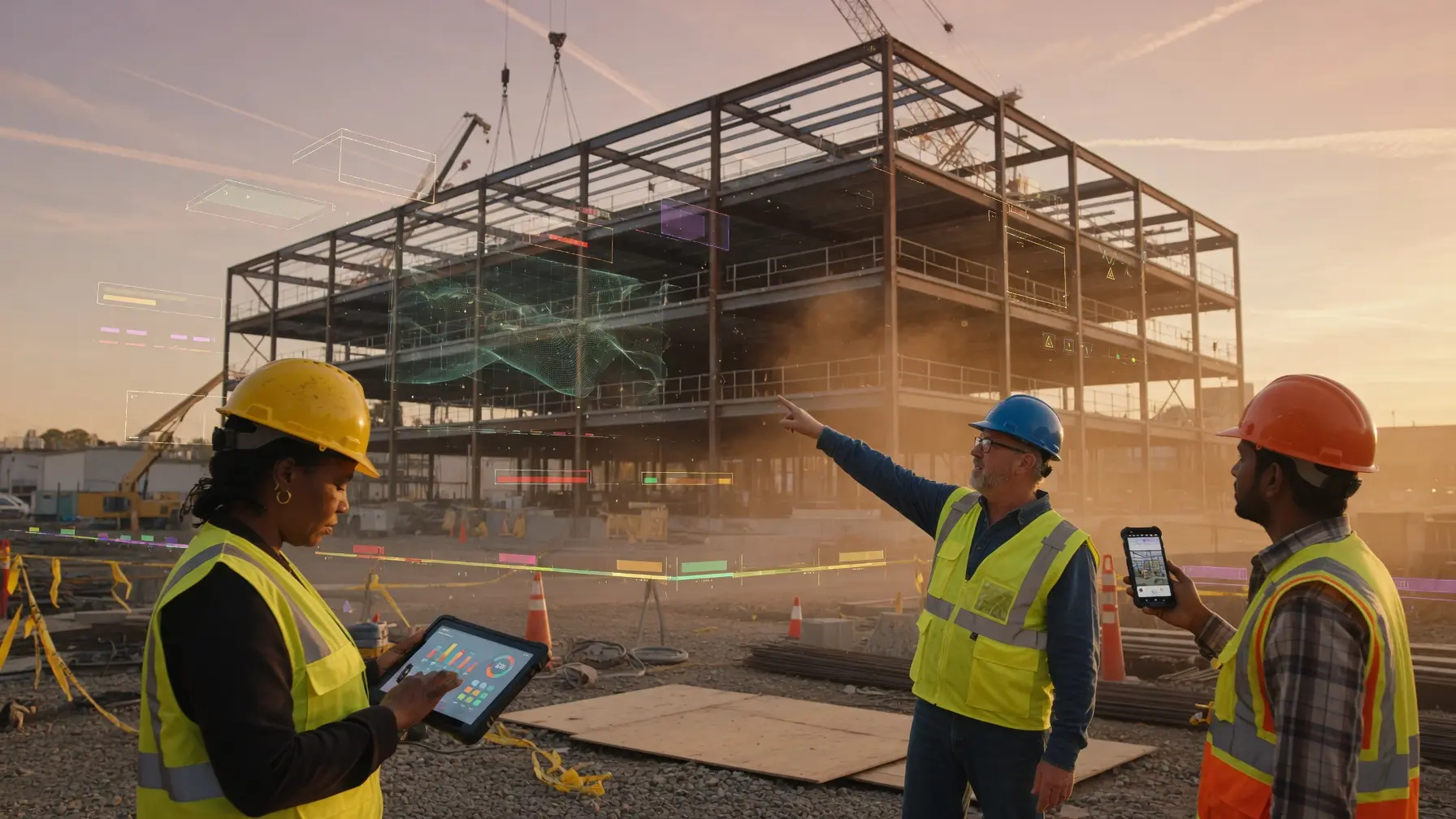
🏗️ 87% of contractors predict AI will meaningfully impact construction — but only 19% have actually adapted their workflows to incorporate it. This guide closes that gap: the best AI tools for construction teams in 2026, organized by workflow — project management, jobsite safety, BIM and estimating, and field productivity — with real pricing, OSHA compliance ratings, real-world deployment data from Bechtel, Skanska, and Shawmut, and a decision framework that maps every tool to your team size, project type, and budget.
Last Updated: September 16, 2026
The best AI tools for construction teams in 2026 are not generic productivity apps dressed up in hard hats — they are purpose-built platforms that address the specific failure modes of construction projects: budget overruns, schedule slippage, jobsite incidents, document chaos, and the coordination breakdown that happens when dozens of subcontractors share a single site with no shared operating picture. The AI in construction market is estimated at $6.02 billion in 2026, growing to $35.53 billion by 2034 at a 24.8% CAGR — driven by three structural forces that are unique to this industry: a workforce shortage requiring 499,000 new workers in 2026 alone, tightening OSHA safety enforcement creating mandatory demand for AI-powered monitoring, and a BIM mandate on all federal construction projects that is forcing design-build firms to adopt AI-enhanced BIM platforms whether they planned to or not. AI cost estimation tools have reduced budget overruns by 13–20% in documented deployments, and AI-powered safety platforms report injury reductions of 50–77% at individual facilities. The window to deploy before these advantages become table stakes is narrowing fast. For the full strategic picture of how AI is transforming construction operations across manufacturing, logistics, and physical infrastructure, see our companion guide to AI in Manufacturing: Smart Factories, Predictive Maintenance, and Quality Control.
What makes construction AI tool selection harder than most industries is the regulatory overlay that determines which tools are actually deployable on federal, state, and union jobsites — and which ones create compliance exposure that outweighs their operational benefit. OSHA 1926 construction safety standards require documentation that most generic AI tools cannot produce in an OSHA-compatible format. The GSA Building Information Modeling (BIM) mandate requires BIM on all federal construction projects over $1 million — meaning every design-build firm working on federal work must select an AI-enhanced BIM platform, not merely a project management tool. Davis-Bacon Act prevailing wage documentation on public projects, Section 3 and disadvantaged business enterprise (DBE) reporting on federally funded projects, and CMMC requirements for defense and military construction all add further layers to the tool selection decision that no generic software review covers. This compliance dimension is exactly where early adopters build structural competitive advantages — tools with built-in compliance documentation capabilities remove entire categories of administrative burden that competitors are still processing manually. Before committing to any vendor, apply our AI Vendor Due Diligence Checklist to evaluate integration depth, data governance, and exit provisions for each platform.
This guide is organized by construction workflow. Section 2 covers the compliance requirements that must shape every tool selection. Sections 3 through 5 cover the best tools for project management, jobsite safety, and BIM and estimating respectively. Section 6 covers the guardrails that responsible AI adoption in construction requires. Section 7 provides a decision matrix that maps your organization’s profile to the right platform stack. Whether you are a general contractor running $50M+ in annual volume, a safety officer managing OSHA compliance across multiple active sites, a BIM manager coordinating design-build delivery on federal projects, or a project manager evaluating AI tools for the first time, you will find a specific recommendation backed by real 2026 pricing and performance data. For practical guidance on maintaining human accountability across every AI construction workflow, our guide to Human-in-the-Loop AI covers the approval gate architecture that keeps consequential decisions in qualified human hands.
📖 New to AI terminology? Visit the AI Buzz AI Glossary — 65+ essential AI terms explained in plain English, each linking to a full in-depth guide.
🏗️ 1. The 2026 Construction AI Landscape: Why This Industry Is Transforming Faster Than Expected
Construction has spent two decades as the technology adoption laggard of major industries. McKinsey research confirms that construction productivity has grown at just 1% annually over the past two decades, despite billions in software investment — making it the second-lowest productivity growth rate of any major industry globally, ahead of only agriculture. The reasons are well understood: fragmented project-by-project business models that resist standardization, a transient workforce that cannot accumulate institutional knowledge, and a subcontractor ecosystem that makes unified data collection structurally difficult. What has changed in 2026 is that AI is solving these problems from the outside in — providing intelligence at the project level without requiring the organizational transformation that traditional software demanded. Venture capital is accelerating the pace: in Q2 2025, $3.96 billion flowed into built-environment technology — a 75.2% increase from Q2 2024 — with 68% directed at AI and machine learning startups.
The adoption data tells two parallel stories. On one hand, 87% of contractors predict AI will meaningfully impact construction according to the Dodge Construction Network — but only 19% have actually adapted their workflows to incorporate it. A global survey of 1,000 AEC professionals by Bluebeam found that only 27% currently use AI in their operations, compared to 72% of organizations across all industries tracked by McKinsey. Bluebeam CEO Usman Shuja noted in early 2026 that the biggest barriers are not cost — they are complexity, culture, and connection. On the other hand, among the firms that have moved beyond experimentation, the results are decisive: 94% of current AI adopters plan to increase usage in 2026, 38% now report measurable business impact — up from just 17% one year earlier — and Procore reports customers see up to 45% reduction in RFI response time after enabling AI features. The RICS 2025 report identified four core areas driving adoption momentum: progress monitoring, safety management, sustainability, and risk management. Critically, 74% of construction organizations still have minimal or no AI capability, and 29% have no plans at all — meaning the competitive advantage for early movers remains wide open.
The adoption data also reveals a structural prerequisite that separates successful AI deployments from failed ones. The construction firms gaining ground in 2026 are not necessarily the largest — they are the ones that have centralized their data first. Bridgit’s 2026 Construction Workforce Benchmark Report, drawing on data from 233 companies and 114,000 workers, found that companies centralizing workforce data around skills, experience, and availability were achieving 3x higher growth rates than those that had not — even when facing identical attrition conditions. Only 12% of baseline construction schedules meet high-quality standards, and only 16% of contractors currently use AI or automation for scheduling. The gap between the 19% who have adapted workflows and the 81% who have not is the competitive opportunity that defines the next three to five years of construction industry dynamics. The safety and risk management segment is forecast to grow at 38.02% CAGR through 2031 — the fastest-growing AI deployment category in construction — driven directly by tightening OSHA enforcement and workers’ compensation costs that now exceed $1 billion per week across US employers. For organizations evaluating AI agents specifically, our guide to Non-Human Identity for AI Agents covers the identity and privilege controls needed to govern autonomous AI actions in multi-stakeholder construction environments.
The 2026 Construction AI Reality: The AI in construction market stands at $6.02 billion in 2026, growing to $35.53 billion by 2034. Safety and risk management AI is the fastest-growing segment at 38% CAGR. Yet only 19% of contractors have adapted workflows to incorporate AI — meaning the competitive advantage window for early adopters remains wide open, but it is closing at the pace of that 38% growth rate.
⚠️ 2. OSHA, BIM Mandates, and Federal Compliance: What Every Construction AI Tool Selection Must Satisfy
Construction AI tool selection operates inside a compliance environment that has no equivalent in most other industries — and that directly determines which tools are deployable on federal, state, and union jobsites. The compliance layer is not a secondary evaluation criterion. It is the first filter that eliminates non-starters before you evaluate features. A tool that cannot produce OSHA 300 log-compatible incident documentation, or that cannot satisfy a federal project’s BIM mandate, or that cannot operate in a CJIS-compliant environment on a law enforcement construction project, fails the evaluation regardless of how impressive its AI capabilities are.
The OSHA 1926 construction safety standards — the primary federal regulation governing construction site safety — require specific documentation for all recordable injuries and illnesses (OSHA 300 log), near-miss events, safety observations, and inspection records. AI-powered safety monitoring tools that detect PPE non-compliance, restricted area breaches, and near-miss events must produce documentation in formats compatible with OSHA recordkeeping requirements. Tools that generate proprietary dashboards without OSHA-exportable records force safety teams to duplicate documentation — eliminating a significant portion of the efficiency gain. When evaluating any construction safety AI platform, verify specifically that it produces OSHA 300-compatible incident logs, supports OSHA inspection audit trails, and can export documentation in the format required by your state’s OSHA plan if you operate in a state-plan state. Our AI Risk Assessment guide covers the evaluation framework for assessing AI use cases before deployment — directly applicable to safety monitoring tools where algorithmic decisions can affect worker rights and safety records.
The GSA BIM mandate applies to all federally funded construction projects over $1 million and requires Building Information Modeling throughout the project lifecycle — from design through construction to facilities management. For design-build firms, general contractors, and specialty contractors working on federal projects, this mandate effectively requires an AI-enhanced BIM platform as a condition of doing business. Autodesk Construction Cloud (including Revit and BIM 360) and Bentley iTwin are the two primary BIM platforms with the depth required to satisfy federal BIM requirements and the AI capabilities that enhance rather than merely document BIM workflows. Beyond the federal mandate, 52% of construction projects now use AI-powered BIM integration — meaning BIM AI capability is transitioning from federal requirement to market standard. For the full AI governance framework your organization needs to deploy any of the tools covered in this guide, our AI Governance 101 guide covers the policy and accountability structures that satisfy both federal contractor requirements and general enterprise AI governance standards.
Construction AI Compliance Minimum Standard (2026): Any AI tool deployed on a US construction project must satisfy: (1) OSHA 1926-compatible documentation output for safety monitoring tools, (2) GSA BIM mandate compliance for federal projects over $1M, (3) Davis-Bacon Act documentation support for prevailing wage projects, (4) data residency and access control requirements for federal or CJIS-adjacent projects, and (5) union deployment protocols including privacy controls for any computer vision safety monitoring tool deployed in a unionized environment.
📋 3. Best AI Tools for Construction Project Management in 2026
Construction project management AI is the largest and most mature category in the construction AI stack — accounting for 33% of the total construction AI market by revenue in 2026. The tools in this category address the three primary project failure modes: budget overruns, schedule slippage, and document coordination breakdown. Procore Technologies remains the dominant platform by market adoption — $1.3 billion in FY2025 revenue, over 2 million individual users managing more than $1 trillion in annual construction volume. Procore’s unique pricing model charges by annual construction volume rather than per seat, typically running $10,000–$60,000+ per year at roughly 0.1–0.2% of hard costs, with unlimited users under a single license — which matters enormously when dozens of subcontractors need platform access on every project. In 2026, Procore AI’s Copilot feature auto-summarizes RFIs, daily logs, and submittals, while agents surface risks, predict budget overruns, and handle routine coordination — with customers reporting up to 45% reduction in RFI response time after enabling AI features.
Autodesk Construction Cloud is Procore’s primary competitor for mid-to-large commercial contractors, with particular strength for design-build firms where the BIM-to-construction handoff is a critical workflow. Autodesk’s AI layer now predicts which clash types are most likely to cause field rework — prioritizing resolution queues automatically — and its Construction IQ module uses machine learning to identify quality and safety risks from inspection data before incidents occur. Autodesk Construction Cloud entry pricing starts at $500 per year, with enterprise tiers at $1,500+ per month depending on modules and seat count. For predictive scheduling on complex multi-trade projects, ALICE Technologies generates and evaluates millions of construction sequence scenarios before a shovel hits the ground — and its Schedule Insights Agent allows project managers to converse with the schedule mid-project in natural language, asking questions and receiving scenario recommendations in real time. Contractors using AI-powered workforce analytics tools like Kwant have reported labor bottleneck reductions of 10–15% per project, translating directly into saved schedule weeks. For residential builders and smaller commercial contractors, Buildertrend AI offers residential-specific scheduling AI and homeowner communication tools that enterprise platforms do not match at this price point. For small general contractors and specialty trade contractors, Jobber AI delivers at $69–$249 per month with no dedicated implementation effort required. Oracle Primavera Cloud AI remains the dominant platform for large infrastructure and civil engineering projects where schedule complexity exceeds what Procore or Autodesk handles natively. For teams deploying general-purpose AI assistants alongside construction-specific platforms, our comparison of Claude vs ChatGPT vs Gemini for business workflows covers which AI assistant best handles construction document drafting, RFI writing, and subcontractor communications.
| Platform | Best For | Key AI Feature | 2026 Pricing | Compliance Rating |
|---|---|---|---|---|
| Procore AI | Mid-to-enterprise GCs; unlimited users | Copilot + agents; RFI automation; risk prediction | ~$10K–$60K+/yr; volume-based | ✅ SOC 2; OSHA logs; audit trails |
| Autodesk Construction Cloud | Design-build; BIM-heavy projects | Construction IQ; clash prediction; model coordination | From $500/yr; enterprise ~$1,500+/mo | ✅ GSA BIM mandate compliant |
| Oracle Primavera Cloud AI | Large infrastructure; civil engineering | AI schedule optimization; risk scenario modeling | Enterprise; custom pricing | ✅ Federal contractor ready |
| ALICE Technologies | Complex multi-trade; schedule optioneering | Generative scheduling; Schedule Insights Agent (natural language) | Enterprise; custom | ✅ Federal project ready |
| Buildertrend AI | Residential builders; home remodelers | AI scheduling; homeowner communication tools | ~$199–$499/mo | ✅ SOC 2 Type II |
| Jobber AI | Small GCs; specialty trade contractors | AI quoting; automated follow-up; scheduling | $69–$249/mo | ✅ Basic compliance; fast deploy |
| CMiC AI | Large GCs needing ERP + PM in one | Financial forecasting AI; ERP-native analytics | Enterprise; custom | ✅ SOC 2; DBE reporting capable |
(Pricing as of September 2026 — verify directly with vendors before purchasing)
🦺 4. Best AI Tools for Construction Jobsite Safety in 2026
Construction is consistently the most dangerous major industry in the United States. The sector recorded 1,075 work-related fatalities in 2023 — more than any other industry — with falls, slips, and trips accounting for 39% of those deaths. The cost of construction injuries extends far beyond human tragedy: workers’ compensation claims, project delays, regulatory penalties, and reputational damage combine to make safety incidents among the most expensive problems a contractor can face. Jobsite safety AI is the fastest-growing category in the construction AI stack — safety and risk management is forecast to grow at 38.02% CAGR through 2031 — driven by two compounding pressures: tightening OSHA enforcement with higher citation penalties, and workers’ compensation cost pressure that now exceeds $1 billion per week across US employers. The financial case for AI safety tools is unusually clear: safety investments in computer vision platforms return $4–$6 per $1 spent according to OSHA’s own analysis. Leading platforms report injury reductions of 50–77% and payback periods of 6–12 months.
Computer Vision Safety Monitoring: What It Detects
AI-powered computer vision systems use cameras and sensors positioned across jobsites to detect unsafe behaviors in real time: workers not wearing required PPE (hard hats, high-visibility vests, safety harnesses), proximity violations in restricted zones, unauthorized access to hazardous areas, workers at height without fall protection, and early indicators of structural instability. When a violation is detected, the system sends an immediate alert to site managers — not after the incident, but while there is still time to intervene. The system’s core value is its tirelessness: a human safety observer can watch one location at a time and inevitably experiences attention fatigue. A computer vision system monitors every camera simultaneously, every minute of the working day, without fatigue or distraction.
Proven Enterprise Deployments in 2026
The largest construction firms are no longer piloting these tools — they are running them at scale. Bechtel has deployed AI from Detect Technologies specifically to identify non-use of PPE across its 18,000-person craft workforce. Skanska is using Hakimo AI for physical security monitoring across its jobsites. Shawmut Design & Construction monitors safety for more than 30,000 workers across 150 simultaneous projects by combining GPS-enabled wearables with anonymized AI analytics — connecting safety data, labor data, and financial data in a single analytical layer. This level of portfolio-wide safety visibility was not achievable before AI-powered platforms made real-time cross-project data aggregation computationally practical.
The performance data from these deployments is significant. Fyld, a platform that analyzes short video clips from jobsites to identify safety risks and quality issues, reported 82% year-over-year growth in 2025 and expanded its customer base to include Kiewit and Emery Sapp & Sons — contractors using the platform report reductions in serious workplace incidents of up to 48%. Oracle’s Construction and Engineering Advisor for Safety — launched to general availability in March 2026 — integrates safety observations, incident reports, payroll data, and project schedules to build predictive safety models; Oracle reports early customers have achieved incident rate reductions of up to 50% and workers’ compensation cost reductions of up to 75% in the first year of deployment.
Near-Miss Automation: The Safety Data Gap That AI Closes
One of the most valuable but least captured data sources in construction safety is the near-miss event — a safety incident that almost happened but did not result in injury. Near-miss events are leading indicators of future incidents, but they are chronically underreported in construction because workers fear disciplinary consequences and there is no systematic capture mechanism beyond voluntary reporting. AI safety platforms are closing this gap through automated near-miss detection — identifying events from video footage that meet near-miss criteria (a load that swings close to a worker, a vehicle that comes within a proximity threshold of a worker without contact) and logging them automatically. This automated near-miss dataset gives site safety management the intelligence to identify high-frequency hazard patterns and intervene before those patterns become actual injuries.
Wearables and Worker Health Monitoring
Beyond camera-based systems, AI-connected wearables are providing a second layer of safety intelligence. Smart hard hats, vests, and wristbands track worker location via GPS, monitor biometric indicators of fatigue or heat stress, and generate alerts when workers enter zones where they should not be. The Shawmut deployment model — anonymized analytics at the portfolio level — demonstrates how wearable data can be used for safety intelligence without the individual surveillance concerns that limit worker acceptance of camera-only systems.
The Safety Implementation Principle: AI safety monitoring is most valuable when implemented as a worker protection tool rather than a productivity surveillance tool. Sites that communicate to workers that the system exists to protect them — that alerts trigger safety interventions rather than disciplinary actions for first-time violations — see significantly higher worker acceptance and better safety outcomes. Union consultation and worker representative involvement where applicable is not just good practice; it is often contractually required and consistently associated with higher system adoption and better results.
| Platform | Best For | Key AI Feature | 2026 Pricing | OSHA / Compliance |
|---|---|---|---|---|
| Voxel AI | Union jobsites; multi-site monitoring | Real-time hazard detection on existing cameras; 48-hour deployment | Enterprise; per-site pricing | ✅ SOC 2 Type II; no facial recognition; body blurring default |
| Intenseye | SIF prevention; enterprise EHS teams | SIF risk scoring; 50+ unsafe act categories; hybrid on-premise option | Enterprise; custom | ✅ SOC 2; WEF Global Innovator 2026 |
| Fyld | Field-first safety + quality monitoring | Short-clip video analysis; risk + quality in single platform | SaaS; custom | ✅ 48% incident reduction documented (Kiewit, Emery Sapp) |
| Oracle Safety Advisor | Enterprise GCs on Oracle platform | Predictive safety models; integrates payroll + schedule + incidents | Enterprise; included in Oracle CEC | ✅ GA March 2026; 50% incident reduction; 75% workers’ comp reduction |
| Procore Safety | Teams already on Procore PM platform | Safety observations; inspection AI; incident logs; Voxel/Intenseye integration | Included in Procore platform | ✅ OSHA 300 log native |
| Cority EHS AI | Large contractors; multi-site EHS mgmt | AI incident analytics; compliance automation | Enterprise; modular pricing | ✅ OSHA; ISO 45001; full audit trail |
| Samsara AI | Fleets and equipment-heavy contractors | Equipment safety monitoring; driver AI coaching | Per-vehicle; SaaS tiers | ✅ SOC 2; DOT fleet compliance |
(Pricing as of September 2026 — verify directly with vendors before purchasing)
🛠️ Looking for the right AI tool? Browse the AI Buzz Tools & Reviews Hub — expert reviews, side-by-side comparisons, and buying guides for the best AI tools across productivity, writing, coding, and enterprise platforms.
📐 5. Best AI Tools for BIM, Estimating, and Preconstruction in 2026
BIM and estimating AI represent the highest-value preconstruction investment a contractor can make in 2026. The project is won or lost at the estimate — and it is delivered on schedule or not based on the quality of BIM coordination in design development. AI cost estimation tools have reduced budget overruns by 13–20% in documented construction deployments — a margin improvement that compounds across every project in a contractor’s backlog. One construction firm using Buildots’ AI progress verification platform reported up to 25% faster completion times by identifying discrepancies between actual construction progress and BIM plans at the earliest possible stage, before discrepancies compound into rework.
For BIM-heavy design-build and construction management firms, Autodesk Construction Cloud AI is the market standard — its AI layer predicts which clash types are most likely to cause field rework, prioritizes resolution queues automatically, and connects natively to Revit, AutoCAD, and Civil 3D. For firms working on federal projects subject to the GSA BIM mandate, Autodesk’s authorization and federal agency deployment track record make it the lowest-risk platform choice. Togal.AI is the leading AI-native takeoff platform, enabling estimators to upload plans and receive AI-generated quantity takeoffs in minutes rather than hours — delivering 50–75% reduction in takeoff time compared to fully manual methods and charging per-document or per-project fees typically in the $500–$2,000 range depending on project complexity. For AI-powered bid leveling and subcontractor proposal comparison, MeltPlan (Melt Bid) helps teams compare subcontractor proposals side by side, catch missing scope, identify exclusions, and make confident award decisions. Document Crunch uses AI to analyze construction contracts, subcontracts, and specifications — flagging risk clauses, non-standard terms, and compliance obligations that manual contract review commonly misses under time pressure. Our guide to AI in Supply Chains and Logistics covers the supply chain optimization tools that connect to construction procurement workflows for materials scheduling and just-in-time delivery management.
| Platform | Category | Best For | 2026 Pricing | Compliance Rating |
|---|---|---|---|---|
| Autodesk Construction Cloud AI | BIM Platform | Design-build; federal BIM mandate compliance | From $500/yr; enterprise ~$1,500+/mo | ✅ GSA BIM mandate; federal ready |
| Togal.AI | AI Takeoff | Estimators needing fast AI quantity takeoffs | ~$500–$2,000/project | ✅ SOC 2; data encryption |
| Buildots | Progress Verification | BIM-vs-actual progress tracking; early deviation detection | Enterprise; custom | ✅ 25% faster completion documented |
| MeltPlan (Melt Bid) | Bid Leveling | GCs comparing subcontractor proposals | SaaS; custom pricing | ✅ Scope gap documentation |
| Document Crunch | Contract AI | Contract risk review; spec compliance flagging | Per-document or SaaS | ✅ Construction-specific risk library |
(Pricing as of September 2026 — verify directly with vendors before purchasing)
🏭 Exploring AI in your industry? Browse the AI Buzz Industry Guide — 35+ in-depth sector guides covering how AI is transforming healthcare, finance, HR, legal, retail, manufacturing, and more.
⚖️ 6. Guardrails That Responsible AI Construction Adoption Requires
Construction is a domain where the consequences of relying on AI outputs without appropriate human oversight can be severe — both in terms of worker safety and in terms of the structural and legal consequences of construction defects. The guardrails below are not barriers to AI adoption; they are the implementation discipline that makes AI adoption sustainable and responsible in a high-stakes physical environment.
Safety Technology: Worker Protection First
AI safety monitoring must be implemented within a framework that prioritizes worker protection over productivity surveillance. Workers who believe AI cameras are being used to monitor work speed or identify grounds for disciplinary action will find ways to defeat the monitoring systems — rendering them ineffective for their intended safety purpose. Successful implementations communicate clearly to the workforce that the system’s purpose is to protect workers, not surveil them; that alerts trigger interventions rather than disciplinary processes for first-time violations; and that workers are encouraged to report system errors that affect effectiveness.
AI Estimates and Schedules Require Professional Judgment
AI cost estimates and AI schedule analyses are starting points for professional judgment — not final answers that can be submitted to clients or used for procurement decisions without experienced review. Every AI-generated estimate and AI-analyzed schedule must be reviewed by a qualified construction professional who applies current market knowledge, project-specific understanding, and professional judgment before it is used as the basis for a bid, a contract, or a project commitment.
Structural and Safety-Critical Applications
Any AI application that directly informs decisions about structural safety — AI-generated design checks, AI-analyzed load calculations, AI-assessed structural inspection results — must be treated with particular caution. No AI system should serve as the final authority on a structural safety decision. Licensed engineers must review, verify, and take professional responsibility for all structural conclusions, regardless of how those conclusions were developed.
Data Privacy and Worker Monitoring Compliance
AI safety monitoring systems that capture continuous video footage of job sites and workers must comply with applicable privacy law and labor relations requirements. Video monitoring of workers is regulated in various jurisdictions — with requirements for worker notification, restrictions on data retention periods, limitations on permitted uses, and in some jurisdictions, requirements for worker consent or union agreement. Obtain legal review of applicable requirements in the relevant jurisdiction before deploying any camera or monitoring system. Our guide to AI Data Loss Prevention covers the practical data governance framework for AI monitoring systems in workplace contexts.
| AI Application | Required Guardrail | Risk if Guardrail Ignored | Who Must Review |
|---|---|---|---|
| Safety Camera Monitoring | Worker notification, privacy law compliance, human response for all alerts | Legal violation, worker relations damage, system defeat | Safety officer — all alerts requiring intervention |
| AI Cost Estimates | Experienced estimator review before bid submission or commitment | Underpriced bids, project losses, contractual disputes | Qualified estimator — all estimates before use |
| Schedule Risk Analysis | Scheduler and project manager review before schedule commitments | Unrealistic schedules, missed milestones, delay claims | Project manager and scheduler — all risk reports |
| Structural Analysis AI | Licensed structural engineer review and professional responsibility sign-off | Structural failure, loss of life, catastrophic liability | Licensed structural engineer — mandatory |
| Quality Defect Detection | Qualified inspector verification before work rejection or rework directive | False rejections creating disputes, actual defects missed | Quality inspector — before any rejection decision |
| Predictive Maintenance Alerts | Equipment mechanic assessment before major maintenance decisions | Unnecessary maintenance costs, missed actual failures | Equipment mechanic — before maintenance commitment |
🤖 7. Construction AI Tool Decision Framework: Which Platform Stack Should Your Team Choose in 2026?
The construction AI tool decision is a stack decision, not a single platform choice. Unlike enterprise software in other industries where one platform can cover most workflows, construction AI is best addressed by a two-to-three platform stack: a core construction management platform that owns project data and workflow orchestration, a specialist safety platform for computer vision monitoring, and a specialist preconstruction tool for estimating or BIM coordination. The right combination depends on your contractor type, project scale, primary workflow pain point, and federal contractor status.
The 2026 consensus for mid-to-large general contractors is a Procore-centric stack: Procore AI as the core platform for project management, safety documentation, and field coordination; Voxel AI or Intenseye for computer vision safety monitoring on high-risk sites; and Togal.AI or Document Crunch for preconstruction AI. This combination covers the full project lifecycle from estimating through closeout with native data integration, OSHA-compatible documentation, and AI capabilities at every stage. For design-build firms on federal projects, the stack shifts to Autodesk Construction Cloud as the BIM platform with Procore as the project execution layer — a combination that satisfies both the GSA BIM mandate and the field coordination requirements of active construction. For small and mid-market contractors, Jobber AI at $69–$249 per month delivers immediate ROI on quoting and scheduling automation without the implementation complexity or cost of enterprise platforms. Our guide to AI in Project Management covers the broader project management AI landscape including tools that serve construction PM teams alongside dedicated construction platforms.
| Contractor Profile | Recommended Stack | Priority Tool | Key Decision Factor | Watch Out For |
|---|---|---|---|---|
| Commercial GC ($10M+ volume) | Procore AI + Voxel AI + Togal.AI | ✅ Procore AI | Unlimited users; OSHA logs | ⚠️ Volume pricing scales up |
| Design-build (federal projects) | Autodesk ACC + Procore + ALICE | ✅ Autodesk BIM AI | GSA BIM mandate compliance | ⚠️ Per-seat cost is high |
| Safety officer / EHS team | Voxel AI or Intenseye + Cority | ✅ Voxel AI (union sites) | OSHA 300 audit trail | ⚠️ Union privacy protocols |
| Estimator / preconstruction | Togal.AI + Document Crunch + MeltPlan | ✅ Togal.AI | Takeoff speed and accuracy | ⚠️ Per-project fees add up |
| Residential builder | Buildertrend AI + Jobber AI | ✅ Buildertrend AI | Homeowner comms + scheduling | ⚠️ Not for commercial projects |
| Small GC / specialty trade | Jobber AI + Fieldwire (free) | ✅ Jobber AI | Cost and speed of deployment | ⚠️ Limited federal features |
| Large infrastructure / civil | Oracle Primavera Cloud + ALICE + CMiC | ✅ Oracle Primavera AI | Schedule complexity at scale | ⚠️ Long implementation timeline |
| Fleet / equipment-heavy contractor | Procore + Samsara AI | ✅ Samsara AI | Fleet safety + DOT compliance | ⚠️ Per-vehicle fees at scale |
🏁 8. Conclusion: Building Your Construction AI Stack for 2026 and Beyond
The construction industry’s historically low technology adoption rate is becoming a competitive liability at an accelerating pace. The 19% of contractors who have adapted workflows to incorporate AI are widening their operational advantage every quarter — through faster estimates, fewer RFI delays, lower incident rates, and tighter schedule performance — while the 81% still experimenting are producing the same margins on increasingly competitive bids. The tools covered in this guide are not experimental: Procore’s AI is in production at organizations managing over $1 trillion in annual construction volume, Voxel and Intenseye are generating documented 50–77% injury reductions, Fyld is achieving 48% incident reductions at Kiewit and Emery Sapp, and Togal.AI is enabling estimators to complete takeoffs in minutes that previously required hours. The question in 2026 is not whether construction AI delivers ROI. It is whether your organization captures it before your competitors do.
Start with the single highest-volume pain point your team faces today — for most commercial contractors, that is RFI response time and document coordination, making Procore AI the right starting point. For contractors with active OSHA violations or high incident rates, jobsite safety AI delivers the fastest and most measurable ROI and the clearest regulatory compliance benefit. For estimating-driven firms in competitive bid markets, Togal.AI’s preconstruction ROI is immediate and quantifiable. Build the compliance infrastructure into your tool selection from the start — OSHA-compatible documentation, BIM mandate readiness for federal work, and data governance that satisfies your insurance carrier’s requirements — and you will avoid the expensive remediation that organizations face when they deploy capable tools without the right compliance architecture. Our guide to AI Risk Assessment 101 provides the evaluation framework for assessing each AI construction tool against your organization’s specific risk profile before deployment.
📌 Key Takeaways
| ✅ | Takeaway |
|---|---|
| ✅ | The AI in construction market stands at $6.02 billion in 2026, growing to $35.53 billion by 2034 at a 24.8% CAGR — with the safety and risk management segment growing fastest at 38% CAGR, driven by tightening OSHA enforcement and rising workers’ compensation costs exceeding $1 billion per week. |
| ✅ | Construction recorded 1,075 work-related fatalities in 2023 — more than any other industry. AI safety platforms from Oracle, Fyld, Voxel, and Intenseye are delivering incident reductions of 48–77% and workers’ compensation cost reductions of up to 75% in first-year deployments. |
| ✅ | Procore is the most widely adopted construction AI platform — $1.3 billion in FY2025 revenue, 2 million+ users, $1 trillion+ in managed construction volume — with volume-based pricing of $10,000–$60,000+/year including unlimited users; Procore AI reduces RFI response time by up to 45% in documented deployments. |
| ✅ | The GSA BIM mandate requires Building Information Modeling on all federal construction projects over $1 million — making an AI-enhanced BIM platform a condition of doing business on federal work, with Autodesk Construction Cloud AI as the market standard for design-build and federal project compliance. |
| ✅ | Only 27% of AEC professionals currently use AI, but 94% of those adopters plan to increase usage in 2026, and 38% now report measurable business impact — up from just 17% one year earlier. AI pre-construction adoption tripled among Top 400 ENR contractors in 18 months. |
| ✅ | AI cost estimation tools have reduced budget overruns by 13–20% in documented deployments. Togal.AI delivers AI quantity takeoffs in minutes versus hours at $500–$2,000 per project; Buildots has documented up to 25% faster project completion via early BIM-vs-actual deviation detection. |
| ✅ | Companies that centralize their workforce and project data achieve 3x higher growth rates than those that don’t (Bridgit 2026, 233 companies, 114,000 workers) — meaning data infrastructure investment pays off before AI tools are even deployed. |
| ✅ | Computer vision safety tools deployed in unionized environments must include privacy controls — face blurring, body anonymization, and role-based camera access — as a condition of union acceptance. Voxel AI’s privacy-first architecture has enabled successful deployment in unionized construction environments. |
| ✅ | No AI application in construction removes the requirement for licensed professional judgment on structural safety decisions. AI estimates, schedules, and quality inspection results are starting points — qualified humans must review every consequential output before it is acted upon. |
| ✅ | The 2026 consensus stack for mid-to-large commercial GCs is Procore AI for project management and OSHA documentation, Voxel AI or Intenseye for computer vision safety monitoring, and Togal.AI or Document Crunch for preconstruction — covering the full project lifecycle with native integration and compliance documentation. |
🔗 Related Articles
- 📖 AI in Manufacturing: How AI Powers Smart Factories and Predictive Maintenance
- 📖 Best AI Tools for Project Managers in 2026
- 📖 AI in Supply Chains and Logistics: Demand Forecasting, Inventory, and Delivery
- 📖 Human-in-the-Loop AI Explained: Draft-Only Workflows and Approval Gates
- 📖 AI Risk Assessment 101: How to Evaluate an AI Use Case Before You Deploy It
🏗️ Frequently Asked Questions: Best AI Tools for Construction Teams in 2026
1. What is the best AI tool for construction project management in 2026?
Procore AI is the best overall AI tool for commercial general contractors in 2026 — with $1.3 billion in FY2025 revenue, 2 million+ users, and documented 45% reduction in RFI response time after enabling AI features. It uses volume-based pricing of $10,000–$60,000+/year with unlimited users. For small GCs and specialty trades, Jobber AI at $69–$249/month delivers immediate ROI without complex implementation. See our AI in Construction strategic guide for the full technology landscape context.
2. Which AI safety tools are best for OSHA compliance on construction sites?
Procore Safety produces native OSHA 300 log-compatible documentation and is the simplest compliance path for teams already on Procore. For computer vision monitoring, Voxel AI and Intenseye are the leading platforms — both maintain SOC 2 certification and report 50–77% injury reductions in documented deployments. Any safety AI tool you deploy must produce OSHA-exportable incident records, not just proprietary dashboards. Our AI Vendor Due Diligence Checklist covers the compliance verification questions to ask before signing.
3. Does the federal BIM mandate affect which AI tools I need to use?
Yes — the GSA BIM mandate requires Building Information Modeling on all federally funded construction projects over $1 million, making an AI-enhanced BIM platform a condition of doing business on federal work. Autodesk Construction Cloud AI is the market standard for federal BIM compliance, connecting natively to Revit and Civil 3D with AI clash detection and Construction IQ risk analytics. See our AI in Construction guide for the full federal contractor AI requirement landscape.
4. How much does Procore cost in 2026?
Procore charges by annual construction volume rather than per seat — typically running $10,000–$60,000+ per year at roughly 0.1–0.2% of hard costs. This model includes unlimited users under a single license, making it cost-effective for large teams where per-seat pricing would be prohibitive. Annual renewal increases of 5–14% are common. For contractors under $5M in annual volume, Buildertrend AI (~$199–$499/month) or Jobber AI ($69–$249/month) offer better cost-efficiency. Our Best AI Tools for Project Managers guide covers the construction PM tool comparison in the broader project management context.
5. Can AI safety monitoring tools be deployed on union construction sites?
Yes — with the right privacy architecture. Union deployment requires worker privacy controls as a condition of acceptance: face blurring, body anonymization, and role-based camera access controls so the tool monitors safety hazards rather than individual worker behavior. Voxel AI’s privacy-first design has enabled successful deployment in UAW and other unionized environments. Intenseye also offers configurable privacy controls. Any computer vision safety tool without native worker anonymization should not be deployed in a unionized environment without formal union negotiation. Our Shadow AI management guide covers the employee trust and governance considerations relevant to AI monitoring in workplace environments.
📧 Get the AI Buzz Weekly Digest
Weekly AI insights, tools, and strategies — delivered every Monday. Free.



Leave a Reply