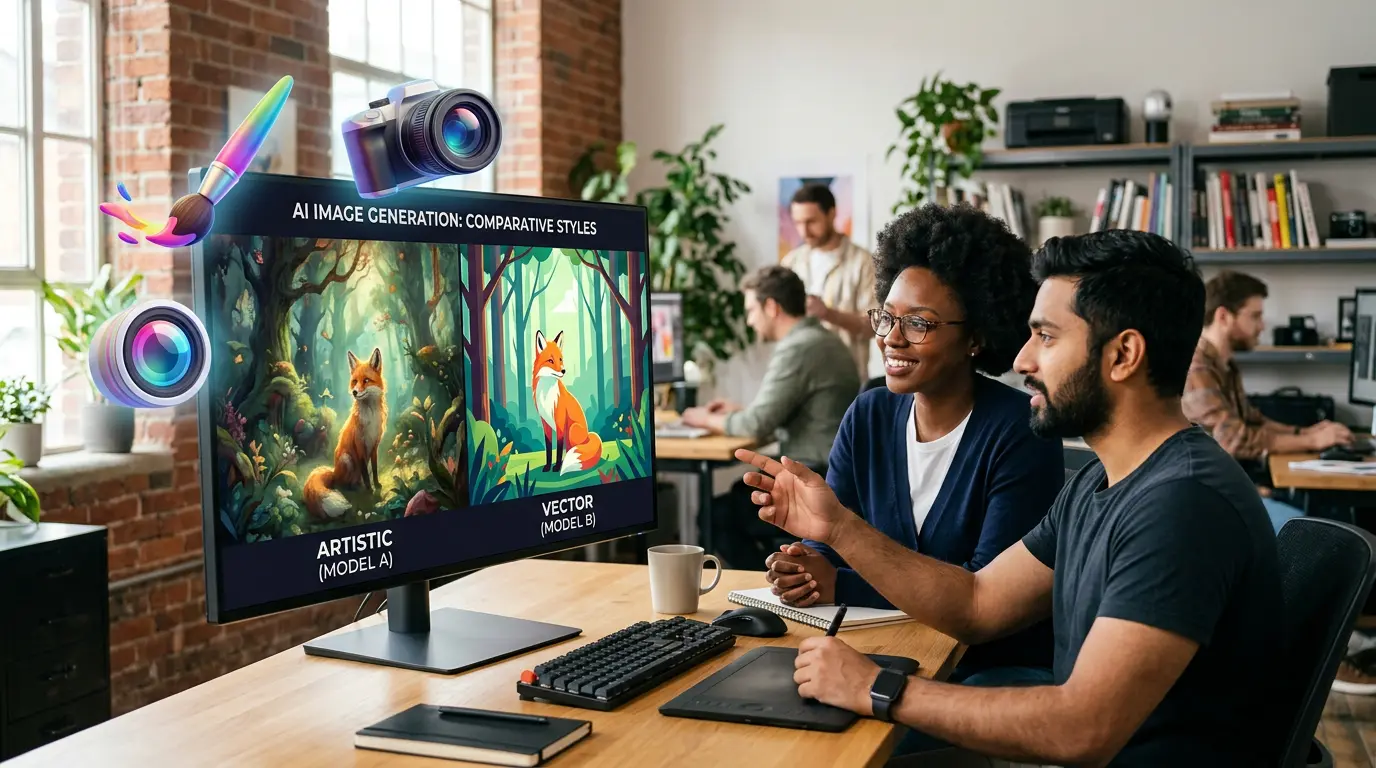
🎨 AI image generation is now accessible to anyone with a browser and a free account. What is not as widely understood is what you legally own when you generate an image, whose creative work the model learned from, and what obligations you have when you publish AI-generated visuals commercially. This guide covers the concepts, copyright principles, prompt writing foundations, and ethical guardrails every creator needs before generating and publishing AI images.
Last Updated: August 25, 2026
AI image generation is now accessible to anyone with a browser and a free account. What is not as widely understood is what you legally own when you generate an image, whose creative work the model learned from, and what obligations you have when you publish AI-generated images for beginners and professionals alike in a commercial context. In 2026, over 150 million people use AI image generators monthly, producing approximately 80 million images every day — a figure that has more than doubled from 34 million daily images in 2024. Since 2022, more than 30 billion AI images have been generated in total, a milestone that traditional photography took 149 years to reach. The economic transformation of visual content production is real and already underway — 87% of marketers now use generative AI, and 76% of graphic designers use AI image tools. This guide is for every creator who wants to understand this technology before they use it commercially — not after a legal or ethical problem has already emerged.
The scale of commercial adoption has outpaced the legal and ethical clarity available to most users. Over 70 copyright lawsuits now target AI companies. The US Supreme Court confirmed in March 2026 that purely AI-generated images cannot be copyrighted. The EU AI Act’s transparency requirements became enforceable from August 2, 2026. Platform terms on commercial use vary significantly — and the gap between “your platform lets you use this commercially” and “you own this in a legally meaningful sense” is the gap that most creators do not understand until it causes a problem. This guide closes that gap before it becomes your problem.
This guide focuses on how AI image generation works, what you own, and how to use it safely — not which tool to buy. If you are ready to compare Midjourney, DALL-E, and Adobe Firefly side by side with real 2026 pricing and quality benchmarks, our Midjourney vs DALL-E vs Adobe Firefly comparison covers every dimension of the tool selection decision. For the broader creative process strategy — including how AI changes every stage of creative work and the career implications for professional creators — see our AI and Creativity guide.
📖 New to AI terminology? Visit the AI Buzz AI Glossary — 65+ essential AI terms explained in plain English, each linking to a full in-depth guide.
🧠 1. How AI Image Generation Actually Works — Plain English
AI image generation is not magic, and it is not a search engine retrieving existing images. It is a mathematical process that generates entirely new images by learning statistical patterns from billions of existing image-text pairs. Understanding this process — even at a conceptual level — makes you a significantly better prompt writer, a more informed commercial user, and a more responsible creator. It also answers the question that most beginners have but rarely ask: why does the same prompt produce different results every time?
The dominant technology powering AI image generation in 2026 is the diffusion model. Diffusion models — which now power DALL-E 3, Midjourney, Adobe Firefly, and Stable Diffusion — work by learning to reverse a process of deliberate destruction. During training, real images are taken and progressively degraded by adding random noise — blurring and corrupting the image step by step until it becomes indistinguishable from pure static. The model learns, across billions of examples, how to reverse that degradation process: how to take noisy, corrupted visual data and reconstruct it back into a coherent image. When you generate a new image, the model starts from pure random noise and applies that learned reversal process step by step, guided by your text prompt, until a new image emerges from the noise. The image it produces is not retrieved from anywhere — it is synthesized from scratch, statistically consistent with patterns the model learned during training.
Your text prompt does not instruct the model the way code instructs a computer. It sets a direction — a constraint on the statistical distribution of possible images the model could generate. This cross-modal connection between language and vision is the foundation of how multimodal AI processes visual inputs — linking text understanding directly to image synthesis in a single model architecture. The model generates images by sampling from a learned statistical distribution, so your prompt shapes which region of that distribution the model samples from. A vague prompt leaves a wide region — many different images are plausible — so the model makes arbitrary choices to fill the gaps. A specific, detailed prompt narrows the region significantly, pulling the model toward a much more constrained set of possible outputs. That is why specificity in prompt writing produces more consistent, more predictable, and more useful results. The randomness that produces different outputs from the same prompt is inherent to the sampling process — each generation starts from a different random noise seed, so even with identical prompts, the path through the generation process is slightly different each time.
| Technical Term | Plain English Meaning | Why It Matters for Creators |
|---|---|---|
| Diffusion model | The AI architecture that generates images by learning to remove noise step by step — starting from random static and building toward a coherent image guided by your prompt | Every major image generator uses this — DALL-E, Midjourney, Firefly, Stable Diffusion. The image is created fresh every time, not retrieved. |
| Latent space | The compressed mathematical space where the model stores and manipulates its understanding of visual concepts — not as pixels but as numeric relationships between visual ideas | The reason AI can blend concepts smoothly — “a sunset in the style of Van Gogh” works because both exist as numeric regions in this space that can be combined. |
| Text conditioning | The mechanism by which your prompt influences the image generation process — not by telling the model what to draw, but by constraining which region of possible images it generates from | Why vague prompts produce generic results and specific prompts produce more consistent, useful outputs. More specificity = narrower region = more predictable output. |
| Noise seed | The specific random starting point for each generation — the unique pattern of initial noise from which each image is built | Why the same prompt produces different images each time. Fixing the seed number produces the same starting point — which can be used to create consistent character or style across multiple generations. |
| Training data | The billions of image-text pairs the model learned from during development — the source of everything the model “knows” about what visual content looks like and how it relates to language | The source of most copyright and ethics questions about AI images. What was in the training data, and whether those creators consented, is the central legal dispute in 2026. |
| Negative prompt | Instructions telling the model what to exclude from the generation — reducing the probability of specific visual properties appearing in the output | Most effective for preventing recurring failure modes — blurry backgrounds, extra fingers, watermarks. Less effective as a general quality booster than improving the positive prompt. |
✍️ 2. Prompt Writing for Beginners — The Anatomy of a Good Image Prompt
Prompt writing for AI image generation is a learnable skill — and the gap between a beginner’s first prompt and a competent prompt writer’s output is primarily a gap in structure rather than vocabulary or technical knowledge. In 2026, the fundamentals still matter: clear subject, medium, lighting, framing, mood, and color palette produce dramatically better results than vague descriptions — regardless of which platform you use. The five-element framework below applies across Midjourney, DALL-E, Adobe Firefly, and Stable Diffusion, with minor platform-specific adjustments.
The five elements of an effective image prompt are: Subject (what is in the image and what it is doing), Style (the artistic medium or visual reference — “oil painting,” “photorealistic,” “flat vector illustration,” “cinematic photograph”), Lighting (the quality and direction of light — “golden hour sunlight,” “soft studio lighting,” “dramatic chiaroscuro”), Mood (the emotional register of the image — “serene,” “tense,” “joyful,” “melancholic”), and Technical specifications (output format indicators — “8K,” “ultra-detailed,” “wide angle,” “macro,” “aspect ratio 16:9”). The most common beginner mistakes are: prompts that are too vague (“a nice landscape” gives the model almost no useful constraint), prompts that are too long and contain conflicting instructions (the model weights conflicting elements unpredictably), and prompts that skip the style element entirely (which defaults to whatever statistical average the model produces without guidance — often a mediocre hybrid of many styles).
Small word changes can produce dramatically different outputs — this is known as prompt sensitivity, and it is inherent to how diffusion models work. The practical implication is that prompt writing is an iterative process, not a one-shot task. Generate, evaluate, adjust one element, regenerate. The professional workflow is rarely “write prompt, accept output.” It is “write prompt, generate 4–8 variations, select the best direction, refine the prompt for that direction, generate again.” This iteration cycle — and the creative selection decisions it requires — is also the primary source of the human authorship that determines whether your final image has any copyright protection.
| Use Case | Example Prompt (copy and customize) | Key Elements Used |
|---|---|---|
| Blog header image | A professional woman in her 30s working at a modern desk with a laptop, soft natural window light, clean minimalist office, warm tone, photorealistic, wide angle, 16:9 | Subject + lighting + mood + technical |
| Social media product shot | Minimalist skincare bottle on white marble surface, single fresh eucalyptus sprig, soft diffused studio lighting, clean white background, commercial product photography, macro detail, 1:1 | Subject + style + lighting + technical |
| Abstract concept art | Abstract representation of digital connectivity — glowing neural network nodes in deep blue and gold, dark background, flowing lines suggesting data movement, cinematic mood, digital art, ultra-detailed | Subject + style + mood + technical |
| Brand illustration | Friendly cartoon character — a small robot holding a coffee cup — flat vector illustration, clean lines, pastel color palette, white background, simple and approachable style | Subject + style + mood |
| Landscape / editorial | Mountain valley at dawn with mist rolling between pine-covered slopes, warm golden light breaking through clouds, landscape photography, f/2.8, Sony A7R, cinematic, serene and vast | Subject + style + lighting + mood + technical |
| Portrait / headshot style | Professional portrait of a confident man in his 40s, business casual, neutral grey background, soft Rembrandt lighting, shallow depth of field, photorealistic, corporate photography style | Subject + style + lighting + technical |
| Event or banner graphic | Modern conference hall with audience silhouettes facing a glowing stage, dramatic lighting in navy and gold, clean corporate aesthetic, copy space at top, wide format 16:9, no text | Subject + lighting + mood + technical |
| E-commerce lifestyle | Woman in her late 20s using laptop at a bright café table, warm natural light, candid lifestyle photography, shallow depth of field, authentic and relaxed mood, no text visible | Subject + style + lighting + mood |
| Infographic background | Subtle geometric pattern on a deep navy background, soft gradient, very low contrast, abstract tech texture, designed as background layer — no focal point, no faces, minimal visual noise | Subject + style + mood + technical |
| Children’s illustration | Friendly cartoon elephant reading a book under a tree, bright cheerful colors, children’s picture book illustration style, simple shapes, warm daylight, joyful mood, white background | Subject + style + lighting + mood |
⚖️ 3. AI Image Copyright — What You Own and What You Don’t
The copyright question is the most practically consequential thing a commercial creator needs to understand about AI image generation — and it is the area where the gap between platform marketing and legal reality is widest. Platform terms tell you whether you are allowed to use an image commercially. Copyright law tells you whether you own it in any legally meaningful sense. These are different questions with different answers, and confusing them is the most common and most expensive mistake commercial creators make with AI-generated imagery.
The Commercial Use Reality: The most important question before generating an AI image for commercial use is not “which tool should I use?” — it is “do I own what this tool generates?” The answer varies significantly by platform, by jurisdiction, and by how much human creative control you exercised over the output. Understanding your ownership rights before you publish is not optional — it is the difference between a commercial asset and a legal liability.
The US Copyright Office position, confirmed and finalized by the Supreme Court’s March 2026 denial of certiorari in Thaler v. Perlmutter, is unambiguous: works generated autonomously by AI without meaningful human creative input cannot be copyrighted. A pure text-to-image output — where you entered a prompt and accepted the result without substantial selection, editing, or original contribution — is not copyrightable. You can still use it commercially if your platform’s terms permit it, but you cannot stop a competitor from copying and using it too. You cannot license it to others as your exclusive property. The contractual right to use an image (granted by platform terms) and the legal right to own it exclusively (granted by copyright) are entirely separate things. The US Copyright Office has maintained this position consistently across multiple guidance documents and has not shown any indication of changing it in 2026. The TRAIN Act, introduced in Congress in 2026, would give copyright owners new tools to investigate whether their works trained AI models — adding another compliance layer that commercial creators should monitor.
AI-assisted images can achieve copyright protection — but only when a human exercises meaningful creative control over the expressive elements of the final work. The Zarya of the Dawn ruling established the relevant precedent: human-authored elements of a work (text, creative arrangement, original contributions) are protectable even when AI-generated elements within the same work are not. The practical implication: document your creative decisions at every stage of an AI-assisted image project. Keep your prompt iterations — which versions you rejected and why. Keep your selection rationale. Keep any Photoshop, Illustrator, or compositing work you applied to the AI output. That documentation is your copyright evidence. For the complete legal analysis, see our AI and Copyright guide.
| Platform | Ownership Policy | Commercial Use | Commercial Risk Level |
|---|---|---|---|
| Adobe Firefly | Adobe grants commercial rights on paid plans. IP indemnification up to $10,000 per claim on qualifying paid plans — strongest protection available. | ✅ Yes — paid plans. Free plan: personal use only. | ✅ LOWEST — trained exclusively on licensed Adobe Stock and public domain content. IP indemnification on paid plans. |
| DALL-E (via ChatGPT / API) | OpenAI grants users ownership of outputs and the right to use commercially. OpenAI does not claim copyright over outputs. No IP indemnification. | ✅ Yes — ChatGPT Free, Plus, and Team. API users. Usage policy applies. | ⚠️ MODERATE — contractual right granted but no legal copyright protection without human authorship. Training data provenance contested. |
| Midjourney | Free trial: CC Attribution Non-Commercial only. Pro plan ($30+/mo): commercial use permitted. Companies over $1M annual revenue require Pro or Mega plan. | ⚠️ Paid plans only. Free trial explicitly prohibits commercial use. | ⚠️ MODERATE-HIGH — training data lawsuits active. No IP indemnification. Outputs visible in public gallery unless stealth mode enabled (Pro+). |
| Stable Diffusion (open source) | Open-source models — no platform-level ownership policy. User is responsible for all legal compliance. License varies by specific model version. | ⚠️ Depends on model license. Most SD models permit commercial use — verify per model. | ❌ HIGHEST — training data lawsuits ongoing. No indemnification. Full legal responsibility on the user. Not recommended for high-stakes commercial work. |
The Firefly Commercial Safety Standard: Adobe Firefly is trained exclusively on licensed content and public domain material — making it the safest choice for commercial AI image generation in 2026. Midjourney and DALL-E produce higher creative quality in many categories but carry greater legal uncertainty around training data provenance. For commercial work where legal risk must be minimized, start with Firefly.
🛡️ 4. Ethical Guardrails Before You Generate and Publish
The legal landscape governs what you can do. The ethical landscape governs what you should do — and in a market where AI-generated content is accelerating rapidly, the ethical standards being established now will become the legal standards of the next three to five years. Creators who build ethical practices into their AI workflow from the beginning are both doing the right thing and positioning themselves ahead of regulatory requirements that are already moving in this direction. For the complete transparency and provenance framework, including C2PA content credentials and how to verify AI-generated images, see our Digital Provenance and C2PA guide.
The EU AI Act Transparency Standard: The EU AI Act’s transparency requirements, enforced from August 2026, require that AI-generated images used in consequential contexts be labeled as such. The C2PA content credentials standard — now supported by Adobe, Microsoft, and Google — provides the technical infrastructure for this labeling. Adopting C2PA credentials now puts creators ahead of compliance requirements that are becoming mandatory across major publishing platforms.
Style mimicry of living artists is the ethical issue generating the most community tension in AI image generation in 2026. When you prompt an AI to generate an image “in the style of [living artist’s name],” you are using a tool that learned that style from the artist’s work — without their consent and without compensation. The legal status of style itself (as opposed to specific works) remains contested, and DALL-E 3 actively blocks prompts naming living artists as a platform policy. The professional and reputational risk of being identified as someone who uses AI to replicate a specific living creator’s distinctive style — particularly in commercial work — substantially outweighs any short-term creative convenience. For the complete data privacy framework — including what you should never upload to external AI tools when working with client briefs and confidential visual assets — see our AI and Data Privacy guide.
| Ethical Guardrail | Why It Matters | Action Required | Status |
|---|---|---|---|
| Disclosure of AI-generated content | EU AI Act Article 50 requires labeling in consequential contexts — active August 2, 2026. Many publishers and platforms now require disclosure independently. | Label AI-generated images in your publication credits and metadata. Use C2PA content credentials where supported. | 🔴 Active law |
| Style mimicry of living artists | Ethically problematic regardless of legal ambiguity. Creator communities are actively identifying and calling out AI style mimicry in commercial work. | Do not generate commercial work “in the style of [living artist name]” without their consent. Use style descriptions (“impressionist,” “flat vector”) instead. | ⚠️ Legal grey area |
| Training data provenance | The TRAIN Act (2026) would require disclosure of copyrighted works in AI training data — bipartisan support indicates legislation is likely. Commercial exposure to this risk is real. | Prefer platforms with documented licensed training data (Adobe Firefly) for high-value commercial work. | ⚠️ Legislation pending |
| Deepfake and real person depiction | Generating realistic images of real, identifiable people without consent creates right-of-publicity and defamation exposure. Deepfake detection market is growing at 42% annually. | Never generate realistic images of real, named individuals without their explicit consent. Never use AI-generated faces in fake testimonial or endorsement contexts. | 🔴 Active legal risk |
| Client brief confidentiality | Uploading confidential client visual assets, brand strategy documents, or unreleased campaign concepts to external AI tools creates NDA breach risk and potential GDPR processing obligations. | Never upload client confidential assets to external AI tools without client consent and data processing agreement review. | 🔴 Active legal risk |
| Free tier commercial use | Almost every major platform prohibits commercial use on free plans. Using Midjourney free trial images in paid client work is a terms violation — the most common beginner mistake identified in legal cases. | Check platform terms before any commercial use. Upgrade to a commercial plan before delivering AI-generated assets to clients. | 🔴 Terms violation |
🚀 New to AI? Start with the AI Buzz Beginner’s Guide to AI — 30+ plain-English guides organized into four clear learning paths: fundamentals, tools, prompting, and business adoption.
🚀 5. From Beginner to Confident — Your First 30 Days With AI Image Generation
The most effective way to build genuine competence with AI image generation is to progress through a structured four-week sequence that builds each layer of knowledge on the previous one. Trying to learn all platforms simultaneously, optimizing prompts before understanding the basics, or rushing to commercial use before understanding your ownership rights are the three patterns that produce frustrated beginners who give up or create unintentional legal exposure. The plan below is designed to get you from zero to a safe, confident commercial workflow in 30 days — starting with the safest platform for commercial use and building deliberately.
Week 1 focuses on learning one tool only — and the recommendation for commercial safety is Adobe Firefly. The reason is specific and important: Firefly is trained exclusively on licensed Adobe Stock content and public domain material, which means it carries the lowest training data legal risk of any major platform. It also provides IP indemnification on qualifying paid plans — real contractual protection that no other major consumer platform currently offers. Starting with Firefly means you are building your foundational skills on the commercially safest platform available in 2026. Once you understand the fundamentals, you can evaluate other platforms from a position of knowledge rather than exposure. Week 2 focuses entirely on prompt structure — using the five-element framework (Subject + Style + Lighting + Mood + Technical specs) and the prompt templates in Section 2 as your starting point. Generate 20–30 images during Week 2, deliberately varying one prompt element at a time to build intuition for how each element affects output.
Week 3 is the ownership and documentation week — the week most beginners skip entirely because it feels less creative than generating images. This is the week you establish your documentation practice: keeping a prompt log, saving your rejected generation variations, noting the editing work you apply to AI outputs. This documentation is your copyright evidence. Week 4 assembles your first complete commercial workflow: a prompt log template, an output selection process, a documentation system, and a clear understanding of your disclosure obligations. By the end of Week 4, you have a workflow that is commercially safe, ethically defensible, and legally documented.
| Week | Focus | Actions | Success Criteria |
|---|---|---|---|
| Week 1 | Learn ONE tool — Adobe Firefly (commercial safety first) | Create a paid Firefly account. Generate 20+ images across different use cases. Read the platform terms. Understand what your plan permits commercially. | You can generate an image that matches a verbal brief in one or two iterations |
| Week 2 | Master prompt structure — the 5-element framework | Use the 10 prompt templates from Section 2. Generate 3 variations of each. Vary ONE element at a time. Note which changes produce which effects. Build your personal prompt vocabulary. | You can write a prompt from scratch for a new brief that produces a usable result first try 70%+ of the time |
| Week 3 | Understand ownership rights and build documentation habits | Read the copyright section (Section 3) and our AI and Copyright guide. Set up a prompt log. Save rejected variations alongside selected outputs. Document any post-generation editing you apply. | You have a documented log for every image you generated this week, with your creative decision rationale |
| Week 4 | Build your safe commercial workflow end to end | Apply the ethical guardrails checklist (Section 4) to a real commercial brief. Establish your disclosure standard. Complete a full project: brief → prompt → generate → select → document → deliver. | You have completed one commercially safe, fully documented AI image project — with a repeatable workflow you can use for client work |
🔗 6. Which AI Image Tool Should You Choose?
This guide covers the concepts, safety principles, and skills you need before selecting an AI image generation tool. The right tool choice depends on your specific use case, commercial risk tolerance, existing software ecosystem, and creative quality requirements — dimensions that require a detailed side-by-side comparison rather than a single recommendation.
For a full side-by-side comparison of Midjourney, DALL-E, and Adobe Firefly — including real 2026 pricing, quality benchmarks, commercial use rights, and a decision framework for which platform fits which creator profile — our Midjourney vs DALL-E vs Adobe Firefly guide covers every dimension of the tool selection decision. For the broader strategic question of how AI changes the creative process at every stage — from ideation through publication — see our AI and Creativity guide, which covers human + AI collaboration frameworks, creative ownership principles, and career implications for professional creators in 2026.
🏁 7. Conclusion — Generate Confidently, Publish Safely
AI image generation in 2026 is a genuinely powerful tool for commercial creators — and a tool that rewards the creators who understand it most clearly. The 80 million images generated daily represent an extraordinary democratization of visual content production. The 70+ active copyright lawsuits, the Supreme Court’s March 2026 ruling on AI authorship, and the EU AI Act’s August 2026 enforcement of transparency obligations represent the governance layer catching up with that democratization. The creators who navigate this landscape most successfully are not the ones who generate the most images — they are the ones who understand what they own, document their creative decisions, choose their platforms deliberately, and build ethical practices into their workflow from the beginning.
The practical starting point is simpler than it feels: start with one tool, on a paid commercial plan, on one use case. Build your prompt vocabulary deliberately. Document everything. Understand what your platform’s terms actually say about commercial use — and understand the gap between those terms and what copyright law protects. The 30-day plan in Section 5 gives you the structured path to get there. The prompt templates in Section 2 give you a working starting point. The copyright and ethics sections give you the guardrails that protect both your work and your professional reputation. Use them all — the technology is powerful enough that understanding it properly is genuinely worth the investment.
| 📌 Key Takeaways | |
|---|---|
| ✅ | AI image generation produces approximately 80 million images per day in 2026 across 150 million+ monthly users. The market is valued at $12.4 billion. Diffusion models — the technology powering DALL-E, Midjourney, Firefly, and Stable Diffusion — generate images by learning to reverse a process of adding noise to training data, synthesizing new images from random noise guided by your prompt. |
| ✅ | The five elements of an effective image prompt are Subject, Style, Lighting, Mood, and Technical specifications. Vague prompts leave a wide statistical region for the model to sample from — producing generic results. Specific prompts narrow the region, producing more consistent, more controllable outputs. Prompt writing is an iterative process, not a one-shot task. |
| ✅ | The US Supreme Court confirmed in March 2026 (Thaler v. Perlmutter denial) that purely AI-generated images cannot be copyrighted. A platform’s contractual right to use an image commercially is entirely separate from legal copyright ownership. You can use an uncopyrightable image commercially — but you cannot stop others from doing the same. |
| ✅ | Adobe Firefly offers the lowest commercial risk of any major platform in 2026 — trained exclusively on licensed Adobe Stock and public domain content, with IP indemnification up to $10,000 per claim on qualifying paid plans. Midjourney and DALL-E permit commercial use on paid plans but offer no IP indemnification and carry greater training data legal uncertainty. |
| ✅ | Using AI image tools on free tiers for commercial client work is the most common legal mistake among beginner creators. Almost every major platform prohibits commercial use on free plans. Upgrade to a commercial-tier plan before delivering AI-generated assets to any paying client. |
| ✅ | EU AI Act Article 50, enforced from August 2, 2026, requires that AI-generated images used in consequential contexts be labeled as such. The C2PA content credentials standard — supported by Adobe, Microsoft, and Google — provides the technical infrastructure for compliant labeling. Adopt content credentials now ahead of platform-level mandates. |
| ✅ | The 30-day beginner plan — Week 1 (one tool, Firefly), Week 2 (prompt structure), Week 3 (ownership documentation), Week 4 (full commercial workflow) — produces a commercially safe, ethically defensible AI image workflow that can be used confidently for client work. Never skip the documentation week. Those records are your copyright evidence. |
🔗 Related Articles
- 📖 Midjourney vs DALL-E vs Adobe Firefly: Best AI Image Generator in 2026
- 📖 AI and Copyright: What Creators Should Know About AI-Generated Content
- 📖 AI and Creativity: How AI Is Changing the Creative Process in 2026
- 📖 Digital Provenance Explained: How to Verify What Is Real Online
- 📖 AI and Data Privacy: How to Use AI Tools Safely
❓ Frequently Asked Questions: AI Image Generation for Beginners 2026
1. Can I use AI-generated images for commercial purposes in 2026?
Yes — but only if you are on the right platform plan, and your commercial rights depend on which platform you use. Almost every major platform prohibits commercial use on free tiers. Adobe Firefly (paid plans), DALL-E via ChatGPT Plus and API, and Midjourney Pro ($30+/month) all permit commercial use. However, having commercial use rights from a platform is separate from owning copyright — the Supreme Court confirmed in March 2026 that purely AI-generated images without meaningful human creative input cannot be copyrighted. Our AI and Copyright guide explains the full 2026 legal landscape.
2. What is the difference between deflection rate and resolution rate in AI chatbots — and does it apply to AI images?
That question applies to AI chatbots rather than AI images. For AI image generation: the relevant distinction is between your platform’s commercial use rights (what the terms permit) and your legal copyright protection (what you actually own exclusively). These are entirely different things. A platform granting commercial use rights does not mean you hold copyright over the image. See the copyright section of this guide and our AI and Copyright guide for the full explanation.
3. Which AI image generation tool is safest for commercial work in 2026?
Adobe Firefly is the safest choice for commercial AI image generation in 2026 for two specific reasons: it is trained exclusively on licensed Adobe Stock content and public domain material (eliminating training data copyright exposure), and it provides IP indemnification up to $10,000 per claim on qualifying paid plans — real contractual protection that no other major consumer platform offers. Midjourney and DALL-E produce higher creative quality in some categories but carry greater training data legal uncertainty. For the full platform comparison including pricing, see our Midjourney vs DALL-E vs Adobe Firefly guide.
4. How do I make my AI-generated images eligible for copyright protection?
By exercising meaningful human creative control over the expressive elements of the final work — and documenting that control. This means keeping your prompt iterations (which versions you rejected and why), documenting your selection rationale, and keeping records of any post-generation editing (compositing, painting, color correction) you applied. The US Copyright Office evaluates AI-assisted work case by case, and the documentation of your creative decisions is your copyright evidence. Purely AI-generated outputs with no documented human creative control are not copyrightable under current US law.
5. Do I need to disclose when I use AI to generate images for clients or commercial projects?
In the EU, yes — EU AI Act Article 50, enforced from August 2, 2026, requires labeling of AI-generated images in consequential contexts. Outside the EU, it depends on your client contract (many agencies now include explicit AI disclosure clauses) and platform policies. The practical standard for professional creators in 2026 is: when in doubt, disclose. Misrepresenting AI-generated content as entirely human-made in a client contract creates fraud exposure. Our AI and Data Privacy guide covers the data safety obligations that apply when uploading client assets to AI tools.
📧 Get the AI Buzz Weekly Digest
Weekly AI insights, tools, and strategies — delivered every Monday. Free.




Leave a Reply