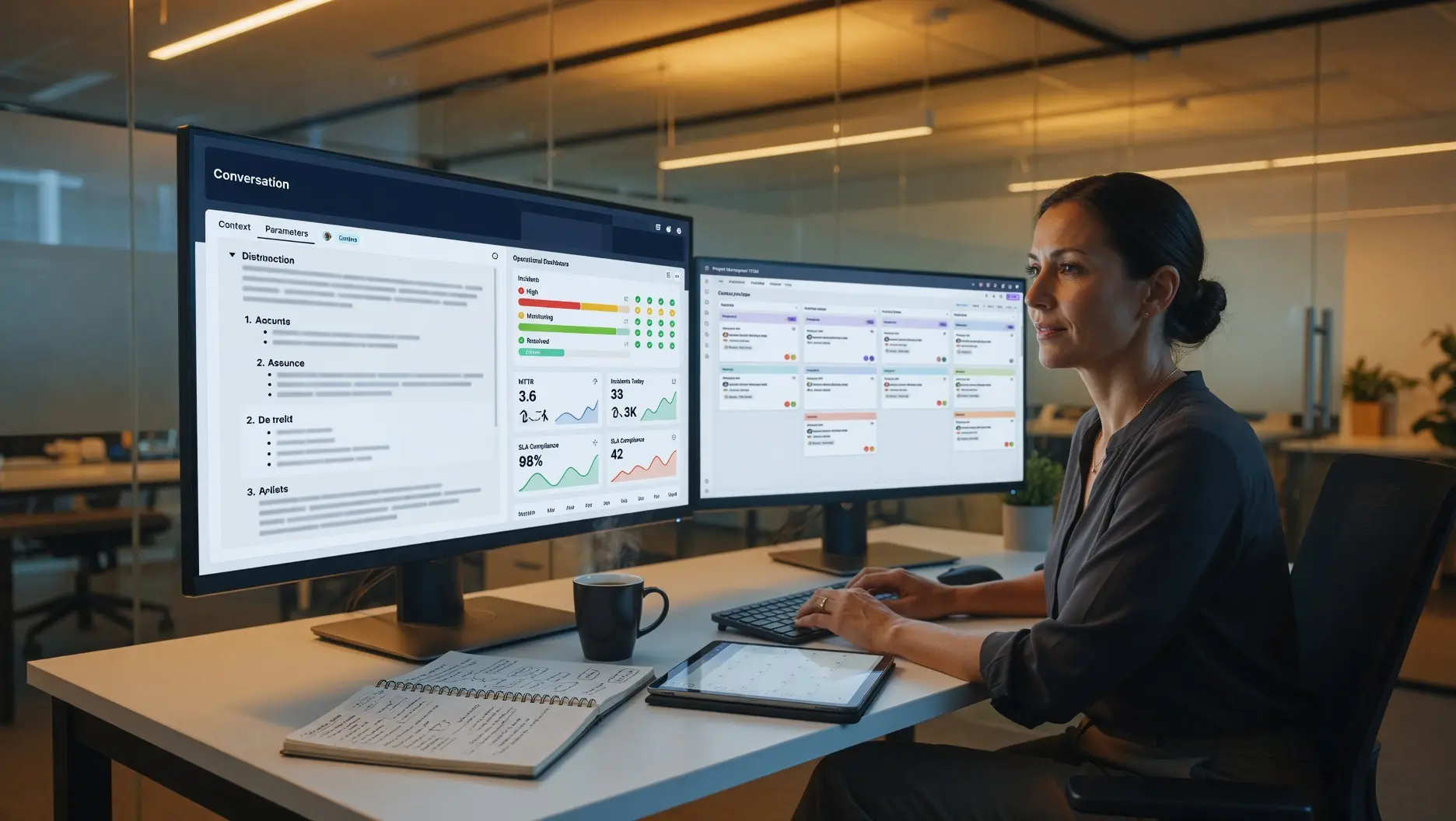
⚙️ Operations managers using AI daily save up to 4+ hours per week — but most are still using prompts that are too vague to produce actionable output. These 10 copy-paste AI prompts are built specifically for operations and IT managers: incident triage, vendor negotiations, process documentation, capacity planning, runbook generation, and more — each with the context, constraints, and guardrails that separate useful output from generic fluff.
Last Updated: June 1, 2026
The productivity case for AI in operations management has never been stronger — or better documented. McKinsey’s research confirms that businesses using AI to improve operational excellence can expect a 25–55% increase in productivity depending on the level of automation. IBM reports that organizations adopting AI in IT operations reduce incident resolution time by 30–50%. The 2026 PagerDuty State of AI-First Operations Report — based on 1,000 business and IT leaders — found that AI-powered incident management platforms save an average of 4.87 hours per incident. Workers with AI skills now earn a 56% wage premium over peers in the same roles without them. The gap between operations managers who use AI effectively and those who do not is widening every quarter.
But the majority of operations managers who are using AI tools are not extracting that kind of value — because their prompts are too generic to produce operationally specific output. “Summarize this incident” produces a summary. “Analyze this incident using the structure I specify, identify the root cause category, list the contributing factors in order of impact, and generate three specific remediation steps with owners and timelines” produces something your engineering team can actually act on. The difference between these two prompts is not the AI tool. It is the quality of the context, constraints, and structure built into the request. PagerDuty’s 2026 operations research confirms that the organizations achieving 30–70% MTTR reductions are the ones whose teams use AI with specific, structured inputs — not those who use AI as a general-purpose chatbot alongside their operations workflows.
The 10 prompts in this guide are built for the specific workflows that consume the most operations manager time — incident management, process documentation, vendor negotiations, capacity planning, runbook generation, and more. Each prompt follows the four-element structure that separates high-performing AI prompts from low-performing ones: workflow context that explains what the AI needs to understand about your situation; the copy-paste prompt with every variable bracketed for your customization; an estimate of the time saved versus manual completion; and an embedded guardrail that prevents the most common failure modes for each workflow. For the AI tools that work best with these prompts, our guide to the best AI tools for operations and IT teams covers the full platform landscape with current pricing and security ratings.
📖 New to AI terminology? Visit the AI Buzz AI Glossary — 65+ essential AI terms explained in plain English, each linking to a full in-depth guide.
1. 🤔 How to Use These Prompts: The Four-Element Framework
Every prompt in this guide is built on the same four-element structure that consistently produces the strongest operations-specific AI output. Understanding the structure helps you adapt these prompts to your specific context — and build new ones when you encounter a workflow not covered here.
Element 1 — Workflow context. This is the explanation you give the AI before the request: what your role is, what system or data you are working with, what constraints apply, and what “good output” looks like for this specific situation. Operations AI fails most often when context is missing — the AI cannot produce operationally specific output from a generic request because it does not know what is specific about your operation. The longer the context, the less editing the output requires.
Element 2 — The copy-paste prompt. The actual request, with [BRACKETED VARIABLES] you replace with your real data before submitting. Every prompt in this guide uses brackets consistently — replace every bracket before submitting. A prompt with unfilled brackets is a prompt that will produce generic output.
Element 3 — Time saved estimate. A realistic estimate of how much time this workflow takes manually versus with AI assistance, based on 2026 practitioner benchmarks. Used to help you prioritize which prompts to implement first based on your personal time allocation.
Element 4 — Embedded guardrail. A constraint built directly into the prompt that prevents the most common failure mode for this specific workflow. For incident triage, the guardrail prevents the AI from suggesting remediation before it has identified a root cause. For vendor negotiation, the guardrail prevents the AI from generating positions that exceed your stated authority. Every guardrail saves you the verification overhead of catching the failure manually.
Before you start: These prompts work best with Claude (best for structured, policy-sensitive operations output), ChatGPT Pro (best for multi-step process documentation and vendor communication), or Microsoft 365 Copilot (best for operations managers already working within Microsoft Teams, SharePoint, and Outlook). Do not paste real customer data, personally identifiable information, or proprietary system credentials into any AI tool without confirming your organization’s AI acceptable use policy first. Substitute placeholder names for sensitive identifiers when testing new prompts.
2. ⚙️ The 10 AI Prompts Every Operations Manager Needs in 2026
Prompt 1: IT Incident Triage and Root Cause Analysis
Workflow context: When a production incident hits, the pressure to diagnose and communicate simultaneously is one of the highest-friction moments in any operations manager’s week. Most managers spend 45–90 minutes manually correlating symptoms, tracing the timeline, and drafting the initial stakeholder communication. This prompt compresses that to 10–15 minutes by forcing structured thinking before the AI generates its output — ensuring the analysis is systematic rather than reactive.
Copy-paste prompt:
“You are acting as a senior operations analyst supporting an IT incident triage. Here is the incident context:
System affected: [NAME THE SYSTEM — e.g., ‘Payment processing API’ / ‘Customer portal’ / ‘Internal ITSM platform’]
Time of first alert: [TIMESTAMP]
Current symptoms observed: [LIST 3–5 SPECIFIC SYMPTOMS — e.g., ‘500 errors on checkout endpoint, response times spiking to 8s, database connection pool exhausted’]
Recent changes in the past 48 hours: [LIST ANY DEPLOYMENTS, CONFIG CHANGES, OR INFRA CHANGES]
Affected user population: [NUMBER OR PERCENTAGE OF USERS IMPACTED]
Business impact: [REVENUE, SLA, OR CUSTOMER-FACING CONSEQUENCE]
Using only the information I have provided above, do the following in order:
1. Identify the single most likely root cause category (infrastructure failure / code defect / configuration error / external dependency / capacity exhaustion / human error)
2. List the top 3 contributing factors in order of likelihood, with one sentence of evidence for each
3. Identify what additional diagnostic information would confirm or rule out your top hypothesis
4. Generate a draft stakeholder communication (5 sentences maximum) suitable for sending to non-technical executives right now
5. List three immediate remediation steps with a suggested owner type (infrastructure team / development team / DBA / vendor) for each
Guardrail: Do not suggest remediation steps before completing steps 1–3. Do not introduce information not present in my context above.”
Time saved: Manual triage documentation and stakeholder communication: 60–90 minutes. With this prompt: 10–15 minutes for submission, review, and edit. Net saving: approximately 60–75 minutes per major incident.
Prompt 2: Runbook Generation for Recurring Operational Tasks
Workflow context: Runbooks are the operational documentation that prevents tribal knowledge from walking out the door every time someone changes roles — yet most operations teams have runbooks that are outdated, incomplete, or exist only in someone’s head. This prompt generates a structured runbook from a rough description of the process, including the failure modes and escalation paths that most manually written runbooks omit.
Copy-paste prompt:
“You are a technical documentation specialist creating an operational runbook. Here is the process I need documented:
Process name: [NAME THE PROCESS — e.g., ‘Monthly database backup verification’ / ‘New employee IT access provisioning’ / ‘Vendor SLA breach escalation’]
Systems involved: [LIST THE TOOLS AND PLATFORMS USED IN THIS PROCESS]
Team roles involved: [LIST THE ROLES — e.g., ‘On-call engineer / IT helpdesk / Line manager / Vendor account manager’]
Current rough description of the process: [PASTE YOUR ROUGH NOTES OR DESCRIPTION — even a bullet list is sufficient]
Known failure modes (if any): [LIST ANYTHING THAT COMMONLY GOES WRONG]
Compliance or audit requirements: [SPECIFY IF THIS PROCESS HAS SOX / GDPR / ISO 27001 OR OTHER REQUIREMENTS]
Generate a complete operational runbook using this exact structure:
1. Process Overview (2 sentences)
2. Prerequisites (tools, access, and checks required before starting)
3. Step-by-step procedure (numbered, with decision points clearly marked as IF/THEN)
4. Verification steps (how to confirm each major step succeeded)
5. Known failure modes and recovery actions (table format: Failure | Likely Cause | Recovery Action | Escalation Path)
6. Escalation contacts (by role, not by name — I will fill in names)
7. Last review date placeholder and review cadence recommendation
Guardrail: Use plain, unambiguous language that a new team member with general IT knowledge but no context about this specific process could follow without additional guidance.”
Time saved: Manual runbook authoring from scratch: 3–5 hours. With this prompt: 20 minutes (10 minutes to complete the context + 10 minutes to review and edit the output). Net saving: 2.5–4.5 hours per runbook.
Prompt 3: Vendor Performance Review Preparation
Workflow context: Quarterly vendor performance reviews are a consistent operations manager time sink — pulling metrics from multiple systems, identifying the patterns that matter, and preparing a structured agenda that actually moves the conversation toward resolution rather than acknowledgment. This prompt generates the full review structure from raw metric inputs, with the conversation agenda ordered by business impact rather than chronology.
Copy-paste prompt:
“You are supporting a quarterly vendor performance review. Here is the vendor and performance context:
Vendor name: [VENDOR NAME]
Contract type: [SaaS / Managed Service / Hardware / Professional Services]
Contract value: [ANNUAL VALUE OR RANGE]
SLA commitments: [LIST THE KEY SLAs — e.g., ‘99.9% uptime / 4-hour response for P1 / 95% ticket resolution in 48 hours’]
Actual performance this quarter: [PASTE YOUR RAW METRICS — can be rough data, not formatted]
Open issues or unresolved incidents: [LIST ANY OUTSTANDING ITEMS]
Contract renewal date: [DATE OR ‘MORE THAN 12 MONTHS’ / ‘WITHIN 12 MONTHS’ / ‘WITHIN 6 MONTHS’]
Generate the following review materials:
1. Performance summary scorecard (table: SLA Metric | Target | Actual | Status: Met/Missed/At Risk)
2. Top 3 issues ranked by business impact with one-sentence framing for each
3. Vendor meeting agenda (60-minute format, ordered by priority)
4. List of specific commitments to request from the vendor at this meeting
5. Two alternative responses if the vendor disputes the performance data
Guardrail: Frame all performance gaps factually and specifically — avoid language that is accusatory or that overstates the severity. The goal is resolution, not confrontation. Do not suggest contract termination language unless I specify that is the desired outcome.”
Time saved: Manual vendor review preparation: 2–4 hours. With this prompt: 25 minutes. Net saving: 1.5–3.5 hours per vendor review.
Prompt 4: Process Documentation from Meeting Notes
Workflow context: One of the most universally painful operations tasks is converting a rambling team discussion about “how we do this thing” into a clean, followable process document. This prompt takes unstructured meeting notes, email threads, or voice memos (transcribed) and produces a structured process document that your team can follow without clarification.
Copy-paste prompt:
“You are converting unstructured team discussion into a formal process document. Here is the raw input:
Process being documented: [NAME OF THE PROCESS]
Source of the raw input: [MEETING NOTES / EMAIL THREAD / VOICE MEMO TRANSCRIPT / TEAM CHAT EXPORT]
Raw content: [PASTE THE UNSTRUCTURED CONTENT HERE — do not clean it up; paste as-is]
Department or team this applies to: [TEAM NAME]
Frequency this process runs: [DAILY / WEEKLY / MONTHLY / TRIGGERED BY EVENT]
Convert this into a structured process document with:
1. Process purpose (one sentence)
2. Trigger or schedule (what starts this process)
3. Owner and participants (by role only)
4. Step-by-step procedure with clear handoff points between roles
5. Tools required at each step
6. Definition of done (how we know the process is complete)
7. A list of decisions that still need to be made (if the raw content contains unresolved questions — clearly label these as OPEN ITEMS)
Guardrail: Where the raw content is ambiguous about who does what, do not make assumptions — flag ambiguous ownership as an OPEN ITEM rather than assigning a role.”
Time saved: Manual process documentation from meeting notes: 2–3 hours. With this prompt: 15–20 minutes. Net saving: approximately 2 hours per documented process.
Prompt 5: Capacity Planning Analysis and Recommendation
Workflow context: Capacity planning decisions — whether for IT infrastructure, team headcount, or operational throughput — require synthesizing historical data, growth assumptions, and risk tolerance into a coherent recommendation. This prompt generates the structured analysis framework and recommendation rationale that operations managers typically spend a full afternoon building before a planning presentation.
Copy-paste prompt:
“You are a capacity planning analyst preparing a recommendation for leadership. Here is the planning context:
Resource being planned: [INFRASTRUCTURE / TEAM HEADCOUNT / OPERATIONAL THROUGHPUT / STORAGE / NETWORK BANDWIDTH]
Current utilization or capacity: [CURRENT NUMBER OR PERCENTAGE]
Historical trend (last 6–12 months): [PASTE MONTHLY FIGURES OR DESCRIBE THE TREND — e.g., ‘15% growth per quarter’ / ‘Flat with seasonal spike in Q4’]
Growth assumptions for next 12 months: [EXPECTED GROWTH RATE OR EVENT-DRIVEN CHANGE — e.g., ‘New product launch in Q3 expected to 2x transaction volume’]
Current cost of this resource: [MONTHLY OR ANNUAL COST]
Risk tolerance: [LOW: we cannot tolerate any degradation / MEDIUM: some degradation acceptable if costs are controlled / HIGH: cost optimization is the primary constraint]
Generate:
1. Capacity runway analysis (at current growth rate, when do we hit 80% utilization? When do we hit 100%?)
2. Three capacity scenarios (conservative / expected / aggressive growth) with recommended action and cost implication for each
3. The recommendation I should present to leadership, with justification
4. The top 3 risks to my recommendation and how to mitigate each
5. A one-slide summary (bullet format, suitable for a 2-minute verbal walkthrough)
Guardrail: Base your analysis only on the numbers I have provided. If the data I have given is insufficient to make a defensible recommendation, tell me what additional data I need to collect rather than making assumptions.”
Time saved: Manual capacity planning analysis and slide preparation: 3–5 hours. With this prompt: 20–30 minutes. Net saving: 2.5–4.5 hours per planning cycle.
Prompt 6: Post-Incident Report (PIR) Generation
Workflow context: Post-incident reports are a compliance and organizational learning requirement that operations managers typically dread — because writing a coherent chronological account of a chaotic incident, identifying systemic root causes, and producing action items that actually prevent recurrence requires synthesis that takes hours when done manually. This prompt generates a complete PIR from the timeline data you already have in your incident management tool.
Copy-paste prompt:
“You are generating a post-incident report (PIR) for an engineering and leadership audience. Here is the incident data:
Incident ID or title: [INCIDENT REFERENCE]
Severity: [P1 / P2 / P3 / MAJOR / MINOR — use your organization’s classification]
Duration: [START TIME to END TIME with timezone]
Systems affected: [LIST]
User impact: [NUMBER OF USERS / PERCENTAGE / CUSTOMER SEGMENTS AFFECTED]
Business impact: [REVENUE, SLA BREACH, REGULATORY, OR REPUTATIONAL]
Timeline of events (paste your incident log or rough chronology): [PASTE TIMELINE]
Contributing factors already identified by the team: [LIST ANY ROOT CAUSES THE TEAM DISCUSSED]
Actions already taken during the incident: [WHAT WAS DONE TO RESOLVE IT]
Generate a complete PIR using this structure:
1. Executive summary (5 sentences — severity, impact, root cause, resolution, status of follow-up actions)
2. Timeline (clean, formatted version of my raw input)
3. Root cause analysis (use the 5 Whys technique; identify the technical cause AND the systemic/process cause)
4. Contributing factors (table: Factor | Category: Technical/Process/Human/External | Contribution to Incident)
5. What went well
6. What could be improved
7. Action items (table: Action | Owner Role | Priority | Target Date Placeholder)
Guardrail: The action items must be specific and preventive — not general (‘improve monitoring’) but specific (‘Add alert threshold at 75% database connection pool utilization with PagerDuty escalation to DBA on-call’). Reject any action item that cannot be assigned to a named role with a specific completion criterion.”
Time saved: Manual PIR writing: 2–4 hours. With this prompt: 20 minutes (15 to complete context + 5 to review). Net saving: 1.5–3.5 hours per incident requiring a PIR.
✍️ Need ready-to-use AI prompts? Browse the AI Buzz Prompt Library — copy-paste prompt templates for project managers, HR leaders, sales teams, CEOs, and business professionals across every role.
Prompt 7: Vendor Contract Negotiation Position Builder
Workflow context: Preparing for a contract renewal or renegotiation requires understanding your leverage, your BATNA (Best Alternative to a Negotiated Agreement), and the specific positions you can defend with data. This prompt generates the negotiation brief that operations managers typically produce over a full day — compressed to under an hour.
Copy-paste prompt:
“You are preparing a contract negotiation brief for an operations manager. Here is the negotiation context:
Vendor and product: [VENDOR NAME and PRODUCT/SERVICE]
Current contract value: [ANNUAL SPEND]
Contract expiration: [DATE]
Current pain points with this vendor: [LIST 3–5 SPECIFIC ISSUES — e.g., ‘Support response times consistently exceed SLA / Price increased 15% last renewal without performance improvement / Feature roadmap requests consistently deprioritized’]
Alternative vendors evaluated (if any): [NAME COMPETITORS CONSIDERED AND KEY DIFFERENTIATOR]
Our switching cost (realistic estimate): [HIGH: migration would take 6+ months / MEDIUM: 2–4 months / LOW: could switch in under 2 months]
Budget constraint: [TARGET REDUCTION % OR AMOUNT, OR ‘HOLD AT CURRENT SPEND’, OR ‘FLEXIBILITY EXISTS UP TO X%’]
Non-price priorities: [LIST ANY NON-COST GOALS — e.g., ‘Improved SLA terms / Dedicated support contact / Multi-year price lock / Training credits’]
Generate:
1. Our negotiation leverage assessment (honest — what gives us leverage, what weakens it)
2. Opening position (what to ask for first, knowing it will be negotiated down)
3. Target position (what we actually want to achieve)
4. Walk-away position (what would cause us to seriously evaluate switching)
5. Three concessions we could offer in exchange for price reduction
6. Five specific questions to ask the vendor in the opening meeting
7. How to respond if vendor says: ‘Our pricing is non-negotiable’
Guardrail: All positions must be defensible with the data I have provided. Do not suggest positions that exceed my stated budget authority or that would require commitments I have not indicated I can make.”
Time saved: Manual negotiation prep: 4–6 hours. With this prompt: 30 minutes. Net saving: 3.5–5.5 hours per major contract negotiation.
Prompt 8: IT Change Management Risk Assessment
Workflow context: Change management in IT operations requires assessing risk, documenting rollback procedures, and communicating the change to stakeholders — a process that takes 1–2 hours manually for any non-trivial change. This prompt generates the complete change advisory board (CAB) submission package from a change description, including the risk scenarios most commonly missed in manual reviews.
Copy-paste prompt:
“You are completing a change management risk assessment for an IT change advisory board (CAB) submission. Here is the change:
Change description: [DESCRIBE THE CHANGE IN PLAIN LANGUAGE]
Systems affected: [LIST ALL SYSTEMS DIRECTLY OR INDIRECTLY AFFECTED]
Implementation window: [PROPOSED DATE/TIME AND DURATION]
Change owner: [ROLE — not name]
Change type: [STANDARD / EMERGENCY / MAJOR]
Recent incidents on affected systems (last 90 days): [LIST OR ‘NONE KNOWN’]
Dependencies (systems or teams that must be available): [LIST]
Generate a complete CAB submission package containing:
1. Change summary (3 sentences for a non-technical approver)
2. Risk assessment table (Risk | Likelihood: High/Medium/Low | Impact: High/Medium/Low | Mitigation)
3. Rollback plan (step-by-step, with decision point: ‘If X occurs within Y minutes, execute rollback by doing Z’)
4. Testing and verification steps (what to check immediately after implementation to confirm success)
5. Stakeholder communication template (for pre-change notification)
6. Go/no-go decision criteria (the specific conditions under which implementation should be aborted)
Guardrail: The rollback plan must be complete enough for a team member who was not involved in the implementation to execute it independently. Flag any step where the rollback would take longer than the implementation itself — this is a significant risk factor that CAB must consider.”
Time saved: Manual CAB submission preparation: 1.5–3 hours. With this prompt: 20 minutes. Net saving: 1–2.5 hours per change submission.
Prompt 9: Operational KPI Dashboard Narrative
Workflow context: Operations managers spend disproportionate time converting raw operational metrics into the management narrative that translates numbers into decisions for leadership. This prompt generates the executive narrative from a data dump — turning numbers into the “so what” that drives action rather than just reporting.
Copy-paste prompt:
“You are generating an executive operational performance narrative for a monthly leadership review. Here is the data:
Period: [MONTH AND YEAR]
Department or function: [OPS / IT / FACILITIES / SHARED SERVICES]
Raw metrics (paste your data — format does not matter): [PASTE YOUR NUMBERS]
Last period’s metrics for comparison (if available): [PASTE PRIOR PERIOD DATA]
Targets or SLAs for each metric (if defined): [LIST TARGETS]
Significant events this period that affected metrics: [MAJOR INCIDENTS, LAUNCHES, TEAM CHANGES, EXTERNAL FACTORS]
One thing leadership most needs to understand this period: [DESCRIBE THE KEY MESSAGE YOU WANT THEM TO TAKE AWAY]
Generate:
1. Three-sentence executive summary (lead with the most important message, not with a list of metrics)
2. Performance highlights (what went well and why)
3. Areas of concern (what missed target, what the root cause is, and what is being done)
4. Trend analysis (what directional movements in the data should leadership pay attention to next quarter)
5. Two decisions or approvals needed from leadership based on this data
6. One recommended action with a specific business case
Guardrail: The narrative must lead with insight, not description. Avoid sentences that simply restate the numbers (‘SLA compliance was 94.2%’). Every metric reference must include the ‘so what’ — the business implication of that number in this context.”
Time saved: Manual KPI narrative and leadership deck preparation: 2–3 hours. With this prompt: 15–20 minutes. Net saving: 1.5–2.5 hours per reporting cycle.
Prompt 10: SOP (Standard Operating Procedure) Gap Analysis
Workflow context: Audits, ISO certifications, and operational maturity reviews consistently reveal that organizations have process gaps where documented SOPs either do not exist, are outdated, or do not match what people actually do. This prompt generates the gap analysis and prioritized remediation plan that typically takes an operations consultant days to complete manually.
Copy-paste prompt:
“You are conducting an SOP gap analysis for an operations department. Here is the context:
Department or function: [NAME OF DEPARTMENT]
Trigger for this review: [AUDIT PREPARATION / ISO 27001 / SOX / OPERATIONAL MATURITY / NEW LEADERSHIP / INCIDENT-DRIVEN]
Current documented SOPs (list what exists): [LIST YOUR EXISTING SOPs BY NAME — even a rough list]
Key operational processes this department runs (including undocumented ones): [LIST ALL PROCESSES YOU CAN IDENTIFY — documented or not]
Regulatory or compliance framework applicable: [ISO 27001 / SOC 2 / HIPAA / SOX / GDPR / INTERNAL POLICY — or ‘none specified’]
Last audit finding related to documentation (if any): [PASTE OR SUMMARIZE]
Generate:
1. Gap analysis table (Process | SOP Exists? | SOP Current? | Compliance Risk: High/Medium/Low | Priority: 1/2/3)
2. Prioritized remediation plan (which SOPs to create or update first, and why)
3. Estimated effort by category (Creation from scratch vs. Update of existing vs. Retire outdated)
4. A 90-day SOP remediation project plan (phases, not individual tasks)
5. Template structure I should use for new SOPs (based on the compliance framework I specified)
Guardrail: Prioritize based on compliance and operational risk — not on which SOPs are easiest to write. A P1 item that is difficult to document is still P1. If I have not listed a process that commonly appears in [COMPLIANCE FRAMEWORK] documentation requirements, flag it as a potential undiscovered gap.”
Time saved: Manual SOP gap analysis: 8–16 hours (consultant or internal equivalent). With this prompt: 30–45 minutes. Net saving: 7–15 hours for a comprehensive gap analysis.
3. 📊 Time Savings Summary: What These 10 Prompts Save Per Month
| # | Prompt | Manual Time | With AI Prompt | Time Saved | Best Tool |
|---|---|---|---|---|---|
| 1 | IT Incident Triage | 60–90 min/incident | 10–15 min | ~75 min | Claude / ChatGPT |
| 2 | Runbook Generation | 3–5 hrs/runbook | 20 min | ~3.5 hrs | Claude |
| 3 | Vendor Performance Review Prep | 2–4 hrs/review | 25 min | ~2.5 hrs | ChatGPT / Claude |
| 4 | Process Documentation | 2–3 hrs/process | 15–20 min | ~2 hrs | Claude / M365 Copilot |
| 5 | Capacity Planning Analysis | 3–5 hrs/cycle | 20–30 min | ~3.5 hrs | ChatGPT / Claude |
| 6 | Post-Incident Report (PIR) | 2–4 hrs/PIR | 20 min | ~2.5 hrs | Claude |
| 7 | Vendor Contract Negotiation Brief | 4–6 hrs/negotiation | 30 min | ~4.5 hrs | ChatGPT / Claude |
| 8 | IT Change Management Risk Assessment | 1.5–3 hrs/change | 20 min | ~1.5 hrs | Claude / ChatGPT |
| 9 | Operational KPI Dashboard Narrative | 2–3 hrs/report | 15–20 min | ~2 hrs | M365 Copilot / Claude |
| 10 | SOP Gap Analysis | 8–16 hrs (project) | 30–45 min | ~10 hrs | Claude / ChatGPT |
4. 🏁 Conclusion: Context Is the Work — the Prompt Is the Product
The single most important thing to understand about these prompts is also the most counterintuitive one: the time you spend filling in the context is not overhead before the “real work” of using the AI. The context IS the real work. When you take 10 minutes to populate the incident triage prompt with specific symptoms, specific timeline, specific affected systems, and specific business impact — you have already done the analytical work of structuring the problem. The AI then produces the output faster and with less editing than it would have if you had asked a vague question. The prompt format forces the same structured thinking that distinguishes good operations management from reactive firefighting.
The operations managers generating the strongest AI productivity results in 2026 — consistent with McKinsey’s 25–55% productivity improvement data and PagerDuty’s 4.87-hour incident savings findings — are not the ones who use AI most often. They are the ones who have identified their 3–5 highest-frequency, highest-cost workflows and built deliberate, context-rich AI habits around exactly those workflows. Start with the prompt that addresses the workflow where you spend the most time. Use it consistently for four weeks. Measure the time recovered against your pre-AI baseline. Then expand to the next prompt. That sequence — one workflow at a time, measurement before expansion — is what separates the operations managers who can cite specific productivity gains from those who have the tools but cannot prove the value. For the AI platforms that work best with these prompts across your full operations and IT stack, see our companion guide to the best AI tools for operations and IT teams in 2026.
📌 Key Takeaways
| Key Takeaway | |
|---|---|
| ✅ | McKinsey confirms that businesses using AI for operational excellence achieve a 25–55% productivity increase — but only when prompts are specific, contextual, and structured. Generic AI prompts produce generic output; context-rich prompts produce actionable operations documentation. |
| ✅ | AI-powered incident management platforms save an average of 4.87 hours per incident (SolarWinds 2025 research) — with leading implementations achieving 30–70% MTTR reductions. The incident triage prompt (Prompt 1) and post-incident report prompt (Prompt 6) together address the two most time-intensive phases of incident management. |
| ✅ | Every prompt in this guide follows the four-element structure: workflow context (what the AI needs to know), the copy-paste prompt with bracketed variables, a time-saved estimate, and an embedded guardrail that prevents the most common failure mode for that specific workflow. |
| ✅ | The highest individual time savings come from the SOP gap analysis prompt (saving 7–15 hours per project), the vendor contract negotiation brief (saving 4–5 hours per negotiation), and the capacity planning analysis (saving 3–4 hours per planning cycle) — making these the highest-priority prompts to implement first if you are selecting by ROI. |
| ✅ | Embedded guardrails — constraints built directly into the prompt — are what separate prompts that require significant editing from prompts that produce near-final-quality output on the first attempt. The guardrail in every prompt in this guide addresses the specific failure mode most commonly observed for that workflow type. |
| ✅ | Never paste real customer data, PII, system credentials, or proprietary process details into any AI tool without confirming your organization’s AI acceptable use policy and verifying the tool’s data handling terms. Use placeholder names and anonymized identifiers when testing new prompts for the first time. |
| ✅ | Claude is the recommended primary tool for policy-sensitive workflows (runbooks, PIRs, SOPs, change management) due to its superior instruction-following and lower hallucination rate on structured documentation tasks. ChatGPT Pro is the recommended primary tool for negotiation preparation and vendor analysis where breadth and internet access are advantageous. |
| ✅ | The sequence that generates the strongest sustained productivity gains: pick the one prompt that addresses your highest-frequency workflow → use it consistently for four weeks → measure time recovered against pre-AI baseline → expand to the next prompt. Breadth of adoption never catches up to depth of mastery on individual workflows. |
🔗 Related Articles
- 📖 Best AI Tools for Operations and IT Teams in 2026: Tested and Ranked
- 📖 The Ultimate AI Prompt Library for Business Professionals (2026 Edition)
- 📖 AI Change Management for Beginners: How to Roll Out AI Tools Without Shadow AI
- 📖 10 ChatGPT Prompts Every Project Manager Needs in 2026
- 📖 AI in Human Resources: How AI Is Transforming Hiring, Onboarding, and Employee Experience
⚙️ Frequently Asked Questions: AI Prompts for Operations Managers
1. Which AI tool works best for operations management prompts?
Claude is the strongest choice for structured documentation workflows — runbooks, post-incident reports, SOPs, and change management submissions — because its instruction-following and output consistency on structured tasks is the best of any current frontier model. ChatGPT Pro is stronger for negotiation preparation and vendor analysis where internet access and breadth of knowledge are advantageous. Microsoft 365 Copilot is the right choice for operations managers whose primary workflow lives in Teams, SharePoint, Outlook, and Power BI. Our best AI tools for operations and IT teams guide covers the full platform comparison with current pricing and security ratings.
2. How do I adapt these prompts to my specific industry?
Add one sentence of industry context to the “Workflow context” section before the copy-paste prompt: “We operate in [healthcare / financial services / manufacturing / logistics] where [key regulatory or operational constraint specific to your industry].” This single addition changes the AI’s output significantly — it will apply industry-specific terminology, reference relevant compliance frameworks, and calibrate its recommendations to your industry’s risk profile. The four-element prompt structure is the same across industries; the context is what makes it industry-specific.
3. Is it safe to use these prompts with real operational data?
Only with the right tool and plan. Enterprise tiers of Claude, ChatGPT, and Microsoft 365 Copilot explicitly prohibit using your data to train their models and provide signed data processing agreements. Consumer/free tiers typically do not. Before pasting any real incident data, vendor contracts, or system specifications, confirm your organization’s AI acceptable use policy and verify the tool’s enterprise data handling terms. When testing a new prompt for the first time, use placeholder names and anonymized data until you have verified your organization’s approved platform. Our shadow AI guide covers the governance framework that manages this risk at the organizational level.
4. What is the most important part of these prompts — the instruction or the context?
The context. The instructions tell the AI what to produce; the context determines the quality and relevance of what it produces. An incident triage prompt with specific symptoms, specific timeline, and specific business impact produces an actionable output in one pass. The same prompt with vague context produces a generic framework that requires as much editing as writing from scratch. The time you invest completing the context section is not overhead — it is the analytical work that produces the output quality. This is why every prompt in this guide has substantial context requirements rather than simple one-line instructions.
5. How do I measure whether these prompts are actually saving me time?
Define your baseline before you start. For the first prompt you implement, time yourself doing the same workflow manually one final time before switching to AI. Record the start and end time. Then time yourself using the AI prompt for the same workflow — including the time to complete the context and review the output. Compare the two figures. This before/after measurement gives you an honest, role-specific time saving that you can report to your leadership team as evidence rather than estimation. Repeat this measurement at 30 days to see whether the time saving has compounded as you have become faster at completing the context sections.
📧 Get the AI Buzz Weekly Digest
Weekly AI insights, tools, and strategies — delivered every Monday. Free.




Leave a Reply