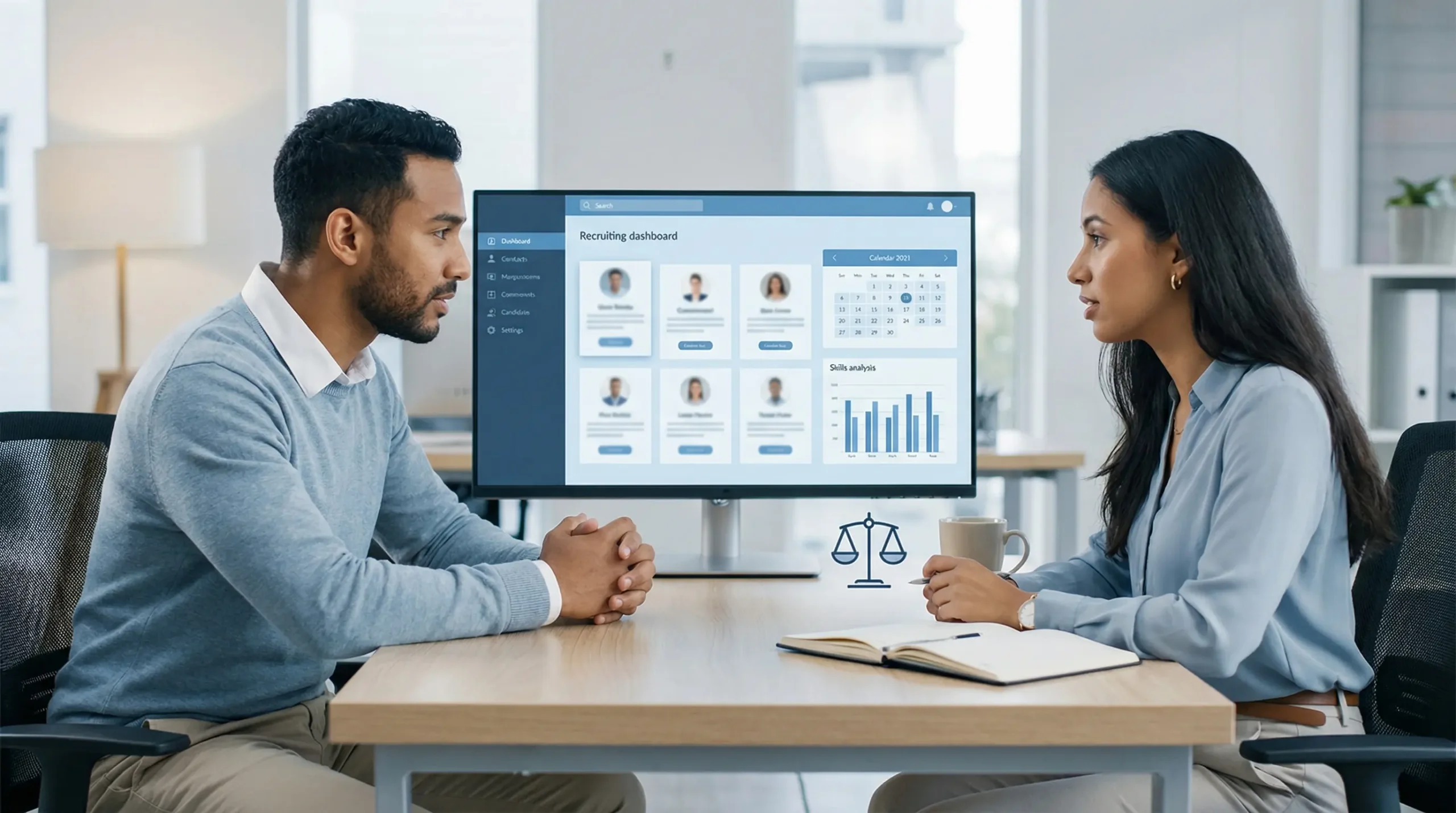
🎯 AI in recruiting is no longer a pilot program — it is the operational foundation of competitive talent acquisition in 2026. This guide delivers a practical 6-stage AI recruiting framework, the best AI recruiting tools with real pricing, a bias risk assessment, and the compliance requirements HR teams cannot afford to miss before August 2026.
Last Updated: June 21, 2026
AI in recruiting has moved from a competitive advantage to a baseline expectation in 2026 — and the organizations still evaluating whether to adopt AI in their talent acquisition workflows are already falling behind those that have integrated it across sourcing, screening, and assessment. SHRM’s 2026 State of AI in HR report confirms that recruiting is the single most AI-adopted HR function — 51% of organizations using AI in HR apply it to recruitment, and AI reduces average time-to-hire by up to 25%. The practical question for talent acquisition leaders in 2026 is not whether to use AI in recruiting, but where in the recruiting workflow it delivers the most value, which tools to use, and how to deploy it responsibly in a regulatory environment that is becoming significantly more demanding.
This guide is designed for HR leaders, talent acquisition managers, and CHROs making practical AI recruiting decisions in 2026 — not as an overview of AI concepts, but as a structured framework for implementing AI across the full recruiting lifecycle. It covers the six stages of recruiting where AI delivers measurable ROI, the leading AI recruiting tools with verified 2026 pricing, the bias risks that have caused high-profile failures, the compliance requirements now active across multiple jurisdictions, and the human oversight model that makes AI-assisted recruiting both effective and defensible. For a full comparison of AI HR tools including pricing and feature matrices across all HR functions, see our guide to the best AI tools for HR and people teams in 2026 — this article focuses specifically on the recruiting strategy and implementation framework rather than the tool buying decision.
The regulatory urgency is the context that makes this guide time-sensitive. The EU AI Act’s full enforcement deadline of August 2, 2026 classifies recruitment AI as high-risk — requiring documented bias audits, human-in-the-loop review for automated screening decisions, and formal compliance documentation. Colorado’s AI Act has been active since February 2026. Maine and Virginia AI Acts take effect July 2026. NYC Local Law 144 requires annual bias audits for any AI system used in employment decisions in New York City and has been active since 2023. The EEOC’s AI and algorithmic fairness guidance makes clear that employers — not vendors — bear legal responsibility for discriminatory outcomes from AI recruiting tools. This regulatory landscape makes the governance section of this guide as important as the framework and tools sections.
📖 New to AI terminology? Visit the AI Buzz AI Glossary — AI terms like LLMs, agentic AI, and machine learning explained in plain English, each linking to a full in-depth guide.
🤖 1. What AI in Recruiting Actually Means in 2026
AI in recruiting covers a wide spectrum of capability — from a chatbot that schedules interviews to an autonomous AI agent that sources, screens, ranks, and communicates with candidates across dozens of open roles simultaneously without human involvement at any individual step. Understanding where your organization is on that spectrum, and where the responsible boundary between AI-assisted and AI-autonomous action lies, is the first decision talent acquisition leaders need to make before any tool evaluation begins.
The meaningful distinction in 2026 is between AI that augments recruiter judgment and AI that replaces it. AI augmentation — using ML to surface strong candidates a human recruiter would then evaluate, using NLP to analyze job descriptions for bias language before posting, using scheduling automation to eliminate the back-and-forth of interview coordination — delivers measurable efficiency gains with manageable compliance risk. AI replacement — systems that make autonomous reject/proceed decisions without human review at the screening or assessment stage — is where the bias, discrimination, and regulatory risk concentrates. The EU AI Act, Colorado AI Act, and NYC Local Law 144 all specifically address this boundary: not by banning AI in recruiting, but by requiring that consequential employment decisions involving AI have documented human oversight and bias audit trails.
The efficiency case is not in question. McKinsey’s talent and AI research consistently documents that AI recruiting tools reduce time-to-hire by 25–40% and cost-per-hire by 15–30% when implemented across the full recruiting workflow. The AI in recruiting market was valued at $661.56 million in 2024 and is projected to reach $1.12 billion by 2030 at a 9.1% CAGR — reflecting the widespread, sustained enterprise investment that indicates practical ROI rather than experimental adoption. The governance case is equally clear: the organizations achieving these efficiency gains without triggering regulatory action or bias claims are the ones that maintained documented human oversight at every consequential decision point.
The 2026 AI Recruiting Reality: 51% of organizations using AI in HR apply it to recruitment — more than any other HR function (SHRM 2026). Yet 57% of HR professionals in states with AI regulations remain unaware of the local laws governing their hiring tools. The gap between adoption and compliance is where organizational risk concentrates in 2026.
📋 2. The AI Recruiting Framework: 6 Stages Where AI Adds Value
AI in recruiting is most valuable when applied systematically across the full recruiting lifecycle rather than as a point solution for a single bottleneck. The six-stage framework below maps each phase of the talent acquisition process to its highest-value AI application, the typical time saved, the risk level of each AI application, and whether human oversight is required at that stage. This framework is designed to give talent acquisition leaders a structured implementation map — identifying where to start, where to move carefully, and where human judgment must remain in the loop regardless of AI capability.
The framework reflects a consistent finding across enterprise AI recruiting deployments: AI delivers the fastest ROI at the top of the funnel (sourcing, initial screening, scheduling) and requires the most careful governance at the bottom of the funnel (assessment scoring, hiring decision support). The risk gradient is not accidental — it mirrors the regulatory framework. High-volume, early-stage AI applications that surface candidates for human review carry lower compliance risk than automated systems that score and rank candidates for hire/no-hire decisions without documented human review.
| Recruiting Stage | AI Application | Time Saved | Risk Level | Human Oversight Required? |
|---|---|---|---|---|
| 1. Sourcing | AI candidate discovery across LinkedIn, GitHub, job boards; passive candidate identification; talent pool mapping | 40–60% less manual search time | ✅ Low | Recommended — human reviews shortlist before outreach |
| 2. Job Description Writing | Bias language detection; inclusive JD generation; skills-based JD optimization; salary range benchmarking | 60–80% faster JD creation | ✅ Low | ✅ Required — human review before posting |
| 3. Resume Screening | AI resume parsing and skills matching; candidate ranking; application volume management; shortlist generation | 70–80% reduction in manual review time | ⚠️ High | ✅ Mandatory per EU AI Act and Colorado AI Act — human must review AI shortlist before reject decisions |
| 4. Assessment and Scheduling | Conversational AI screener; automated interview scheduling; asynchronous video interview analysis; skills assessments | 50–70% reduction in scheduling admin | ⚠️ Medium–High | ✅ Required for video AI scoring — bias audit documentation mandatory (NYC LL144) |
| 5. Hiring Decision Support | AI-generated candidate comparison reports; predictive performance scoring; structured interview scorecards; offer modeling | 30–40% faster decision cycle | ⚠️ High | ✅ Mandatory — AI must provide recommendations only; final hire decision must be made by a human |
| 6. Onboarding | Automated onboarding workflow; AI-powered new hire self-service; personalized learning path generation; day-1 readiness tracking | 45–55% reduction in admin overhead | ✅ Low | Recommended for high-stakes decisions; AI handles routine tasks autonomously |
🛠️ 3. Best AI Recruiting Tools in 2026
The AI recruiting tools market has consolidated significantly in 2026 around a smaller number of platforms with deeper, more genuinely AI-native capabilities — and fragmented further for specialist functions like sourcing, conversational AI screening, and predictive analytics. The right tool selection depends on where in the six-stage framework your team has the biggest bottleneck, your existing ATS infrastructure, and your compliance requirements. For the full cross-functional HR AI tool buying guide with feature matrices and detailed pricing, see our dedicated guide to the best AI tools for HR and people teams. The table below focuses specifically on the recruiting workflow tools.
| Tool | Best For | Key AI Feature | 2026 Pricing | Compliance Ready? |
|---|---|---|---|---|
| Greenhouse | Enterprise structured hiring | AI candidate scoring, structured interview workflows, bias reduction tools | Custom (typically $6K–$30K+/yr) | ⚠️ High-risk — bias audit documentation required |
| Ashby | Mid-market ATS with AI | AI outreach automation, candidate analytics, recruiting pipeline visibility | From $360/mo | ⚠️ High-risk — verify bias audit capability before use |
| HireVue | Video interview AI at scale | AI behavioral analysis, game-based assessments, structured video scoring | Custom (enterprise) | ⚠️ High-risk — bias audit mandatory; NYC LL144 requires annual audit |
| Paradox (Olivia) | High-volume recruiting | Conversational AI screener — scheduling, FAQ, pre-screening at scale | Custom | ⚠️ High-risk — human escalation path required for all screening decisions |
| Fetcher | Passive candidate sourcing | AI candidate discovery + automated personalized outreach sequences | From $379/mo | ⚠️ High-risk — sourcing AI must not filter on protected characteristics |
| Eightfold AI | Skills-based talent intelligence | AI talent matching on skills not credentials; diversity sourcing; internal mobility | Custom enterprise | ✅ Strong compliance posture — skills-based approach reduces credential bias risk |
| SeekOut | Diversity sourcing and talent intelligence | AI-powered talent search with diversity filters; skills graph; talent signals | From $499/mo | ✅ Designed for inclusive sourcing — diversity sourcing features built into core product |
Pricing as of June 2026 — verify before purchasing. Enterprise ATS platforms (Greenhouse, HireVue, Paradox) require direct vendor engagement. All tools classified as high-risk under EU AI Act for employment AI applications require documented bias audit before deployment and human-in-the-loop oversight for consequential decisions.
🏭 Exploring AI in your industry? Browse the AI Buzz Industry Guide — 35+ in-depth sector guides covering how AI is transforming healthcare, finance, HR, legal, retail, manufacturing, and more.
✅ 4. How to Implement AI Recruiting: A Step-by-Step Checklist
The talent acquisition teams that implement AI recruiting successfully share a discipline that precedes any tool selection: they assess organizational readiness before purchasing, rather than buying a platform and discovering the governance, integration, and compliance gaps during deployment. The most common failure pattern — purchasing an AI sourcing or screening tool, discovering it doesn’t integrate with the existing ATS, lacks bias audit documentation, or produces candidate recommendations that the legal team won’t approve — delays implementation by 6–12 months and often produces the wrong first impression of AI recruiting internally.
The checklist below covers the minimum organizational readiness steps for any AI recruiting implementation, from policy setup through post-deployment audit. Items marked Critical must be completed before any AI tool touches candidate data. Items marked High should be completed before full deployment. Checking this list before signing a contract with any AI recruiting vendor reduces implementation risk significantly and creates the documentation trail that regulators increasingly require. For the AI vendor due diligence checklist that applies to evaluating any AI tool before procurement, our dedicated guide covers the full vendor evaluation framework.
| ☐ | Action | Why It Matters | Priority |
|---|---|---|---|
| ☐ | Define which recruiting stages AI will assist versus which remain fully human-controlled | Determines compliance scope and tool requirements before vendor evaluation begins | Critical |
| ☐ | Request bias audit documentation from every AI recruiting vendor — methodology, auditor, date, and outcomes | EU AI Act, Colorado AI Act, and NYC LL144 require documented bias audits — employer bears responsibility | Critical |
| ☐ | Establish a human-in-the-loop review gate at every stage where AI makes a screening or ranking decision | Required by EU AI Act and Colorado AI Act for high-risk AI in employment; also reduces false negative risk | Critical |
| ☐ | Draft or update your organization’s AI recruiting policy — covering which tools are approved, data handling, and candidate disclosure | Required documentation for regulatory audits; reduces legal exposure from uncontrolled AI tool use | Critical |
| ☐ | Implement candidate disclosure — notify candidates when AI is used in any screening, scoring, or assessment process | Maine AI Act (July 2026) and Virginia AI Act (July 2026) require employment AI disclosure; best practice everywhere | Critical |
| ☐ | Verify ATS integration compatibility before signing any AI recruiting tool contract | Integration failures with existing ATS are the #1 cause of delayed AI recruiting deployments | High |
| ☐ | Run a 30-day pilot on one role type before deploying AI screening across all open requisitions | Validates AI accuracy on your specific role profiles before full commitment | High |
| ☐ | Establish a baseline metric before deployment (current time-to-hire, cost-per-hire, diversity metrics) for ROI measurement | Enables data-driven ROI measurement and leadership justification at 90-day review | High |
| ☐ | Train recruiters on AI tool outputs — how to interpret AI rankings, when to override AI recommendations, and how to document overrides | Untrained recruiters who accept AI rankings uncritically create the highest compliance risk | High |
| ☐ | Implement a quarterly audit of AI recruiting outcomes — tracking hire rates, rejection rates, and diversity metrics by AI-screened versus manually screened pipelines | Detects emerging bias patterns before they become legal claims; required documentation for NYC LL144 annual audit | Medium |
⚠️ 5. AI Resume Screening Bias: What HR Teams Must Know
AI resume screening bias is the most consequential risk in AI recruiting — and the one that has produced the highest-profile failures in the industry. Amazon’s internally developed AI recruiting tool, scrapped in 2018, is the canonical cautionary example: the model, trained on 10 years of historical hiring data, systematically downgraded resumes from women because the historical data reflected a male-dominated hiring pattern. The AI learned to replicate the bias embedded in its training data, not to identify the best candidates. The lesson — that AI trained on historical hiring decisions will reproduce historical biases if that data is not carefully audited and corrected — remains as relevant in 2026 as it was then.
The bias risks in 2026 AI recruiting are more varied and more subtle than they were in 2018, because the AI systems are more sophisticated. Modern screening AI can reproduce bias through proxies — features that are statistically correlated with protected characteristics (zip code as a proxy for race, career gap patterns as a proxy for gender or disability, degree institution prestige as a proxy for socioeconomic background) — even when explicit demographic data is excluded from the training data. This makes independent bias auditing — conducted by a third party who can test for proxy discrimination — the only reliable method for detecting bias in AI screening systems before it produces legal exposure. Conducting a full AI risk assessment before deploying any screening tool is the governance minimum for organizations that take this risk seriously.
EEOC Guidance on AI and Hiring: Employers who use AI tools in employment decisions may be responsible for violations of anti-discrimination law even if the AI was developed and marketed by a third-party vendor. The EEOC’s 2023 technical assistance on AI and the Americans with Disabilities Act makes clear that vendor accountability does not transfer employer liability. The legal risk belongs to the organization using the tool, not the company that built it.
| Bias Type | How It Occurs | Detection Method | Mitigation Step |
|---|---|---|---|
| Historical data bias | AI trained on past hiring data replicates historical demographic patterns in who was hired | Independent audit of training data demographic composition | Rebalance training data; require vendor to demonstrate bias testing methodology |
| Proxy discrimination | AI penalizes features correlated with protected characteristics — zip code, career gaps, alma mater prestige | Adverse impact analysis — test if rejection rates differ significantly by demographic group | Remove or de-weight proxy features; use skills-based matching over credential-based matching |
| Language bias | AI scores resumes written in formal standard English higher than equally qualified candidates who write differently | Test AI scores on identical qualifications presented in different writing styles | Normalize for writing style variation; focus AI scoring on skills keywords not prose quality |
| Affinity bias amplification | AI learns that high performers shared certain background characteristics (alma mater, previous employer) and weights these in ways that favor similar candidates | Review feature importance in AI model — which factors most influence candidate ranking? | Cap weight of background-related features; require skills-based evidence as primary ranking factor |
| Disability discrimination via ADA | AI assessment tools (video analysis, cognitive tests) may systematically disadvantage candidates with certain disabilities | ADA reasonable accommodation process review; third-party ADA compliance audit | Ensure all AI assessments have documented accommodation process; never use AI video emotional analysis as a screening criterion |
📄 6. AI-Generated Recruiting Reports and Enterprise Hiring Compliance
AI-generated recruiting reports — including candidate comparison reports, shortlist summaries, predictive performance scores, and interview analysis outputs — are now a standard feature of enterprise AI recruiting platforms. Understanding the compliance requirements that apply to these documents is urgent: the EU AI Act treats any AI system that generates outputs used in employment screening or hiring decisions as a high-risk application, requiring specific documentation, human oversight, and auditability of every AI-generated report that influences a hiring decision. This is not a technical requirement — it is a documentation and governance requirement that HR teams need to understand and implement before August 2, 2026.
The compliance framework for AI-generated recruiting reports operates at three levels in 2026. At the federal level in the U.S., EEOC guidance requires that employers maintain documentation of their AI systems’ accuracy and fairness, and be able to demonstrate that AI-generated reports did not produce discriminatory outcomes. At the state level, Colorado’s AI Act (February 2026), Maine’s AI Act (July 2026), and Virginia’s AI Act (July 2026) all impose varying requirements around disclosure, bias testing, and appeal processes for employment decisions influenced by AI. At the local level, NYC Local Law 144 — the most specific and most actively enforced AI employment regulation in the U.S. — requires annual independent bias audits for any “automated employment decision tool” used in New York City, and public posting of audit results. For organizations building or updating their AI governance framework, recruiting AI documentation is one of the most urgent starting points given the density of applicable regulation.
The practical compliance requirements for AI-generated recruiting reports in 2026 can be distilled to five documentation obligations: (1) a description of the AI system’s decision logic in plain English, available to candidates on request; (2) evidence of independent bias testing, updated at least annually; (3) an audit trail linking each AI-generated report to the human who reviewed it and the final hiring decision made; (4) a documented appeal or reconsideration process for candidates who believe they were adversely affected by AI screening; and (5) records of recruiter training on interpreting and appropriately using AI-generated reports. Human-in-the-loop workflows are not just a governance best practice for AI recruiting — they are now a legal requirement under multiple active regulations, with the documentation burden on the employer to prove the human review occurred.
🏢 7. Companies Using AI in Recruitment: Real-World Examples
The most instructive examples in AI recruiting in 2026 are the ones that reveal both the genuine efficiency gains and the governance failures that occur when AI is deployed without adequate oversight. Understanding both the successes and the cautionary cases is the most efficient way for talent acquisition leaders to calibrate their own implementation approach.
Unilever is the most-cited enterprise success story in AI recruiting — a company that deployed HireVue’s AI-powered video interview analysis combined with gamified assessments to process over 100,000 first-round applications per year without manual recruiter involvement at the initial screening stage. Unilever reported a 16% increase in diversity of new hires and a 90,000-hour annual saving in recruiter time. The success factors were specific: a rigorous bias audit conducted before deployment, a clear human review process at every subsequent stage, and candidate disclosure built into the application process from day one. Unilever’s implementation is the governance model that AI recruiting vendors cite most frequently — and it works precisely because the human oversight layer was designed in parallel with the AI capability, not as an afterthought.
IBM’s Watson Recruitment demonstrated a different success pattern: using AI to predict candidate attrition risk and match candidates to roles based on skills and career trajectory data rather than resume credentials alone. IBM’s internal deployment reduced time-to-fill for technical roles by 35% and improved 90-day retention rates for AI-matched hires. The skills-based matching approach — assessing what candidates can do rather than where they went to school or what job titles they previously held — reduced credential bias as a systemic risk while delivering better fit-to-role outcomes.
Amazon’s scrapped AI recruiting tool remains the essential cautionary example. Built internally and trained on 10 years of historical applications and hire decisions in a historically male-dominated hiring environment, the model systematically downgraded resumes from women — penalizing resumes that included the word “women’s” (as in “women’s chess club”) and downranking graduates of all-women’s colleges. Amazon scrapped the tool in 2018 when internal audits discovered the pattern. The lesson that the AI recruiting industry has cited most frequently since: training data reflects historical hiring patterns, and those patterns often embed the very biases that organizations want to eliminate. Without independent bias testing on pre-deployment data, the AI will reproduce the past rather than improve on it.
In 2026, a growing number of organizations including Accenture, Deutsche Bank, and Siemens have implemented skills-based AI recruiting frameworks that use Eightfold AI or similar platforms to assess candidates on demonstrated competencies rather than credential proxies. Early results across these deployments show consistent improvements in diversity metrics and 90-day retention rates — supporting the hypothesis that skills-based AI matching, when properly audited, produces better hiring outcomes and lower bias risk simultaneously.
🔒 8. AI Recruiting and 2026 Regulations
The regulatory landscape for AI in recruiting has become significantly more complex in 2026 — and the pace of new regulation is accelerating rather than slowing. HR leaders who understood the regulatory environment in 2024 need to update their compliance posture across at least five active regulatory frameworks. The EU AI Act is the most comprehensive framework globally, but U.S. state and local regulations are creating a patchwork of requirements that apply even to organizations with no EU operations. Understanding which regulations apply to your organization’s recruiting operations — and what specific compliance actions they require — is now a core CHRO responsibility, not a legal team side task.
| Regulation | Effective | Applies To | Key Recruiting AI Requirement |
|---|---|---|---|
| EU AI Act | Aug 2, 2026 | Any org hiring EU residents or employing EU workers | Recruitment AI is high-risk — requires conformity assessment, bias audit, human oversight, and candidate notification. Fines up to EUR 15M or 3% of global revenue. |
| Colorado AI Act | Feb 2026 | Employers using high-risk AI in Colorado | Employment AI qualifies as high-risk — requires risk management program, bias assessment, and candidate notification and appeal rights |
| Maine AI Act | Jul 2026 | Employers making employment decisions in Maine using AI | Requires disclosure to candidates when AI is used in employment decisions; right to human review of AI-influenced decisions |
| Virginia AI Act | Jul 2026 | Employers using AI in employment decisions involving Virginia residents | Employment AI disclosure requirements; candidate right to explanation of AI-assisted decisions; prohibition on certain automated final decisions |
| NYC Local Law 144 | Active (2023) | Employers using automated employment decision tools in NYC | Annual independent bias audit required; results must be posted publicly; candidates must be notified before AI use in their application process |
| EEOC AI Guidance | Active | All U.S. employers using AI in employment decisions | Employer bears liability for discriminatory AI outcomes regardless of vendor accountability; ADA reasonable accommodation must apply to AI assessment tools |
🏁 9. Conclusion: Building a Responsible AI Recruiting Strategy
The organizations building a responsible AI recruiting strategy in 2026 are not choosing between efficiency and compliance — they are discovering that the governance infrastructure required for compliance is also the infrastructure that makes AI recruiting reliable. Documented human oversight prevents the autonomous AI decisions that create both bias risk and regulatory exposure. Independent bias auditing identifies the systematic errors that undermine AI recruiting accuracy regardless of their legal implications. Candidate disclosure builds the trust that makes AI-assisted processes feel fair to applicants, improving offer acceptance rates and employer brand. The compliance requirements are not a constraint on AI recruiting adoption — they are a framework for doing it correctly.
The practical starting point for most talent acquisition leaders is simpler than the regulatory landscape suggests: start with the stage of your recruiting workflow that consumes the most recruiter time on the most repetitive tasks — typically job description writing, initial application screening, or interview scheduling — implement AI with full human oversight at that stage, measure the time saved and the quality of output, and expand from there. The framework in this guide maps the risk level at each stage, so you can sequence your implementation to capture the fastest ROI at the lowest compliance risk first. AI in human resources is broader than recruiting — but recruiting is where the AI capability is most mature, the ROI is most measurable, and the compliance requirements are most specific. Build the governance habit here, and it transfers across every subsequent HR AI deployment.
📌 Key Takeaways
| ✅ | Takeaway |
|---|---|
| ✅ | Recruiting is the most AI-adopted HR function — 51% of organizations using AI in HR apply it to recruitment, with AI reducing average time-to-hire by up to 25% (SHRM 2026). |
| ✅ | The 6-stage AI recruiting framework maps where AI adds value: sourcing (40–60% time saved, low risk) → job description writing (60–80% faster, low risk) → resume screening (70–80% reduction, high risk) → assessment and scheduling (50–70% admin reduction, medium-high risk) → hiring decision support (30–40% faster, high risk) → onboarding (45–55% admin reduction, low risk). |
| ✅ | The EU AI Act (August 2, 2026), Colorado AI Act (February 2026), Maine and Virginia AI Acts (July 2026), and NYC Local Law 144 all classify recruitment AI as high-risk — requiring bias audits, human oversight, candidate disclosure, and documented appeal processes. |
| ✅ | Employers — not AI vendors — bear legal liability for discriminatory outcomes from AI recruiting tools under EEOC guidance. Requesting bias audit documentation from every AI recruiting vendor before signing is a legal necessity, not just a procurement best practice. |
| ✅ | Unilever’s AI recruiting deployment — combining HireVue video analysis with rigorous pre-deployment bias auditing — produced a 16% increase in hire diversity and 90,000 hours of annual recruiter time savings. The governance model preceded the tool deployment. |
| ✅ | 57% of HR professionals in states with AI regulations are unaware of local laws governing their hiring tools (SHRM 2026) — the compliance knowledge gap is as significant as the adoption gap for most talent acquisition teams. |
| ✅ | Human-in-the-loop review is mandatory at every stage where AI makes a screening, ranking, or assessment decision — not optional governance best practice, but a legal requirement under multiple active 2026 regulations. |
| ✅ | Start AI recruiting implementation at the lowest-risk, highest-ROI stage: job description writing and interview scheduling. Build the governance discipline there before deploying AI screening or assessment AI where the compliance requirements and bias risks are highest. |
🔗 Related Articles
- 📖 Best AI Tools for HR and People Teams in 2026: The Complete Guide for CHROs and HR Leaders
- 📖 AI in Human Resources: How AI Is Transforming Hiring, Onboarding, and Employee Experience
- 📖 AI Governance Explained: How to Build an AI Policy Framework Your Organization Will Actually Follow
- 📖 Human-in-the-Loop (HITL) Explained: How to Use AI Safely with Draft-Only Workflows and Approval Gates
- 📖 EU AI Act Explained: A Beginner-Friendly Compliance Guide + Practical Checklist
❓ Frequently Asked Questions: AI in Recruiting
1. How is AI used in recruiting in 2026?
AI in recruiting operates across six stages: sourcing (AI candidate discovery), job description writing (bias language detection and inclusive JD generation), resume screening (AI parsing and skills matching), assessment and scheduling (conversational AI screeners and automated interview coordination), hiring decision support (AI-generated candidate comparison reports), and onboarding (automated workflow and self-service). Each stage carries a different risk level and compliance requirement. Sourcing and scheduling are low-risk. Resume screening and hiring decision support are high-risk and require documented human oversight under multiple 2026 regulations. See our best AI tools for HR teams for the platform buying guide.
2. What are the compliance requirements for AI in recruiting in 2026?
Multiple regulations now govern AI in recruiting. The EU AI Act (August 2, 2026) classifies recruitment AI as high-risk — requiring bias audits, human oversight, and candidate notification for organizations hiring EU residents. Colorado’s AI Act (February 2026) and Maine and Virginia’s AI Acts (July 2026) impose employment AI disclosure and appeal rights. NYC Local Law 144 requires annual independent bias audits for any automated employment decision tool used in New York City. EEOC guidance holds employers — not vendors — legally responsible for discriminatory AI outcomes. Our EU AI Act compliance guide covers the full regulatory framework.
3. How do I reduce AI resume screening bias in my hiring process?
Five practices reduce AI resume screening bias: (1) request an independent bias audit methodology from your vendor before deployment; (2) conduct adverse impact analysis — test whether AI rejection rates differ significantly by demographic group; (3) use skills-based matching over credential-based matching to reduce proxy discrimination; (4) implement human review as a mandatory gate between AI shortlisting and any reject decision; (5) run quarterly audits of hiring outcomes comparing AI-screened versus manually screened pipelines. See our AI risk assessment guide for the full bias testing framework.
4. What happened with Amazon’s AI recruiting tool and what did it teach the industry?
Amazon scrapped an internally developed AI recruiting tool in 2018 after discovering it systematically downgraded resumes from women — penalizing the word “women’s” and downranking graduates of all-women’s colleges. The model was trained on 10 years of historical hiring data from a male-dominated environment and learned to replicate historical patterns rather than identify the best candidates. The industry lesson: AI trained on past hiring decisions will reproduce past biases unless training data is independently audited and corrected before deployment. Skills-based AI matching and independent bias auditing are the two primary mitigations that enterprise deployments now implement as a result. Our human-in-the-loop guide covers the oversight model that prevents autonomous AI from producing unchecked discriminatory outcomes.
5. Which AI recruiting tools are best for enterprise hiring in 2026?
The best AI recruiting tool depends on your primary bottleneck. For high-volume resume screening with compliance-ready infrastructure, Greenhouse and Eightfold AI lead the enterprise segment — Eightfold’s skills-based approach specifically reduces credential bias risk. For high-volume conversational screening and scheduling, Paradox (Olivia) handles automation at scale. For video interview analysis, HireVue is the market leader — but requires documented bias audit compliance including annual NYC LL144 audit for New York employers. For passive sourcing, Fetcher and SeekOut both deliver strong AI candidate discovery. Always request bias audit documentation before signing. See the best AI tools for HR and people teams for the full comparison with pricing.
📧 Get the AI Buzz Weekly Digest
Weekly AI insights, tools, and strategies — delivered every Monday. Free.




Leave a Reply