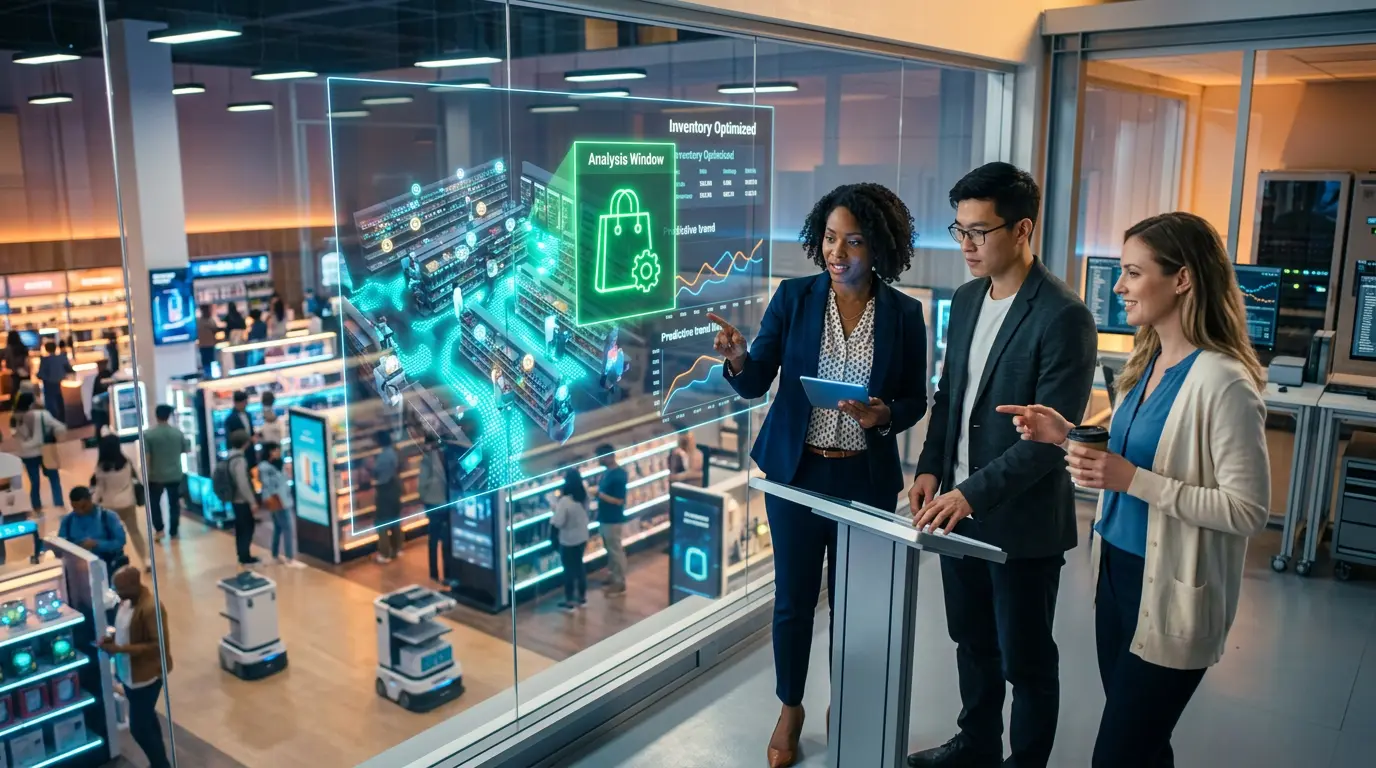
🏪 Physical retail is fighting shrink, stock-outs, and workforce costs with AI — and the results are measurable. This operations playbook covers how store managers, loss prevention leaders, and retail IT teams are deploying AI for loss prevention, inventory intelligence, workforce optimization, POS fraud detection, and in-store CX in 2026.
Last Updated: August 29, 2026
Physical retail is experiencing an AI transformation that has almost nothing to do with the algorithms powering online recommendation engines. For the store manager dealing with shrink, the operations director managing 500 SKUs across 20 locations, and the CX leader trying to replicate the personalization of digital commerce in a physical space — AI in 2026 is a set of very specific operational tools solving very specific operational problems. This guide covers those tools, those problems, and the implementation playbook that retail operations teams are using to deploy AI on the shop floor, in the stock room, and at the point of sale in 2026.
The scale of the opportunity — and the urgency — is significant. Active AI deployment in retail reached 58% in early 2026, a 16-point jump in a single year, according to NVIDIA’s State of AI in Retail report. Total retail loss due to shrink, fraud, returns abuse, and operational leakage totalled $796 billion in 2025, according to Appriss Retail’s 2026 Total Retail Loss Benchmark Report. Meanwhile, the Gartner 2026 CIO and Technology Executive Survey found that 67% of retail CIOs plan to increase their investment in associate-facing GenAI assistants this year. The pressure on physical retail margins is structural — and AI adoption is moving from competitive advantage to operational necessity at a pace that has surprised even the technology vendors selling into the sector.
This guide focuses specifically on physical retail and omnichannel operations — the in-store, inventory, and workforce applications that differ significantly from pure e-commerce AI. For AI tools in online retail, see our guide to AI in E-Commerce. For a ranked comparison of the best AI tools for retail teams with real 2026 pricing, see our Best AI Tools for Retail Teams guide.
📖 New to AI terminology? Visit the AI Buzz AI Glossary — 65+ essential AI terms explained in plain English, each linking to a full in-depth guide.
🔒 1. AI-Powered Loss Prevention: Reducing Shrink in 2026
Retail shrink is the defining operational crisis of 2026 for physical store operators. US retail losses from shrink are estimated at $47.8 billion in 2025 and projected to exceed $55 billion by 2028. The NRF’s 2025 report found shoplifting incidents up 18% in 2024 versus 2023, and threats or violence during theft events up 17%. Traditional loss prevention — store detectives, spot audits, post-mortem inventory variance reports — cannot scale to address a problem that has grown this fast. A regional loss prevention manager might oversee fifteen stores, visiting each twice a month, sampling high-risk departments, and investigating after shrinkage has already occurred. The latency between event and detection ranged from days to quarters.
The Shrink Reality in 2026: Retail shrink — the difference between recorded and actual inventory — exceeded $112 billion globally in the last fully measured year, with organized retail crime and self-checkout fraud representing the fastest-growing categories. AI-powered loss prevention is the only scalable response to a problem that has grown faster than the human loss prevention workforce can address it. The question for retail operations leaders in 2026 is not whether to deploy AI for loss prevention — it is which technology to deploy, on which store format, with which legal guardrails in place.
The average North American grocery chain lost 1.6% of revenue to shrinkage in 2023, climbing to 1.9% by late 2025. In the first quarter of 2026, a cohort of retailers running integrated computer vision, transaction-graph analysis, and agentic reconciliation systems reported shrinkage rates below 1.1% — a reduction that for a ten-billion-dollar operator translates to eighty million dollars in annual recovered margin. By using AI-enhanced tools across both returns and shrink, retailers are seeing nearly 29% reductions in total loss, saving them upwards of $86 billion. Self-checkout is the primary battleground: self-checkout loses about 16 times more per dollar than staffed lanes, and camera vision that cross-checks each scan against item-in-bag detection catches ghost scans and produce-code swaps in real time.
Only 38% of retailers currently use AI-based prescriptive analytics for loss prevention, but 50% say they plan to implement it within the next one to three years. Walmart, Target, and Kroger have run AI loss prevention for years. The 2026 adoption wave is mid-market: the 30-to-200-store regional chains that are deploying these capabilities for the first time. The technology stack for effective AI loss prevention in 2026 combines computer vision on store floor and self-checkout cameras, POS transaction analysis, RFID inventory cross-referencing, and exception reporting for employee theft patterns — all integrated into a single alert and case management workflow.
| Application | AI Technology | Shrink Reduction | Cost Range | Legal Note | Best For |
|---|---|---|---|---|---|
| Self-checkout AI | Computer vision + weight sensors + POS cross-reference | 30–50% at SCO | $15K–$40K/store | ✅ Low risk — no biometric collection | Grocery, big box, convenience |
| Behavioral analytics | Computer vision (no facial ID) — detects concealment behaviors | 20–35% floor theft | $8K–$25K/store | ✅ Low risk — behavior-only, no identity | All store formats — recommended first deployment |
| POS exception reporting | Transaction graph analysis — flags anomalous cashier patterns | 15–25% employee theft | $3K–$10K/year SaaS | ⚠️ Employee monitoring laws apply — policy disclosure required | Multi-lane retailers with high transaction volume |
| RFID + AI | RFID inventory scan + AI reconciliation — shrink vs. misplacement differentiation | 25–40% total shrink | $20K–$80K/store | ✅ Low legal risk — item-level, not personal data | Apparel, electronics, high-value goods |
| Facial recognition | Biometric identity matching against known offender databases | High deterrence for repeat ORC | $30K–$100K+/store | 🔴 High — BIPA (IL), CUBI (TX), GDPR (EU) — legal review mandatory | High-value targets only — legal complexity limits broad deployment |
| Returns fraud AI | Transaction history analysis — flags returns abuse patterns across customer identifiers | 15–30% returns fraud | SaaS from $5K/year | ⚠️ Disclose AI use in returns policy — CCPA/consumer notice | All store formats — fastest ROI for returns-heavy categories |
📦 2. AI Inventory Intelligence: From Stock-Outs to Smart Replenishment
Retailers lose between $1.73 trillion and $1.77 trillion every year to inventory distortion — the combined cost of overstocks and out-of-stocks — according to IHL Group’s 2026 research. For a typical retailer, that works out to roughly a 6.5% tax on the P&L. The inventory problem in physical retail is not a data shortage. Most retailers have more inventory data than their teams can analyze. It is a speed and response latency problem — by the time a human analyst identifies that a location is trending toward a stock-out on a high-velocity SKU, the stock-out has already happened and a customer has left empty-handed.
The Inventory Speed Problem: The inventory problem in physical retail is not a data shortage — most retailers have more inventory data than their teams can analyze. It is a speed problem. By the time a human analyst identifies that Store 7 is trending toward a stock-out on a high-velocity SKU, the stock-out has already happened. AI inventory intelligence solves the speed problem — analyzing thousands of data points in real time and triggering replenishment actions before the shelf empties.
Zara’s parent company Inditex uses AI models trained on real-time sales data, inventory levels, and social media trend signals to optimize production runs and distribution decisions. The result is one of the highest inventory turn rates in apparel retail — Zara restocks stores twice a week compared to the industry standard of four to six weeks — and a markedly lower markdown rate than competitors. Walmart, employing over 1.5 million US associates, has deployed AI tools that dramatically reduce shift planning time and provide conversational guidance for complex procedures — including real-time translation across dozens of languages for its diverse workforce. Walmart achieved 24% growth and 30% stockout reduction as part of its AI-powered inventory and operations programme. Meanwhile, Morrisons runs 400 to 600 AI cameras per store to spot empty shelves, and those alerts automatically trigger replenishment tasks in its frontline workforce app used by 70,000 colleagues.
Planogram compliance monitoring is a use case that many retail technology leaders underestimate. AI computer vision systems continuously scan shelf layouts against the approved planogram, flagging misplaced products, empty facings, and non-compliant merchandising arrangements in real time. This eliminates the periodic manual store walk — which typically catches compliance issues days after they occur — replacing it with continuous monitoring that triggers correction tasks within minutes. For categories where planogram compliance directly affects sales conversion, the ROI from this capability alone can justify a significant portion of the computer vision deployment cost.
| Inventory Challenge | Traditional Approach | AI Approach | Result | Time to Value |
|---|---|---|---|---|
| Demand forecasting | Historical sales averages + buyer judgment | ML models integrating weather, events, social signals, and real-time POS data | 20–40% forecasting error reduction | 3–6 months |
| Stock-out prevention | Weekly cycle counts + manual reorder triggers | Real-time shelf monitoring via cameras + automated replenishment alerts | 30% reduction in out-of-stocks (Walmart 2025) | 1–3 months |
| Planogram compliance | Weekly manual store walk by category manager | CV scan of shelves vs. approved planogram — continuous monitoring, task auto-creation | Compliance from 60% to 90%+ in pilot stores | 2–4 months |
| Perishable waste | Fixed order quantities + end-of-day markdown by department manager | AI demand prediction + automated dynamic markdown timing for perishables | 15–25% waste reduction in grocery | 3–6 months |
| Seasonal peaks | Previous year data + buyer experience for Black Friday, back-to-school | Multi-signal AI models incorporating external data (weather, events, economic signals) for peak prediction | 40% reduction in inventory carrying costs at peak (2026 benchmarks) | 1–2 seasonal cycles |
🏭 Exploring AI in your industry? Browse the AI Buzz Industry Guide — 35+ in-depth sector guides covering how AI is transforming healthcare, finance, HR, legal, retail, manufacturing, and more.
👥 3. AI Workforce Optimization: Scheduling, Safety, and Performance
Workforce cost is the second-largest expense in physical retail after cost of goods, and it is the most difficult to optimize without AI. The fundamental challenge is that customer footfall — and therefore staffing need — is highly variable and increasingly unpredictable, driven by factors that human schedulers cannot monitor simultaneously: weather, local events, competitor promotions, and real-time queue depth. AI scheduling systems in retail environments adjust schedules based on real-time factors like holidays or community events, reducing scheduling conflicts by up to 30% and overtime by 20 to 40% in adopting organizations. Gartner projects that by 2028, AI-enabled skills management will allow 40% of open shifts to be filled autonomously, matching specific certifications to shift requirements.
AI-powered queue management is one of the fastest-ROI workforce applications in physical retail. Computer vision systems monitor customer queue depth in real time, predict queue build-up 10–15 minutes ahead based on footfall trends, and alert store managers to open additional checkout lanes before the queue reaches a length that drives customer abandonment. The impact is measurable in both customer satisfaction scores and conversion rates — customers who encounter long queues at point of sale have materially higher abandonment rates, and a queue prediction system that consistently prevents queues from exceeding three to four customers eliminates most of that abandonment. For the broader workforce context, see our AI in Human Resources guide covering how AI is transforming workforce management across all business functions.
Workplace safety monitoring is an emerging AI application with both operational and legal dimensions. Computer vision systems trained on safety incident patterns can detect slip hazards, equipment misuse, and safety protocol violations in real time — alerting store managers before incidents occur rather than after. Change management is the primary execution risk at the workforce scheduling stage. Store managers accustomed to making scheduling decisions with their own judgment may resist AI-generated schedules, particularly if they perceive them as reducing their discretion. Managing the workforce transition requires clear communication about what decisions AI is optimizing and which human judgment calls remain in manager control.
| Workforce Challenge | AI Solution | Measured Result | Guardrail Required |
|---|---|---|---|
| Shift scheduling | Footfall prediction + AI schedule generation with compliance rules built in | 30% fewer conflicts; 20–40% overtime reduction | Manager override capability; fair scheduling law compliance by state |
| Queue management | Real-time CV queue depth monitoring + 10-minute ahead prediction + cashier deployment alerts | Reduced queue abandonment; improved CSAT scores | No individual customer identification; aggregate flow data only |
| Safety monitoring | CV detection of slip hazards, equipment misuse, protocol violations — real-time alerts | Reduction in incident frequency; faster hazard response | Employee disclosure of monitoring; union agreement review where applicable |
| Performance analytics | Store layout + staffing configuration analysis correlated against conversion rates | Layout optimization; staffing configuration improvements | AI as recommendation only — manager retains final deployment decisions |
🛒 4. AI at the Point of Sale: Fraud Detection and Payment Intelligence
POS fraud is the fastest-growing category of retail financial loss after returns abuse. AI-powered POS exception reporting has been available for large retailers for several years, but 2026 marks the first year the technology has become accessible at price points that mid-market retailers — those operating 10 to 200 stores — can practically deploy. The core capability is transaction graph analysis: the AI builds a behavioral baseline for each cashier, register, and transaction type, then flags statistical anomalies in real time. A cashier who voids an unusual number of transactions, applies discounts at a rate higher than peers, or has a pattern of transactions where basket weight does not match scanned items is flagged for manager review — not automatically accused, but surfaced for investigation.
Returns fraud has become the single most important POS AI use case for many retailers in 2026. The 2026 Total Retail Loss Benchmark Report found that 21% of retail loss is preventable, including $86 billion lost to returns abuse. AI-powered returns fraud detection analyzes return patterns across customer identifiers, flagging accounts with statistically unusual return rates, return-without-receipt patterns, and high-value return clustering. The systems do not prevent legitimate returns — they surface suspicious patterns for human review, shifting the decision from automatic denial to evidence-based investigation. Retailers implementing AI-enhanced tools across returns and shrink are seeing nearly 29% reductions in total loss.
| Fraud Type | AI Detection Method | Detection Rate | False Positive Risk | Regulatory Note |
|---|---|---|---|---|
| SCO sweet-hearting | CV item-in-bag vs. scan cross-reference; weight sensor validation | 85–95% (Everseen, 2025) | ⚠️ Medium — alert to attendant, not auto-accusation | ✅ Low — no biometric collection |
| Returns abuse | Transaction graph analysis across customer ID — flags abnormal return rate, high-value patterns | 70–85% of fraudulent returns identified | ⚠️ Medium — human review required before denial | ⚠️ Disclose AI use in returns policy — CCPA obligation |
| Cashier theft patterns | POS exception reporting — void rate, discount rate, basket weight anomalies vs. peer baseline | Surfaces 80–90% of systemic theft for investigation | ✅ Low — flags for investigation, not automatic action | ⚠️ Employee monitoring disclosure required in most states |
| Coupon/promo fraud | AI validation of coupon eligibility + duplicate redemption detection in real time | 90%+ duplicate redemption detection | ✅ Low — real-time rules-based + AI | ✅ Low legal risk |
| Age verification | AI age estimation from camera (non-biometric) — alerts cashier when visual age is borderline | Reduces missed ID checks at SCO by 60–70% | ⚠️ Medium — must prompt human check, not override | ⚠️ Verify biometric definition by state before deployment |
🎯 5. In-Store Customer Experience: AI Personalization in Physical Retail
The physical retail CX challenge in 2026 is bridging the personalization gap between what digital commerce delivers and what the shop floor can offer. Online shoppers receive product recommendations calibrated to their individual purchase history, browse behavior, and demographic profile. In-store shoppers historically received nothing — a static product layout optimized for the median customer, not the individual standing in front of the shelf. AI is closing that gap through digital signage, smart kiosks, mobile app integration, and AI-powered customer service tools. For the service layer supporting in-store AI deployments, see our Best AI Tools for Customer Service guide covering the platforms retail teams use to unify digital and physical customer interactions.
The In-Store Personalization Line: In-store AI personalization carries the same “creepiness line” risk as digital personalization — but with a physical dimension that makes it feel more invasive. Adjusting digital signage based on aggregate footfall demographics feels like good retail design. Using facial recognition to identify a specific returning customer and display their name on a screen feels like surveillance. Retailers deploying in-store AI personalization must evaluate every capability against this standard before deployment — not just against what is technically possible or legally permitted.
Sephora’s Virtual Artist tool uses augmented reality and computer vision to let customers try on makeup products through the Sephora app before purchasing. The AI maps facial features in real time and renders product color and texture accurately across different skin tones and lighting conditions. This represents the acceptable end of the in-store AI personalization spectrum — the customer initiates the interaction, controls the experience, and explicitly engages with the technology. The unacceptable end of the spectrum is AI that identifies, profiles, and targets individual customers without their awareness or consent, using biometric or behavioral inference to build personal profiles from store visits.
| CX Application | AI Technology | Customer Impact | Ethical Guardrail |
|---|---|---|---|
| Digital signage personalization | Footfall demographic aggregates (age range, group size) — no individual ID | Higher message relevance; improved conversion at promotional displays | ✅ Aggregate only — no individual tracking or facial ID |
| Smart kiosk / virtual try-on | AR + CV — customer-initiated, session-based, no data retained after session | Higher basket size; reduced returns from better purchase confidence | ✅ Customer-initiated + zero data retention = low risk |
| Mobile app + in-store AI | App-linked loyalty data + in-store location (opt-in) — personalized offers on app while in store | Higher loyalty engagement; personalized promotion redemption | ⚠️ Explicit location opt-in required; easy opt-out must be available |
| Facial recognition for returning customer ID | Biometric facial ID matched to loyalty database — displays personalized welcome | Potential loyalty uplift but high creepiness risk | 🔴 Do not deploy — crosses creepiness line + BIPA exposure in IL |
🛡️ 6. Retail AI Governance: Compliance, Ethics, and Data Privacy
Retail AI governance is more legally complex than most operations leaders realize — and the legal landscape changed materially in 2025 and 2026. The combination of US state biometric privacy laws, the EU AI Act’s August 2026 transparency obligations, and consumer data privacy regulations creates a compliance matrix that requires legal review before any computer vision, behavioral analytics, or customer data AI deployment. The foundational resource is the AI Governance guide, which covers the policy and framework-building layer. For data handling specifically, the AI and Data Privacy guide covers GDPR, CCPA, and data processing obligations in full.
Biometric data law is the most immediate compliance risk for US retail AI deployments. Illinois BIPA is the most protective biometric privacy law in the US, with a private right of action and penalties up to $5,000 per violation. If your AI system processes facial recognition, voiceprints, or other biometric data, written consent is required before collecting any biometric data — implied consent is not sufficient. Illinois BIPA cannot sell, lease, trade, or profit from biometric data under any circumstances, and has produced the largest privacy settlements in US history: Meta ($650M), BNSF Railway ($228M), Google ($100M). Prioritize Illinois first because of its private right of action and per-violation statutory damages. Then Texas and Washington for AG enforcement. In practice, building to BIPA covers most other state requirements.
The EU AI Act adds a distinct layer for retailers with EU operations. The Act’s transparency duties apply from August 2026, and its high-risk rules — including biometrics — apply from December 2027. In Europe, behavioural-only detection is not just safer, it is close to mandatory for retail. For US retailers without EU exposure, the safest compliance posture for any AI product with a national user base is to design consent, retention, and destruction flows to satisfy BIPA, which clears most other US states by default.
| Compliance Requirement | Jurisdiction | Action Required | Risk if Ignored |
|---|---|---|---|
| Written consent before any facial recognition or biometric data collection | Illinois (BIPA) | Written consent form + published retention and destruction policy before deployment | 🔴 $1,000–$5,000/violation; class action exposure; Meta settled for $650M |
| Biometric data collection consent + AG registration | Texas (CUBI), Washington | Consent notice + opt-out mechanism; Texas AG enforcement | ⚠️ AG enforcement; civil penalties up to $25,000/violation (TX) |
| AI system transparency obligation — disclose when AI is being used in store | EU AI Act (August 2026) | Signage or disclosure at store entry; document AI system inventory | 🔴 Up to €15M or 3% of global revenue for transparency violations |
| Customer notice of AI use in returns decisions | CCPA (California), Colorado SB 26-189 | Add AI disclosure to returns policy; provide opt-out right | ⚠️ CCPA enforcement; consumer protection violations |
| Employee monitoring disclosure — AI surveillance of cashier and floor activity | Most US states; EU (GDPR Art. 88) | Written notice to employees before deploying any AI monitoring system; union review where applicable | ⚠️ State labor law violations; GDPR fines for EU stores |
| Data retention limits — in-store video and transaction data | BIPA, GDPR, CCPA | Define maximum retention period per data type; automated deletion schedule | ⚠️ Regulatory exposure increases with every day data is retained beyond stated policy |
| AI vendor contract — data processing agreement (DPA) and biometric data flow-through clauses | GDPR Art. 28, BIPA (IL) | Require DPA + BIPA flow-down clause in every AI vendor contract before signing | 🔴 Retailer is jointly liable for vendor’s BIPA violations without flow-down clause |
| Behavioral-first architecture — avoid facial recognition where legally complex | IL, TX, WA, EU | Design loss prevention systems around behavior detection, not identity matching — reduces legal risk across all jurisdictions | ✅ Behavioral-only architecture clears BIPA and GDPR in most retail deployments |
🏁 7. Conclusion: The Physical Retail AI Playbook for 2026
Physical retail in 2026 faces a convergence of pressures — rising shrink, inventory distortion costing trillions globally, workforce cost volatility, and consumer expectations shaped by the hyper-personalization of digital commerce — that cannot be addressed at scale without AI. The operations teams pulling ahead are not necessarily those with the largest technology budgets. They are those with the clearest deployment sequence: loss prevention and inventory intelligence first (fastest ROI, lowest legal complexity), workforce optimization second, POS fraud detection third, and in-store CX personalization last — with the legal and ethical guardrails in place before each layer is activated.
The 2026 consensus for physical retail AI is a behavioral-first, human-reviewed, legally governed deployment stack. Behavioral computer vision over facial recognition. AI that flags for human review rather than takes autonomous action against customers or employees. Biometric consent frameworks built to BIPA standards before any identity-linked AI is deployed. And a retail AI acceptable use policy — reviewed by legal counsel and disclosed to both employees and customers — before the first camera or POS analytics system goes live. Retailers deploying AI across inventory, workforce, and supply chain operations are reporting 40% reductions in inventory carrying costs, 15% labor savings, and up to 50% shrinkage reductions within the first year when they follow this sequenced, governed approach. The technology is ready. The legal framework is clearer than it was two years ago. The operations playbook exists. The question is execution speed.
📌 Key Takeaways
| ✅ | Takeaway |
|---|---|
| ✅ | US retail shrink losses are estimated at $47.8 billion in 2025 and projected to exceed $55 billion by 2028. Retailers running integrated AI loss prevention systems reported shrinkage rates below 1.1% in Q1 2026 — versus the 1.9% industry average — translating to $80 million in annual recovered margin for a $10 billion operator (ColdAI, April 2026). |
| ✅ | Self-checkout is the largest single shrink source — losing approximately 16 times more per dollar than staffed lanes. AI computer vision that cross-references scans against item-in-bag detection catches ghost scans and produce-code swaps in real time, reducing SCO shrink by 30–50%. |
| ✅ | Inventory distortion — the combined cost of overstocks and out-of-stocks — costs retailers $1.73–1.77 trillion annually (IHL Group, 2026). AI demand forecasting reduces forecasting errors by 20–40% and has helped Walmart achieve 30% stockout reduction across its US store network. |
| ✅ | AI workforce scheduling reduces scheduling conflicts by up to 30% and overtime by 20–40% in adopting retail organizations. Gartner projects that by 2028, AI-enabled skills matching will fill 40% of open shifts autonomously. |
| ✅ | Returns abuse totalled $86 billion in preventable losses in 2025 (Appriss Retail, 2026). AI-enhanced returns fraud detection — analyzing patterns across customer identifiers — reduces total retail loss by nearly 29% when combined with shrink AI. |
| ✅ | Illinois BIPA requires written consent before any biometric data collection — penalties reach $5,000 per violation with a private right of action. Retailers deploying facial recognition without BIPA compliance face class action exposure. Meta settled BIPA litigation for $650 million; Facebook settled for $650 million; BNSF Railway for $228 million. |
| ✅ | The “creepiness line” for in-store AI personalization: digital signage adjusted by aggregate footfall demographics is acceptable retail design. Facial recognition identifying a specific returning customer and displaying their name on a screen crosses into surveillance territory — and BIPA exposure in Illinois. |
| ✅ | The EU AI Act’s transparency obligations for retail computer vision systems took effect August 2026. EU retailers must disclose AI use at store entry. High-risk biometric rules take effect December 2027 — behavioural-only detection is the compliant architecture for EU deployments before that date. |
🔗 Related Articles
❓ Frequently Asked Questions: AI in Retail Operations
1. What is the fastest ROI from AI in physical retail operations?
Loss prevention — specifically self-checkout AI fraud detection — consistently delivers the fastest ROI for physical retailers. Retailers running AI computer vision at self-checkout report 30–50% shrink reduction at those lanes within 3–6 months of deployment. The second fastest is AI demand forecasting for inventory, which reduces stock-outs by 20–30% and inventory carrying costs by up to 40%. Our Best AI Tools for Retail Teams guide covers the specific platforms with 2026 pricing.
2. Is facial recognition legal for retail loss prevention in the US?
It depends on the state. Illinois BIPA requires written consent before any biometric data collection, with penalties up to $5,000 per violation and a private right of action — Meta settled BIPA litigation for $650 million. Texas and Washington have similar AG-enforced requirements. The safest architecture for most US retailers is behavioral-only computer vision — detecting concealment behaviors without collecting biometric identity data. This avoids BIPA exposure entirely while still delivering 20–35% floor theft reduction. Review our AI and Data Privacy guide for the full regulatory framework.
3. How does AI inventory management differ from traditional demand forecasting?
Traditional forecasting uses historical sales averages and buyer judgment. AI demand forecasting integrates real-time POS data, weather signals, local events, social media trends, and supplier lead times simultaneously — producing replenishment triggers before stock-outs occur rather than after. Zara uses AI inventory models to restock stores twice a week versus the industry standard of four to six weeks, achieving one of the highest inventory turn rates in apparel retail.
4. What employee monitoring laws apply to AI workforce tools in retail?
Most US states require written disclosure to employees before deploying any AI monitoring system — including POS exception reporting, computer vision scheduling systems, and performance analytics tools. Union agreements may require additional consultation. The EU requires GDPR Article 88 compliance for employee monitoring in European stores. Disclose AI monitoring to all retail employees before deployment and document consent. Our AI in Human Resources guide covers workforce AI compliance obligations.
5. What does the EU AI Act require from physical retailers using AI in stores?
The EU AI Act’s transparency obligations took effect August 2026 — EU retailers using AI systems in stores must disclose this at store entry. High-risk provisions covering biometric systems (including facial recognition) take effect December 2027. Until then, behavioural-only computer vision — which detects movement and behavior patterns without identifying individuals — is the compliant architecture for EU retail AI deployments. Our EU AI Act guide covers the full compliance timeline and requirements.
📧 Get the AI Buzz Weekly Digest
Weekly AI insights, tools, and strategies — delivered every Monday. Free.




Leave a Reply